How to Run a VBS File Safely on Windows
|
5
min read

A lot of teams still find a stray .vbs file in a logon share, a finance folder, or an old deployment tree and need it to run today, not after a migration sprint. The script usually looks harmless, but it sits in the same class of legacy automation that used to glue desktops, reports, and batch jobs together long before modern observability existed.
If you're trying to figure out how to run a vbs file safely on Windows, start with the execution path, not just the file. The wrong host, a broken association, or a newer Windows build can turn a script that used to "just work" into something that fails without a trace and leaves no useful trail behind.
Table of Contents
Running VBS Files with Double-Click Execution
A stray .vbs file still turns up in logon shares, finance folders, and old deployment trees. Double-clicking it in Windows Explorer is the fastest first check, because Windows Script Host sends the file to the default handler. On many systems that is WScript, which is fine for a quick desktop test and for confirming that the extension is still associated correctly as documented for .vbs association and host routing.
When this method is fine and when it isn't
Use double-click execution when you are checking a new script on your own machine, testing a dialog box, or verifying that the file opens at all. It tells you whether Windows still recognizes the file type and whether the script text is readable.
Practical rule: if you need proof that a script can run in production, do more than double-click it.
The limitation is observability. A double-click launch leaves little trace, which is a poor fit for data teams and platform engineers who need to know who ran the script, when it ran, and whether it touched files or datasets downstream. If the file does not launch, the usual problem is a broken association, where .vbs no longer points to the proper Windows Script Host handler path, as noted in Microsoft's guidance on .vbs file associations and handler paths.
For anything beyond a quick manual check, treat double-clicking as a smoke test, then move to a controlled host with logging and failure capture.
Choosing Between CScript and WScript Hosts
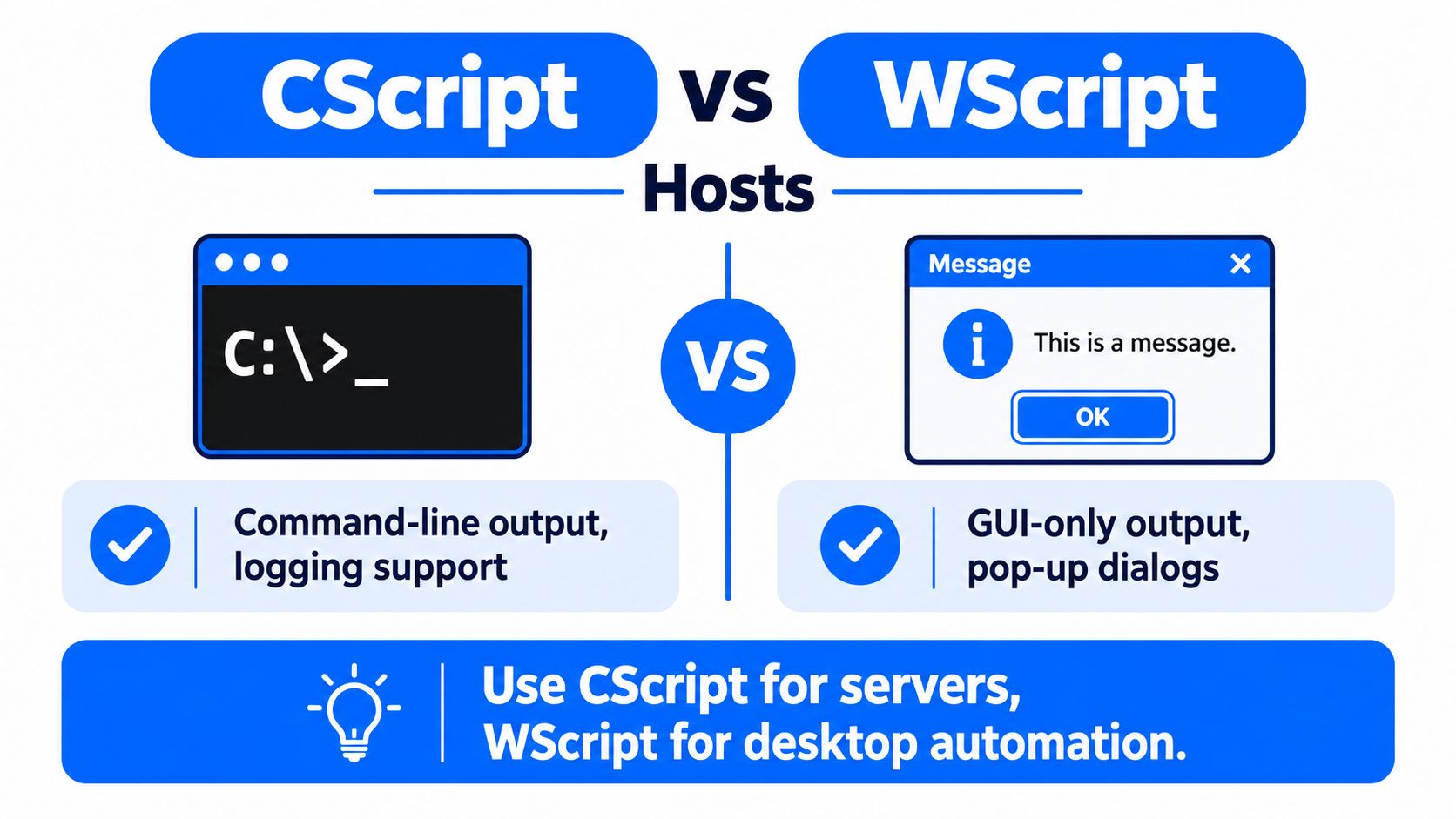
The deciding factor in how to run a vbs file is the host. Windows Script Host supports both cscript.exe and wscript.exe, and Microsoft documents cscript as the command-line path for running scripts such as cscript "c:\sample scripts\chart.vbs" or cscript vbscript.vbs from the script directory Microsoft documentation.
Side-by-side execution context
Execution Context | Host Choice | Output Handling | Best For |
|---|---|---|---|
Scheduled job on a server | CScript | Command-line output, easier logging | Headless automation |
Desktop pop-up or prompt | WScript | GUI dialogs only | Interactive use |
Troubleshooting a script | CScript | Text output in the console | Debugging and traceability |
User-facing desktop helper | WScript | Message boxes and prompts | Small local utilities |
The distinction matters because the host changes what you can observe. CScript is the better fit when you care about logs, error text, or scheduled execution without an active user session. WScript makes sense when the script's job is to show dialogs, collect a quick yes or no, or guide a local user through a small desktop task.
The host can also be changed with the //H:hostName option, so the file type alone doesn't always tell you how the script will behave. That's why a production script should declare its intended host in the runbook, not rely on whoever double-clicks it.
Data workflow automation patterns depend on the same principle, a clear execution path is better than an assumed one.
Scheduling VBS Scripts with Windows Task Scheduler
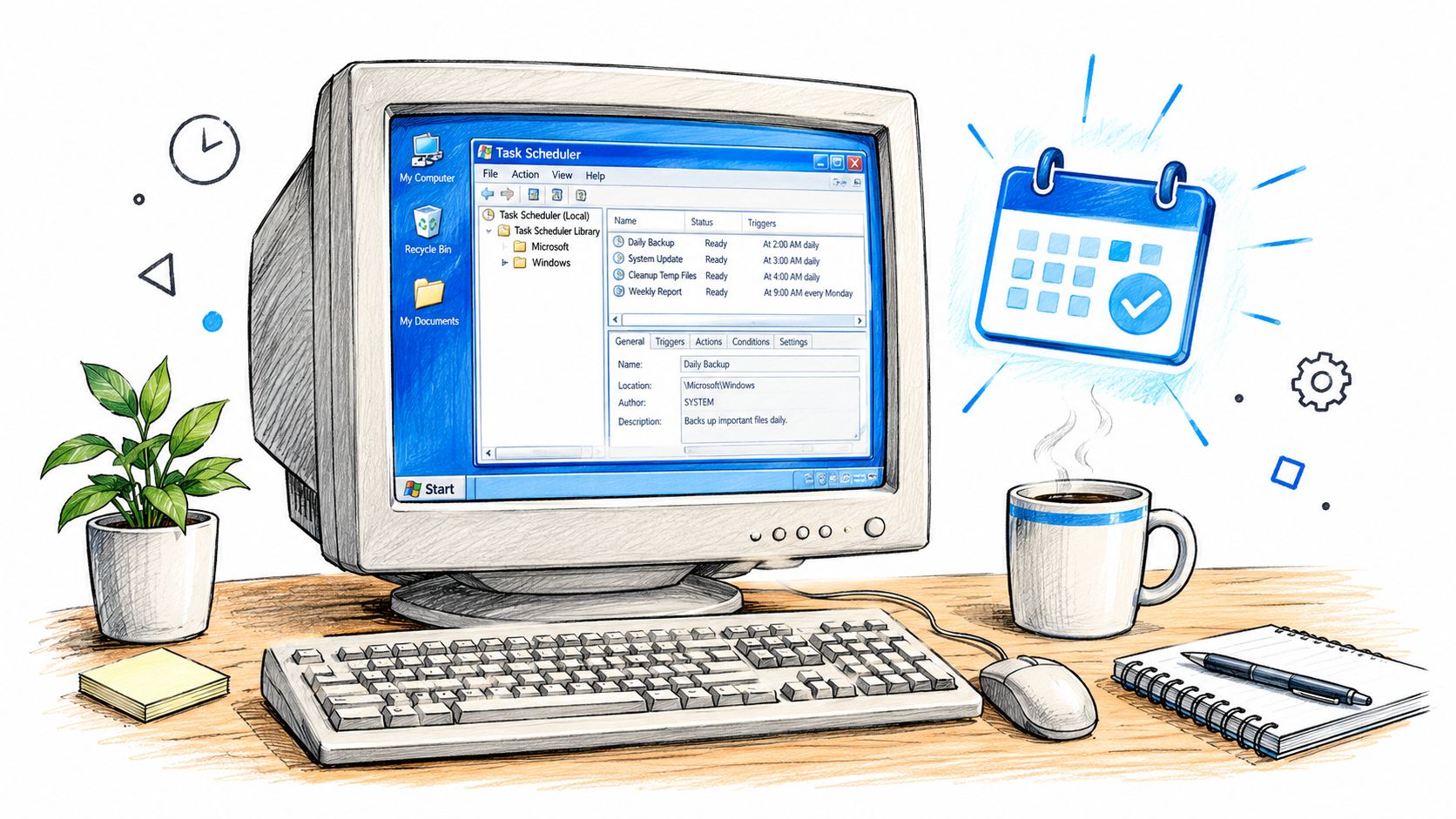
Scheduled execution is where most .vbs files either become dependable or become a source of quiet drift. Windows Task Scheduler lets you run cscript.exe on a predictable cadence, under a service account, without requiring a user to stay signed in.
Build it like a production task
Start by pointing the action at cscript.exe, not the .vbs file directly, then pass the script path as an argument. That gives you explicit control over the host and makes the task easier to inspect later. If the script needs to run in a locked-down context, use a service account with only the access it needs, not an interactive admin profile that someone keeps changing.
Export the task definition as XML once it's stable. That file becomes your versioned record of triggers, conditions, and actions, which matters when the same script exists on more than one server. Importing the XML on another machine also makes it easier to spot drift between environments.
Keep the scheduler entry boring. Boring tasks are the ones that keep running after everyone forgets they exist.
Failure handling matters just as much as launch settings. Configure the task so a missed run or a broken script gets noticed quickly, then pair the task with the rest of your pipeline controls instead of treating it as a standalone artifact. For workflow design and repeatable orchestration patterns, the pipeline orchestration reference is the right mental model, even if the script itself is old.
Understanding VBScript Deprecation and Windows 11 Compatibility
Microsoft moved VBScript into deprecation in October 2023, then announced a staged retirement plan in 2024 that begins with VBScript available as a Feature on Demand and ends with removal in a future Windows release VBScript deprecation timeline. That shift changes the answer to “how to run a vbs file” on newer systems, because availability is no longer something you can assume from the extension alone.
What changes in practice
On older Windows systems, VBScript was part of the built-in scripting model. On newer builds, the feature may need to be explicitly enabled, which means a script that launches on one machine can fail on another machine that looks similar from the user's point of view. Microsoft's retirement path makes that possibility part of normal operations now, not an edge case.
A compatibility checklist beats generic advice. “Double-click the file” and “run cscript filename.vbs” are still valid commands in some environments, but they're incomplete once VBScript is disabled or absent. Administrators should check the Windows version, the Feature on Demand state, and the policy that governs optional features before assuming the script is broken.
The long-lived part of the technology matters too. VBScript had nearly three decades of Windows presence, which is why so much old automation still depends on it. But longevity doesn't equal permanence, and the retirement plan means the margin for casual execution is shrinking fast.
Troubleshooting Common VBS Execution Errors
A .vbs file that refuses to run usually points to a broken handler, a blocked account, or a missing Windows feature. Start with the file association, because Windows may no longer be sending .vbs to WScript, or it may be pointing at the wrong executable.
A fast triage sequence
Verify the file handler. Right-click the file and check which app opens
.vbs. It should resolve to the Windows Script Host executable that is meant to run it.Check permissions. Confirm that the account running the script can read the file, reach the folders it touches, and access any network paths it depends on.
Confirm the host exists. Run both
wscriptandcscriptfrom the command line so you know whether Windows still recognizes the script host registration.Check feature availability. On newer Windows builds, run
dism /online /get-capabilities | findstr VBSCRIPTor open Settings > Apps > Optional features to confirm the VBSCRIPT capability is Installed.
A bad association often shows up after a cleanup tool, an upgrade, or a registry tweak that changed the default handler. Permission problems usually surface later, when the script reaches a path or object it cannot access. Missing components are harder to spot because the file can look fine while the runtime environment has already shifted underneath it.
For incident response, do not treat this as a one-off desktop problem. Script failures belong in the same review flow as other automation issues, and monitoring and reporting controls should track script execution health alongside the rest of the platform checks.
Monitoring Legacy VBS Automation with Data Observability
The old scripts don't live in isolation. A lot of .vbs automation still reads files, updates tables, moves extracts, or triggers jobs that feed the same analytics stack your team already watches, so a silent failure can look like a data problem long before anyone notices a script problem.
That's why legacy script health belongs inside a data observability workflow, not outside it. If a logon script stops writing a file, or a scheduled task fails on one server, the visible symptom may be a stale dashboard, a missing batch load, or a downstream reconciliation mismatch. Teams that track those symptoms separately end up chasing the wrong layer first.
Data observability for operational teams is the right lens here because it treats automation as part of the data path, not as an afterthought. That matters most while you still have mixed estates, where VBScript, PowerShell, and newer orchestrations all coexist.
If a script can affect a table, a report, or a load window, it deserves the same visibility as the pipeline it touches.
The practical habit is simple. Log script starts, script exits, and the business artifact it influences, then correlate that with your broader pipeline monitoring before you retire the old code.
Migration Checklist from VBS to Modern Automation
A clean migration starts with inventory, not enthusiasm. Before you rewrite anything, list the scripts, identify which ones are still executed, and separate the low-risk desktop helpers from the jobs that touch critical data or shared infrastructure.
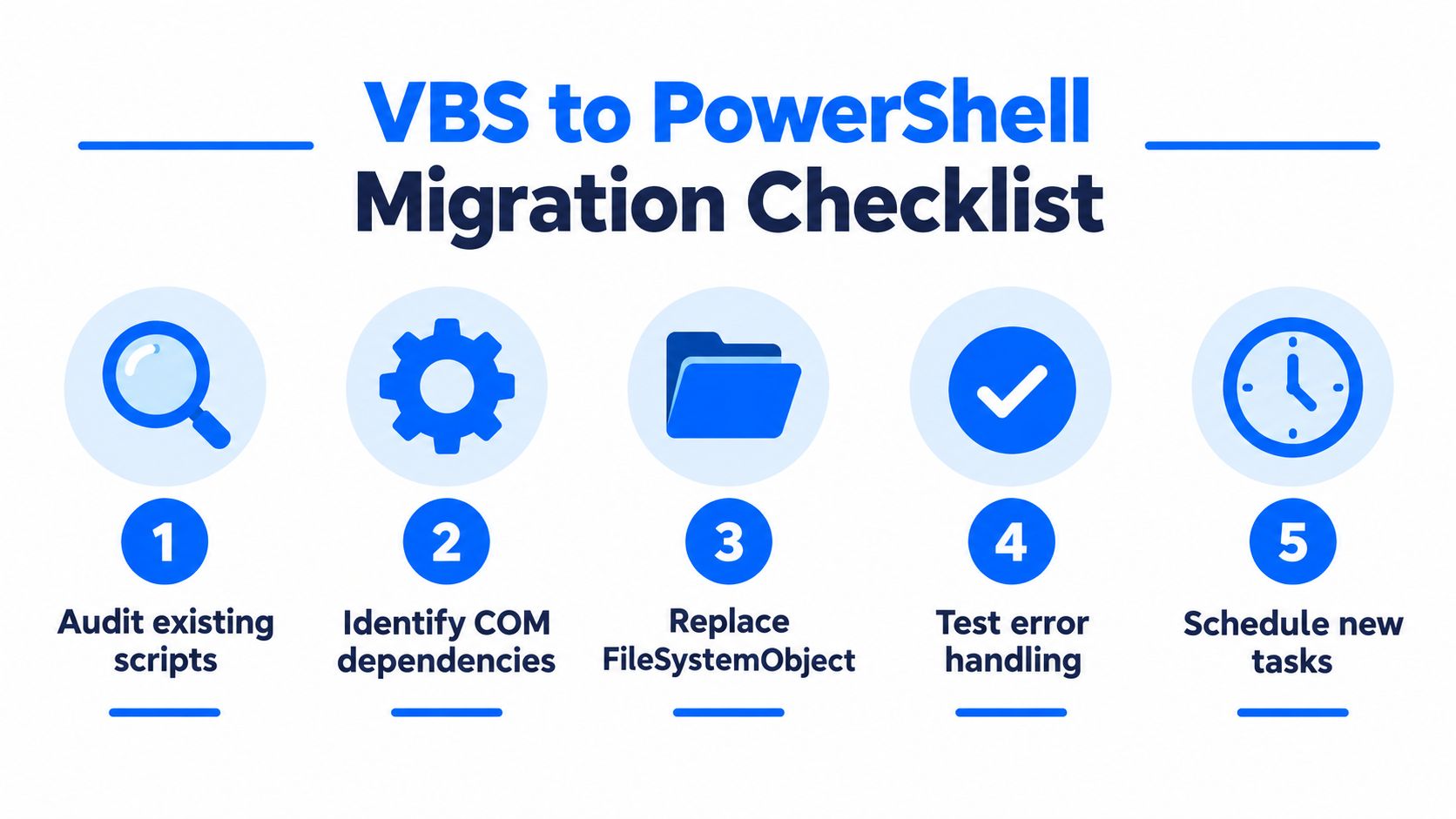
A practical sequence that avoids surprises
Audit existing scripts. Find every
.vbsfile in scheduled tasks, logon shares, install folders, and service directories.Identify COM dependencies. Some old scripts depend on Windows components or Office objects that don't translate cleanly.
Replace FileSystemObject usage. Simple file logic is usually the easiest part to move first.
Test error handling. Confirm that failures are visible, not just swallowed by the old script structure.
Schedule new tasks. Put the replacement under a controlled runner, not an ad hoc desktop shortcut.
Not every script needs to move at once. Some can stay on Feature on Demand while you phase in replacements, especially if they're stable and tightly controlled. Others should move immediately, particularly if they sit on the path between source systems and reporting layers.
The useful question isn't “can it still run?” It's “should it still be the thing that runs this?” That's where modernization, validation, and observability converge, especially for teams that are already planning broader data migration work through legacy system migration planning.
If you're cleaning up old Windows automation and need a way to spot failures before they spill into dashboards, reports, or downstream loads, visit digna. It helps teams monitor data behavior, timeliness, and structural change inside their own environment, which is exactly where brittle legacy scripts tend to leave their fingerprints.
Because a failed scheduled VBS task usually surfaces as a table or extract that simply stops updating, digna Timeliness can flag late or missing loads on the data side even when the script itself leaves no trace.
Frequently asked questions
How do I run a VBS file on Windows?
Double-clicking the file in Windows Explorer runs it through the default Windows Script Host handler, usually WScript. For anything beyond a quick test, open a command prompt and run cscript followed by the script path, for example cscript vbscript.vbs, so you get console output and easier logging.
What is the difference between cscript and wscript?
Both are Windows Script Host executables, but they handle output differently. CScript writes text to the command line, which suits scheduled server jobs, logging, and debugging. WScript shows GUI dialogs and message boxes, which suits interactive desktop helpers. You can change the default host with the //H:hostName option.
How do I schedule a VBS script with Task Scheduler?
Point the scheduled task action at cscript.exe rather than the .vbs file, then pass the script path as an argument. Run it under a service account with only the access it needs, and export the stable task definition as XML so triggers, conditions, and actions are versioned across servers.
Why won't my VBS file run on Windows 11?
Microsoft deprecated VBScript in October 2023 and is retiring it in stages, starting with VBScript as a Feature on Demand. On newer builds, run dism /online /get-capabilities | findstr VBSCRIPT or check Settings > Apps > Optional features to confirm the VBSCRIPT capability is installed before blaming the script.
How do I troubleshoot a VBS script that does not run?
Work through four checks in order. First verify that .vbs still opens with the Windows Script Host executable, then confirm the running account can read the file and reach its paths. Next run wscript and cscript to confirm the hosts exist, and finally check that the VBSCRIPT feature is installed.


