Data Workflow Automation: A Practical Guide for 2026
|
6
min read

About 60% of businesses had already implemented automation in at least one workflow, and 80% of organizations planned to maintain or increase automation spending. If your pipelines run on time but still deliver wrong, late, or schema-drifted data, the problem isn't scheduling, it's trust.
That's the part teams feel in production. The DAG goes green, the dashboard refreshes, and then someone in finance, analytics, or operations spots a number that doesn't line up with reality because a source feed arrived late, a column changed shape, or a validation rule never fired. Orchestration alone can move work on schedule, but it can't guarantee that the data is still worth trusting when it lands.
Table of Contents
Why Data Workflow Automation Is Really About Trust
A pipeline can hit every scheduled run and still betray the people depending on it. The classic failure is quiet, not dramatic, a report refreshes, the job ends cleanly, and only later does someone discover that a schema change, stale source file, or partial load shifted the numbers enough to change a decision.
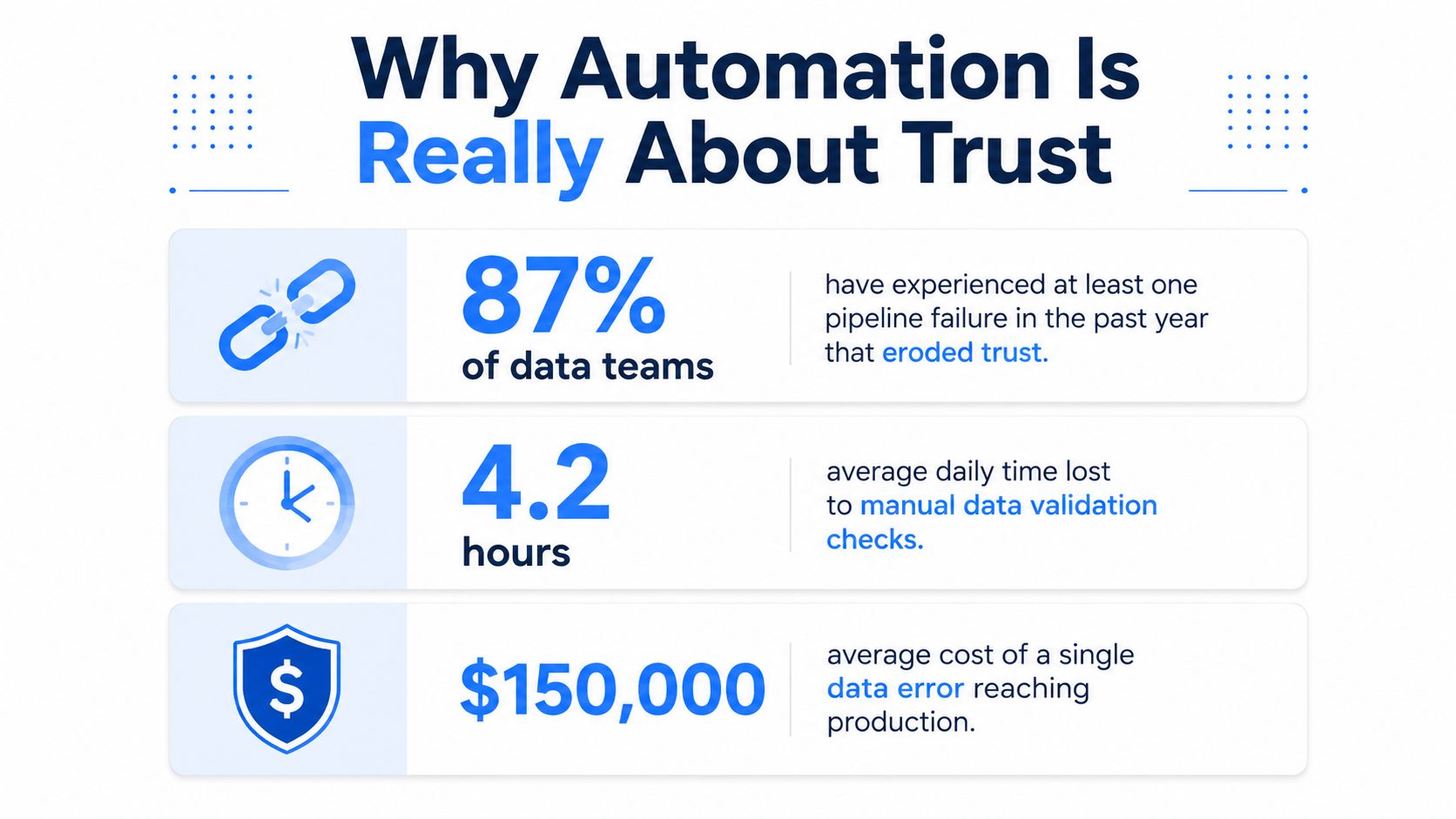
The best automation programs don't measure success by how few people touch the workflow. They measure whether the organization gets fewer late, wrong, or untrusted deliveries. That framing matters because the market has clearly moved past hobbyist automation, with workflow automation now a strategic category rather than a point efficiency trick, supported by broad adoption and sustained spending plans in industry analysis based on a 2024 Duke University study and market estimates in the same source workflow automation statistics.
What breaks trust in production
The breakdown usually starts with one of three things. A feed arrives late, a source system adds or removes a field, or a rule that looked obvious in development turns out to be ambiguous in the business process.
Practical rule: if the workflow can succeed while the data is still wrong, you haven't automated the right thing yet.
That's why data workflow automation has to include more than task scheduling. Industry analysis reports that automated processes typically deliver 25% to 30% productivity increases and 40% to 75% error reduction, while 60% of organizations reach ROI within 12 months workflow automation stats and trends. Those are useful numbers, but in a serious data platform the real payoff is harder to miss than a productivity chart, it's the absence of silent damage.
The real output is reliability
A data team that only chases speed often creates a more polished failure mode. Jobs finish faster, but exceptions still leak through because the workflow wasn't built to notice freshness gaps, schema drift, or broken business rules.
The National Academies describes scientific workflow engines as software that capture a computational analysis pipeline and provide provenance tracking, which makes workflow automation auditable rather than merely faster provenance in workflow engines. That idea maps cleanly to modern data operations, if you can't answer what ran, with which inputs, and in what order, you're managing motion, not trust.
Assessing Requirements and Mapping Your Data Sources
Start with the workflow, not the platform. If the team can't name the source systems, the latency expectations, and the business outcome the pipeline protects, automation becomes a decoration on top of confusion.
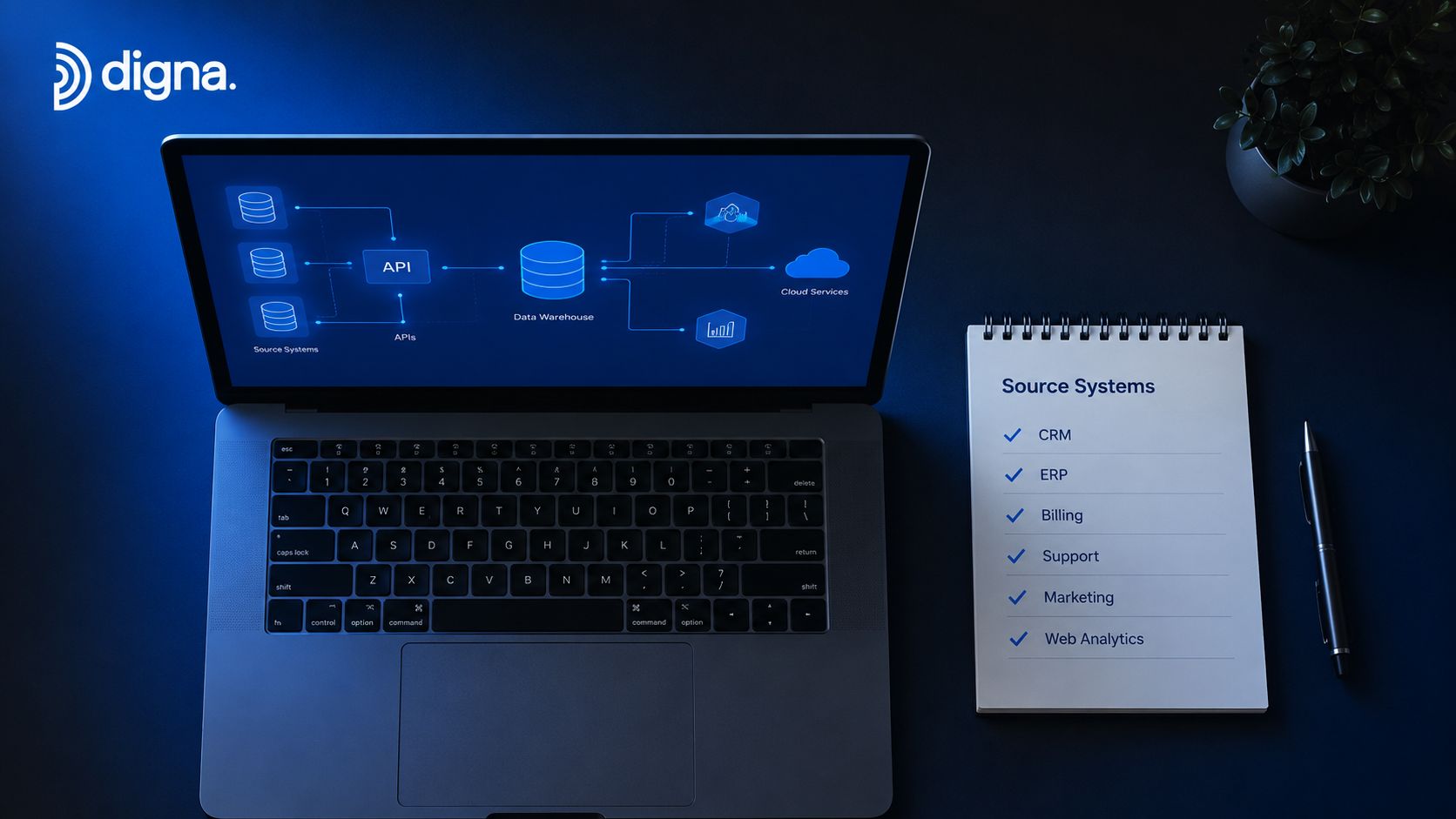
Build the inventory before building the workflow
Map every source system that touches the pipeline, then classify what each one contributes. Some sources are latency-sensitive and feed dashboards or operational decisions. Others are slower and only need to be correct, not instant.
A good inventory includes ownership, update cadence, downstream consumers, and the failure mode that hurts most. If a warehouse load misses a reporting window, that's a different problem from a backfill that lands late but still before the next business cycle. Those distinctions drive the automation design more than the tool choice does.
Define the process outcome in business terms
The right question is not “what can we automate?” The right question is “what outcome does the workflow have to protect?” That might be a compliance report, a customer dashboard, a finance close, or a model input table.
Useful filter: automate the high-friction process end to end before spreading effort across half-finished automations.
That approach aligns with practical guidance that recommends measuring cycle time, adoption rate, error reduction, and cost impact from day one, then shipping one workflow in about 30 days so you can validate the baseline before scaling enterprise workflow automation guide. I'd rather see one workflow fully instrumented than three partially wired automations that nobody trusts.
Instrument the KPIs that matter
These four KPIs tell you whether the workflow is improving operations or just moving tickets around:
Cycle time: how long the workflow takes from trigger to completion.
Adoption rate: whether people use the automated path.
Error reduction: whether the new workflow removes avoidable failures.
Cost impact: whether the automation changes labor, rework, or delay costs.
If a team can't measure those four numbers, it won't know whether the workflow is getting healthier or just busier. The inventory step forces that discipline before the first build starts.
Choosing Between Orchestration and In-Database Execution
The architecture decision isn't whether to use automation. It's where the work should happen, in a control plane that coordinates systems, or inside the warehouse where the data already lives.
Dimension | Orchestration Platforms | In-Database Execution |
|---|---|---|
Data movement | Coordinates across systems and may move data between them | Keeps more work close to the data |
Operational control | Strong scheduling, dependencies, retries, and cross-system coordination | Strong locality for transformation and checks |
Vendor lock-in | Depends on platform design and integration depth | Often tighter to the warehouse ecosystem |
Failure handling | Good for retries, alerting, and external dependencies | Good for data-local execution and reduced movement |
Compliance posture | Can be strong, but depends on deployment and data access model | Often easier when data must stay resident |
If the workflow mostly coordinates multiple systems, orchestration belongs in the center. If the work is largely SQL transformation, validation, or quality checks against warehouse tables, in-database execution can cut unnecessary movement and simplify some failure modes. The most brittle setups are the ones that mix both approaches without a clear boundary, because then no one knows where dependencies, retries, and logging really live.
Design the workflow as a modular system
A resilient workflow needs explicit triggers, task dependencies, structured logging, and idempotent execution. Without those, a failed rerun can create duplicate writes, partial loads, or confusing side effects that take longer to unwind than the original issue.
I've seen teams try to hide complexity behind a single giant DAG. It looks tidy until one upstream change forces a manual cleanup across multiple downstream jobs.
Pick the pattern that fits the estate
Decision question | Favor orchestration | Favor in-database execution |
|---|---|---|
Do multiple systems need coordination? | Yes | No |
Is the main work SQL-based transformation? | Sometimes | Yes |
Is data movement a cost or risk? | Maybe | Usually less so |
Does the team need a separate control layer? | Yes | Sometimes not |
For a detailed comparison between transformation workflows and scheduling-heavy pipelines, see dbt versus Airflow in practice. The point isn't to crown one winner. It's to keep the workflow close to the dependency graph instead of forcing every job through the same abstraction.
Building Observability and Quality Into the Workflow
Observability belongs inside the workflow, not beside it. A pipeline that only tells you whether a task ended successfully is still blind to the failures that matter most in data operations.
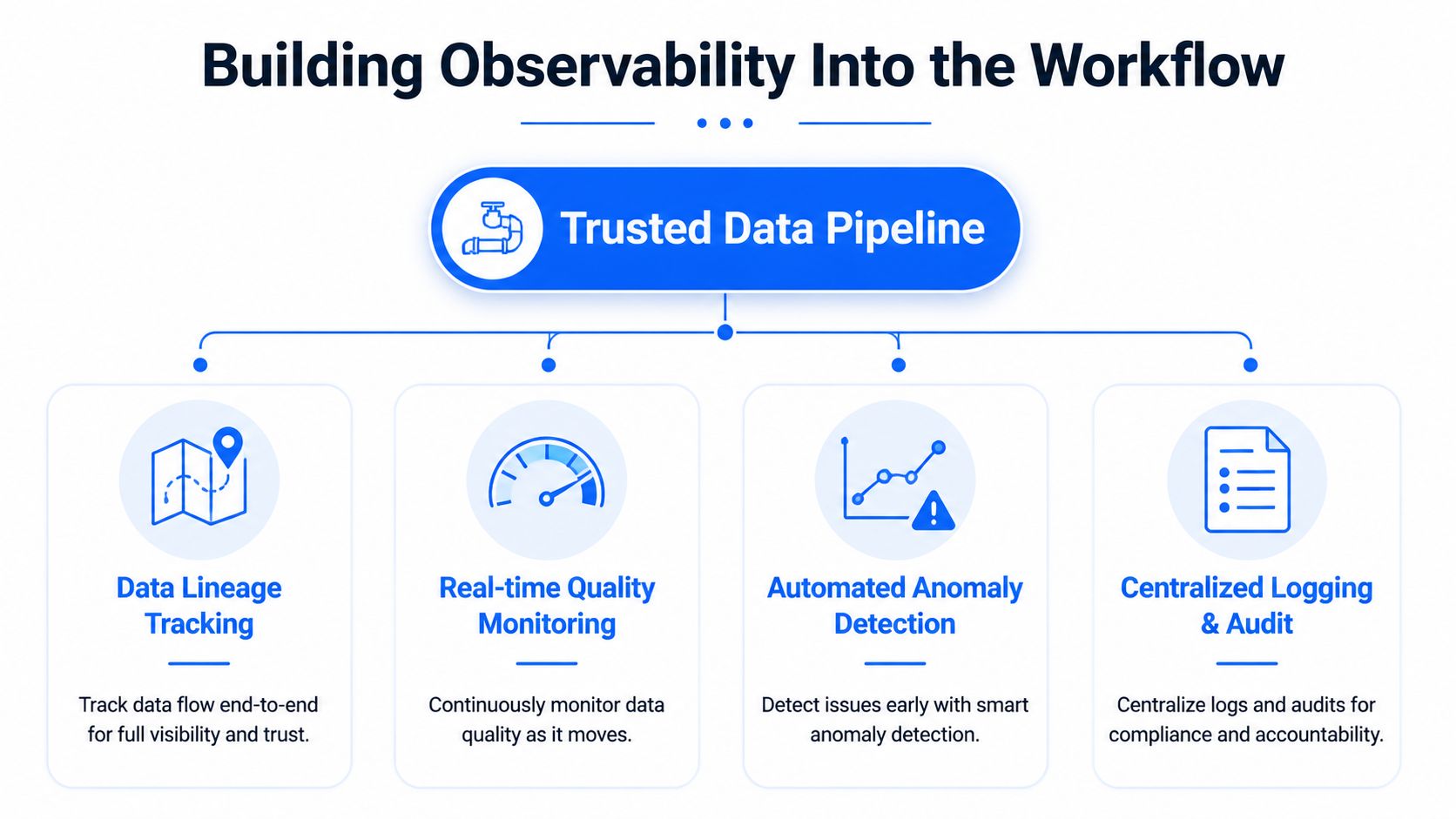
The four signals that catch real failures
Modern automation needs four different checks because they catch different classes of problems. Anomaly detection looks for silent drift in behavior, timeliness monitoring catches late or missing loads, schema tracking flags structural changes, and record-level validation checks business rules at the row level.
A late source feed can look fine to orchestration because the task still ran. Timeliness monitoring is what exposes the delay before the downstream report gets stale. A schema change can pass an extraction step and then break a transformation later. Schema tracking is what catches that shift before the wrong columns get trusted.
Match the signal to the failure mode
For a warehouse load, schema changes often show up first. For a reporting pipeline, freshness is usually the first thing users notice. For financial or compliance data, record-level validation is often the last line of defense.
For teams that want a broader observability model, data observability in production pipelines is worth anchoring to the operational workflow itself. The practical takeaway is simple, if a check doesn't help a human decide what to do next, it's probably decorative.
A pipeline should tell you not only that it failed, but whether the failure changes trust in the output.
What these checks actually catch
Anomaly detection: catches unexpected distribution shifts that don't necessarily break jobs.
Timeliness monitoring: catches late-arriving data that makes dashboards stale.
Schema tracking: catches added, removed, or changed fields before downstream logic misreads them.
Record validation: catches business-rule violations that surface only when rows are examined directly.
The difference shows up in root cause speed. Without observability, engineers spend their time asking whether the issue is in ingestion, transformation, or the source itself. With the right signals, the workflow points them toward the likely failure zone before the first manual query runs.
Deployment, Security, and Data Residency Considerations
A workflow that looks clean in staging can still fail politically or operationally if security and deployment were treated as an afterthought. In regulated environments, the question isn't just whether the workflow works, it's whether the data stays where it's allowed to stay.

Lock down access before rollout
Pipeline credentials need clear identity and access control. Secret sprawl is one of the fastest ways to turn an otherwise solid automation into a security review headache, because a workflow with broad access can become hard to audit and harder to rotate safely.
Network isolation matters too. If the automation layer can reach everything, everything can become a dependency. Tight scoping keeps failures and permissions easier to reason about.
Keep residency aligned with the environment
For finance, healthcare, telecom, and the public sector, private cloud or on-prem deployment often matters as much as the workflow logic itself. If customer-controlled environments are a requirement, the architecture has to support that from the start, not as a retrofit.
That's also where in-database execution can help, because less data movement usually means fewer residency questions and fewer exposed paths for sensitive datasets. Teams still need audit logs and change control, but the compliance story becomes more defensible when the data doesn't leave the controlled environment.
Treat pre-production as a gate, not a hurdle
Before rollout, the workflow should pass a short but serious checklist:
Identity review: confirm who can trigger, read, and modify the pipeline.
Secret handling: verify secrets are stored and rotated safely.
Audit logging: make sure changes and runs are traceable.
Environment isolation: keep dev, test, and production boundaries real.
Residency check: confirm where the data lives during execution and storage.
Those gates stop security from becoming an emergency argument after the build is done. They also make the workflow lifecycle repeatable, which is what regulated teams need most.
Alerting, Runbooks, and Preserving Human Judgment
Alerting fails when it treats every successful task as a success for the business. The alert should say whether data trust changed, not just whether a job exited cleanly.
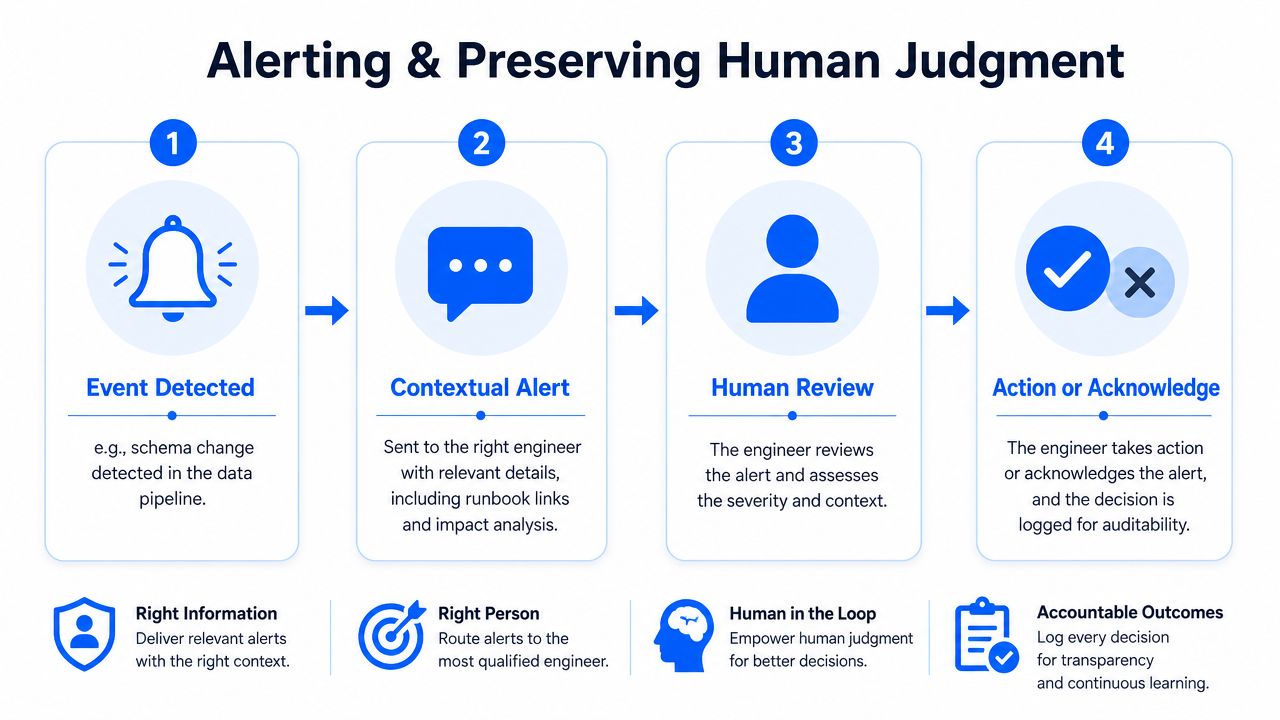
Page only when a human needs to act
The right alerts are tied to outcomes like timeliness breaches, schema-change detection, or downstream reporting correctness. If the alert doesn't require action, it should usually be logged or routed to a lower-priority channel, not pushed into the on-call queue.
That distinction prevents the classic automation failure mode where people start ignoring the system because it screams too often. Engineers don't need more noise, they need fewer surprises that matter.
Build runbooks around diagnosis, not just escalation
A good runbook is short, specific, and operational. It should list the detection signal, the likely causes, the first diagnostic step, the escalation path, and the recovery action.
Use this structure:
Signal: what fired and how it was detected.
Likely causes: the small set of things that usually explain it.
First check: the fastest validation query or system lookup.
Escalation path: who owns the next decision.
Recovery action: what to do once the cause is confirmed.
That's much better than a vague page that says “pipeline failed.” The engineer reading the alert should know whether to check the source, the schema, the freshness window, or the downstream transform.
Keep humans in the loop where judgment matters
Healthcare workflow research draws a useful line. Frequent, well-defined tasks with simple decision rules are good candidates for full automation, while infrequent tasks with shifting responsibilities and high cognitive complexity are poor candidates human judgment in workflow automation. That line matters in data work because exception handling is often the least deterministic part of the system.
Schema-breaking changes, business-rule disputes, and late-arriving edge cases should preserve explicit escalation paths. If the team automates the exception itself, it can remove the very judgment that keeps the pipeline resilient.
A 30-Day Rollout Plan and Final Takeaways
Pick one high-friction workflow, define the outcome it protects, and instrument it before expanding. Then review cycle time, adoption rate, error reduction, and cost impact at the 30-day mark, because those are the numbers that show whether the workflow improved reliability or just changed where the work happens.
The best business case for data workflow automation is fewer late, wrong, or untrusted deliveries. Not fewer manual jobs.
digna builds data quality and observability into the workflow itself, with in-database checks for anomalies, timeliness, schema changes, and record-level validation. If you're trying to make pipelines more trustworthy without pushing data out of your environment, visit digna and see how it fits into a production data stack.
Since a late source feed can leave the DAG green while dashboards go stale, see how digna Timeliness monitors data arrival against learned patterns instead of job status.
Frequently asked questions
What is data workflow automation really about?
It is about trust more than scheduling. A DAG can go green while the data is late, wrong or schema-drifted. The article argues the best business case is fewer late, wrong or untrusted deliveries, not fewer manual jobs, so observability and quality checks belong inside the workflow itself.
When should I use orchestration versus in-database execution?
Use orchestration when the workflow mainly coordinates multiple systems and needs retries, dependencies and cross-system control. Favor in-database execution when the main work is SQL transformation, validation or quality checks against warehouse tables, since it cuts data movement. Avoid mixing both without a clear boundary for retries and logging.
Which checks catch failures that a successful pipeline run misses?
Four signals do: anomaly detection for silent distribution shifts, timeliness monitoring for late or missing loads, schema tracking for added, removed or changed fields, and record-level validation for business-rule violations. A late source feed can look fine to orchestration because the task still ran; timeliness monitoring exposes the delay.
What KPIs should I track for data workflow automation?
Track four: cycle time from trigger to completion, adoption rate of the automated path, error reduction, and cost impact on labor, rework or delay. The article recommends measuring them from day one, shipping one workflow in about 30 days, and reviewing all four at the 30-day mark before scaling.
What should a data pipeline runbook contain?
A good runbook is short and built around diagnosis. It lists five items: the signal that fired, the likely causes, the first check such as the fastest validation query, the escalation path, and the recovery action. That tells the engineer whether to check the source, schema, freshness window or downstream transform.


