What Is Parquet File and Why It Powers Modern Analytics
|
8
min. czyt.

Apache Parquet is an open-source, column-oriented file format for analytical data, and its file layout starts with a 4-byte magic number PAR1 plus a footer that stores schema, row-group locations, and statistics. It stores data by column inside row groups, column chunks, and data pages, which is why query engines can prune columns and skip irrelevant row groups before doing heavy reads.
For what is Parquet file, you're probably dealing with one of two frustrations right now. Either your warehouse queries are scanning far more data than they should, or your lake has turned into a messy mix of CSV, JSON, and half-documented exports that nobody fully trusts. In both cases, the file format isn't a minor implementation detail. It shapes cost, speed, and how safely downstream teams can build on the data.
Think about a common analytics workflow. A BI developer needs revenue by region and month. The raw dataset has dozens of extra fields, nested attributes, and historical partitions. If that data sits in row-based text files, the engine often has to wade through everything just to answer a narrow question. Parquet changed that operating model by becoming a practical interchange format for analytical systems, especially in data lakes and modern warehouses, because it was designed around selective reads rather than full-file scans.
That matters beyond performance. File format decisions also affect reliability. If schema changes arrive, if partition folders drift from expectations, or if statistics no longer help the engine skip stale ranges, teams feel it as broken dashboards, expensive jobs, and hard-to-debug incidents. That's why data platform teams often treat Parquet as both a storage format and an operational standard.
Table of Contents
Working With Parquet in Spark Presto Pandas and Partitioned Lakes
Ensuring Reliable Parquet Data With Observability and Quality Checks
Introduction to What a Parquet File Really Is
A Parquet file is a storage format built for analytical work, especially when teams query large datasets but only need a handful of fields each time.
Start with a familiar warehouse problem. A BI developer opens a dashboard query for revenue by channel and month. The source data includes campaign settings, device details, user traits, event payloads, and several columns nobody needs for that question. If those records live in CSV or JSON, the engine often has to read through all of that material anyway, because each row keeps every field bundled together.
Parquet changes that operating model. It stores data by column, so query engines can focus on the fields a query references instead of dragging every attribute through the read path. The Apache Parquet documentation describes it as an open-source, column-oriented format for analytical data, and its file structure includes the PAR1 magic number plus footer metadata such as schema information and row-group locations (Apache Parquet file format documentation).
That layout choice affects more than speed.
In a real data lake, file format decisions show up in the monthly bill, in dashboard latency, and in incident response. A format that supports selective reads helps cut scan costs. A format with schema and metadata built into the file gives platforms more to validate, monitor, and troubleshoot. If a producer adds columns, changes types, or writes partitions inconsistently, those problems are easier to detect when the format carries stronger structural information than plain text files do.
Parquet became a standard in lakes and warehouses for that reason. It gives Spark, Trino, Hive, Pandas, DuckDB, and cloud warehouse engines a shared format that fits analytical access patterns. For analytics engineers, that means fewer compromises between interoperability and performance. For data platform teams, it means Parquet is not only a file extension. It is an operational choice about cost control, query pruning, schema stability, and how reliably downstream teams can trust what they read.
How Columnar Storage Works and Why It Matters
Most confusion around Parquet starts here. People hear columnar and assume it just means "compressed better." Compression is part of the story, but the bigger idea is how data is physically arranged.
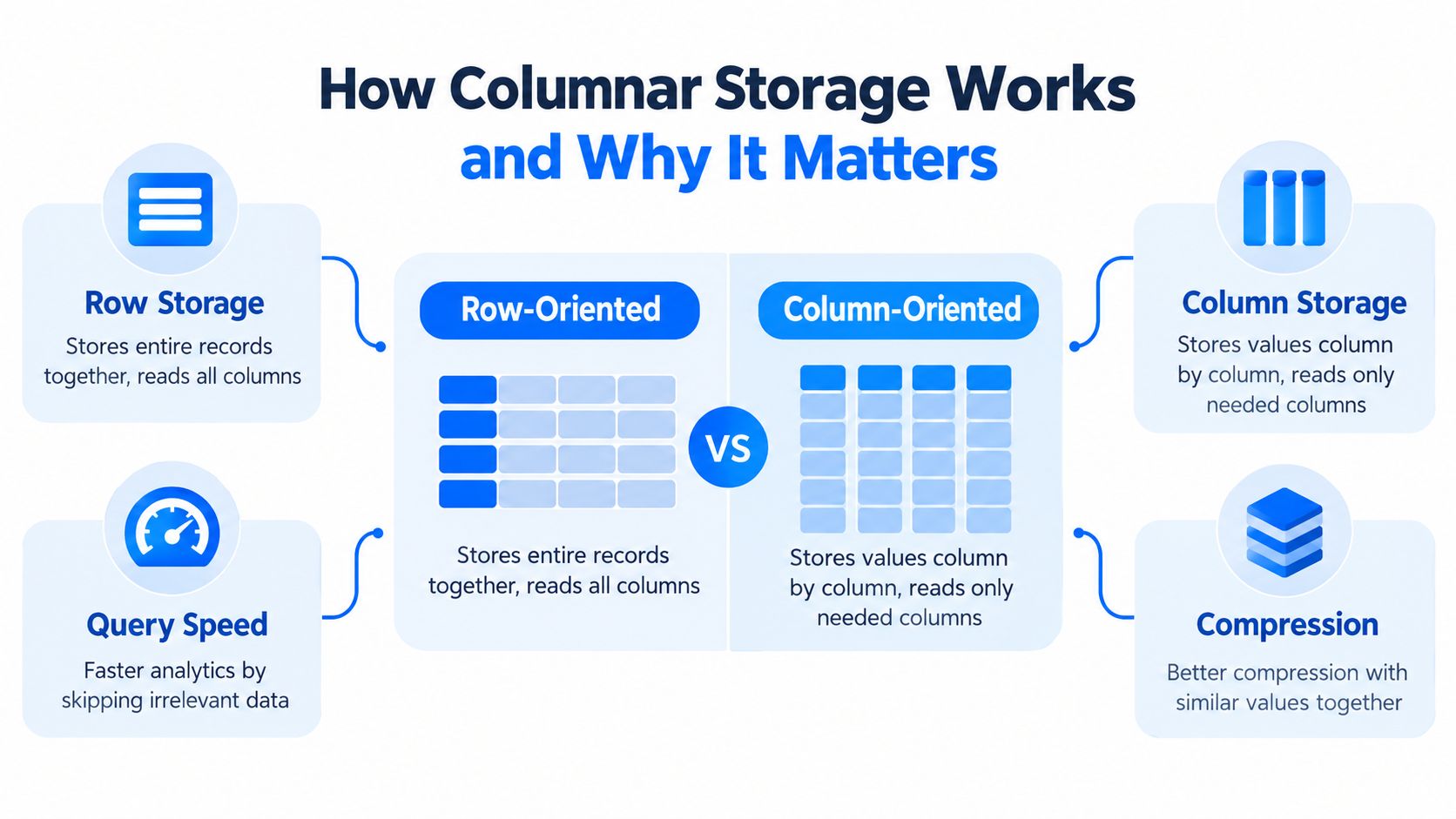
Rows are for records, columns are for questions
Imagine a spreadsheet with columns for order_id, country, order_date, and amount.
In a row-oriented format, storage looks like packed records:
order 1: all fields together
order 2: all fields together
order 3: all fields together
In a column-oriented format, storage groups values by field:
all
order_idvalues togetherall
countryvalues togetherall
order_datevalues togetherall
amountvalues together
That sounds abstract until you apply a query. If your BI tool asks for total amount by country, it doesn't need every field in every record. With columnar storage, the engine can focus on just the relevant columns.
Why analytics engines benefit
Analytical queries often scan many rows but reference relatively few columns. That's exactly the access pattern Parquet favors.
A practical mental model:
The query planner checks requested columns.
The engine reads only those column segments.
Irrelevant fields stay on disk or object storage.
That selective reading is one reason teams spend time on data system architecture decisions early. The storage layout and the query engine have to cooperate, or you end up paying for scans you never meant to run.
When people say Parquet is fast, they usually mean the engine avoids work before reading most of the file.
Why similar values help compression too
Columnar storage also groups similar data types and repeated values together. A country column with many repeated codes tends to compress differently from a mixed row containing timestamps, decimals, booleans, and strings all interleaved.
That matters because analytical systems don't just care about disk size. Smaller, more uniform column segments can reduce I/O and make scans easier for engines to process. So the advantage isn't one thing. It's the combination of selective reads and data that is naturally friendlier to storage optimization.
Use this rule of thumb:
Choose row-oriented formats when you need to read or write whole records frequently.
Choose columnar formats when you aggregate, filter, and scan a few fields across lots of records.
That's why Parquet shows up so often in marts, curated lake layers, and warehouse-adjacent pipelines.
Inside a Parquet File From Row Groups to Pages
People often know Parquet is columnar but still can't picture what's inside the file. That's where performance tuning gets fuzzy. If you don't understand the hierarchy, it's hard to explain why one dataset prunes well and another scans too much.
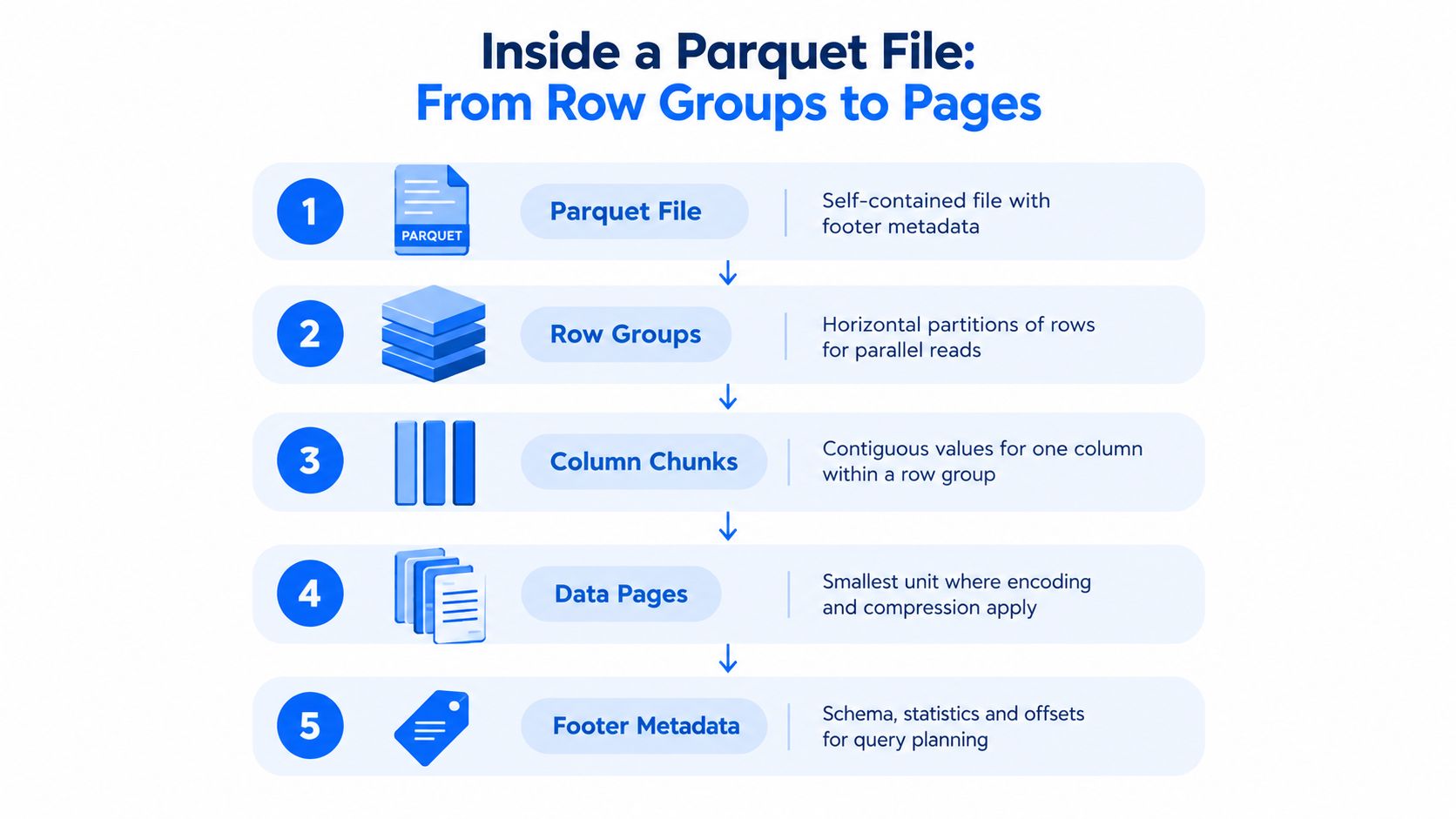
Start at the file level
A Parquet file is self-contained. The Apache project notes that the format is open and that the file-format specification and Thrift definition should be read together to understand how the structure works (Apache Parquet documentation).
At a high level, the file contains:
Data sections that hold the actual column values
A footer that describes what's inside
Offsets and metadata that help readers find the right pieces quickly
That footer is the control center. It tells the engine the schema, where row groups live, and what statistics are available for planning the read.
The internal hierarchy
Parquet's structure is layered in a very specific way:
Row groups
These are horizontal partitions of rows within the file. A row group contains the same row range across all columns.Column chunks
Inside each row group, each column gets its own contiguous chunk of data.Data pages
Within each column chunk, values are stored in smaller units called pages.
For metadata-heavy lake environments, this hierarchy is tightly connected to metadata management. The more clearly teams track schemas, partitions, and file-level structure, the easier it is to diagnose scan behavior and schema-related breakage.
Why row groups matter operationally
Row groups are more than a storage detail. They influence how much data a query engine can skip and how work can be parallelized.
Suppose a query filters for a narrow date range. If row-group statistics show that certain groups contain only older dates, the engine can skip those groups instead of scanning them. That's the practical value of embedded metadata. It shortens reads before decoding begins.
A healthy Parquet dataset isn't just valid. It's organized so engines can say "no" to unnecessary reads quickly.
What the footer tells the engine
The footer stores metadata such as:
Schema information
Row-group locations
Statistics including min/max and null counts
Those statistics are operationally important because they let engines prune irrelevant data before scanning it, which is one reason Parquet became a de facto interchange format for analytics, as described in the Apache Parquet file format documentation linked earlier.
If you've ever wondered why one table feels "snappy" in Trino or Spark and another doesn't, the answer is often hidden here. The files may both be Parquet, but the internal layout, row-group boundaries, and metadata quality can lead to very different runtime behavior.
Encoding Compression and Metadata That Drive Performance
A Parquet file saves money and speeds up queries for three different reasons. The file stores values efficiently through encoding, shrinks the encoded bytes with compression, and gives query engines metadata they can use to avoid reading irrelevant data in the first place.
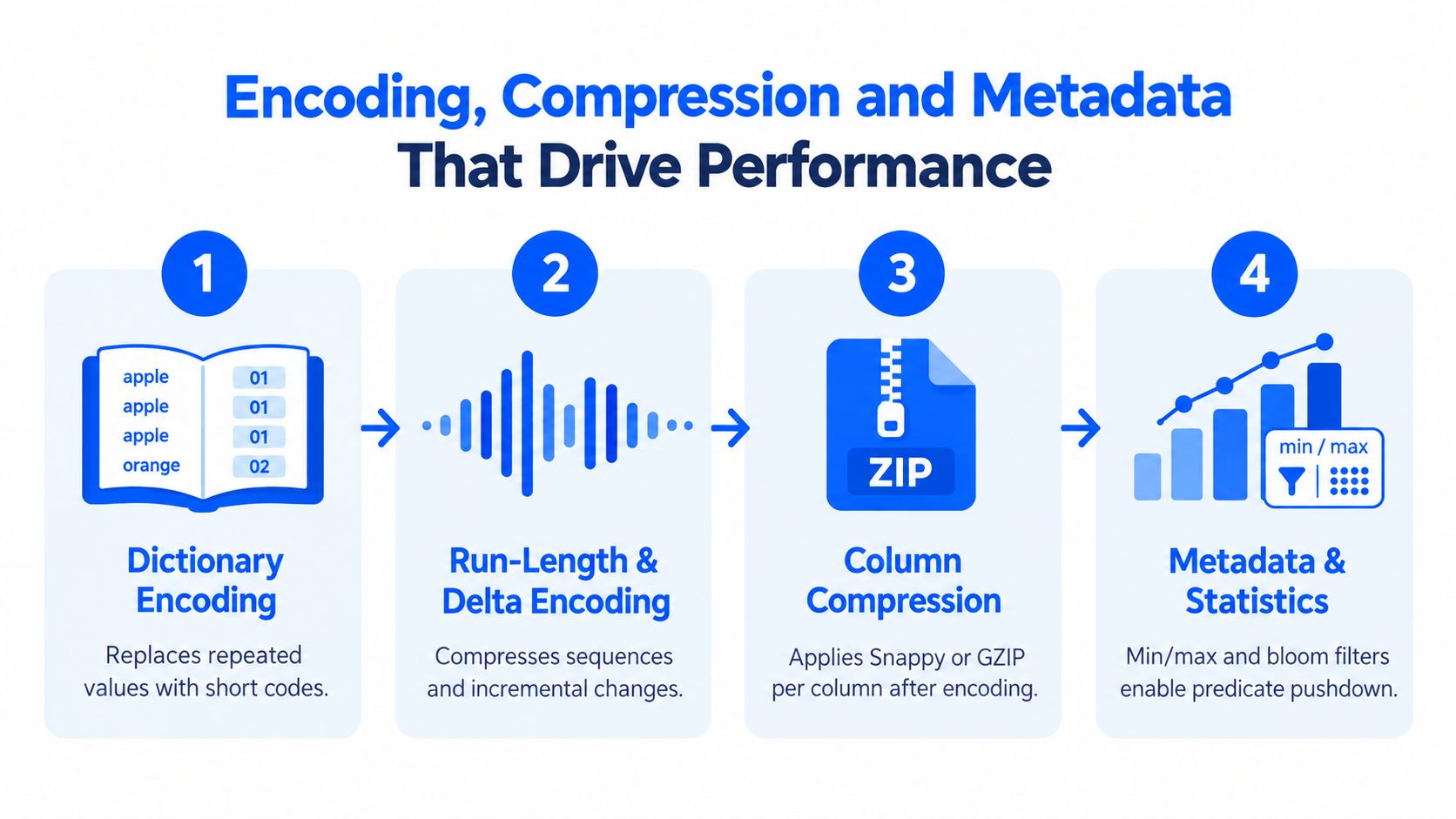
Encoding comes first
Encoding changes how values are represented before any compression codec runs. The Parquet format documentation lists encodings such as dictionary, run-length, and delta encoding as part of the file design (Parquet encoding specification).
A simple way to read that is:
Dictionary encoding stores repeated values as short references instead of repeating the full value each time.
Run-length encoding stores long streaks of the same value compactly.
Delta encoding stores changes between nearby values, which works well for sequences that rise or fall gradually.
A BI developer can feel this difference without seeing the bytes directly. A country column with many repeated values or a timestamp column with predictable increments gives Parquet patterns it can store far more efficiently than raw text.
Compression shrinks the encoded bytes
Once values are encoded, Parquet can compress each column's data separately. That matters because a single column usually contains one data type and one kind of pattern. A status column behaves differently from a price column, and Parquet lets each one compress on its own terms.
This is why "Parquet is compressed" is only part of the story. Compression helps reduce storage and network I/O, but encoding often creates the repetition that compression can exploit. In cloud data platforms, that translates into lower storage cost and fewer bytes pulled during scans.
Metadata drives the biggest performance decisions
Metadata is where Parquet shifts from a storage format to an operational choice.
If an analyst filters for order_date >= '2026-01-01', the engine may skip large parts of the file before decoding a single value. It can do that because Parquet stores statistics and structural details that help the engine rule out row groups and pages that cannot match the filter. Less reading means faster dashboards, lower query spend, and more predictable performance under shared workloads.
That same metadata also affects reliability. If schema details drift, if statistics are missing, or if partition values are inconsistent with file contents, teams lose both speed and trust. Query pruning gets weaker. Troubleshooting gets slower. Data contracts become harder to enforce.
That is why metadata work belongs in data quality conversations, not just storage conversations. Teams that invest in metadata practices that improve data quality and efficiency usually get two benefits at once: better scan behavior and earlier detection of schema or partition problems.
In enterprise lakes, well-written Parquet files do more than sit cheaply in object storage. They help engines skip work, help teams spot drift, and help platform owners keep performance and reliability from degrading over time.
Parquet Versus CSV JSON and ORC Trade Offs Explained
Parquet is popular, but it isn't the answer to every storage question. Teams make better choices when they compare formats by workload instead of assuming one format should win everywhere.
Start with the simple distinction
CSV and JSON are often easier at ingestion boundaries. They're readable, portable, and familiar to almost everyone. But that convenience can become expensive when the same files support repeated analytical queries.
Parquet is stronger when readers need selective access, typed schema, and efficient scans. ORC is also columnar and often enters the conversation in warehouse-heavy environments. The practical choice depends on your tools, your write patterns, and who needs to inspect the data directly.
Choosing Between Row and Columnar Formats
Format | Best For | Storage Efficiency | Query Pattern |
|---|---|---|---|
CSV | Simple exports, manual inspection, lightweight interchange | Lower for analytical workloads | Reads usually touch the full row content |
JSON | Flexible semi-structured interchange and API payloads | Often lower for analytics because structure repeats in the file | Good for application exchange, less efficient for repeated analytical scans |
Parquet | Analytics datasets, curated lake layers, BI-friendly storage | High for analytical data because columns are stored separately and optimized individually | Best when queries read a subset of columns across many rows |
ORC | Columnar analytics in ecosystems that already standardize on it | High for analytical workloads | Strong fit for analytical reads, especially where ORC support is already established |
How to decide in practice
Use Parquet when these conditions are true:
Your queries are selective: Analysts repeatedly ask for a few columns over large date ranges.
You need stronger schema behavior: Typed storage is helpful when downstream models and dashboards depend on consistent fields.
Storage cost matters: Smaller analytical footprints can lower scan overhead.
Keep CSV or JSON when these conditions dominate:
Humans need to inspect files directly: Text still wins for quick eyeballing.
Upstream systems emit raw records first: Landing zones often stay row-oriented before curation.
Write simplicity matters more than read optimization: Some pipelines want the easiest possible export format at the edge.
ORC enters the picture when your stack already leans that way. If your engines, governance standards, or platform conventions favor ORC, it may be the better organizational choice. The point isn't that Parquet beats everything. It's that Parquet often wins when analytics teams optimize for repeated reads, predictable schema handling, and broad ecosystem compatibility.
Working With Parquet in Spark Presto Pandas and Partitioned Lakes
A format becomes useful when it fits the tools people already use. Parquet does. The Apache Parquet ecosystem and the Library of Congress describe it as widely supported across many programming languages and analytics tools, and the project maintains formal version history in the parquet-format repository (Apache parquet-format repository).
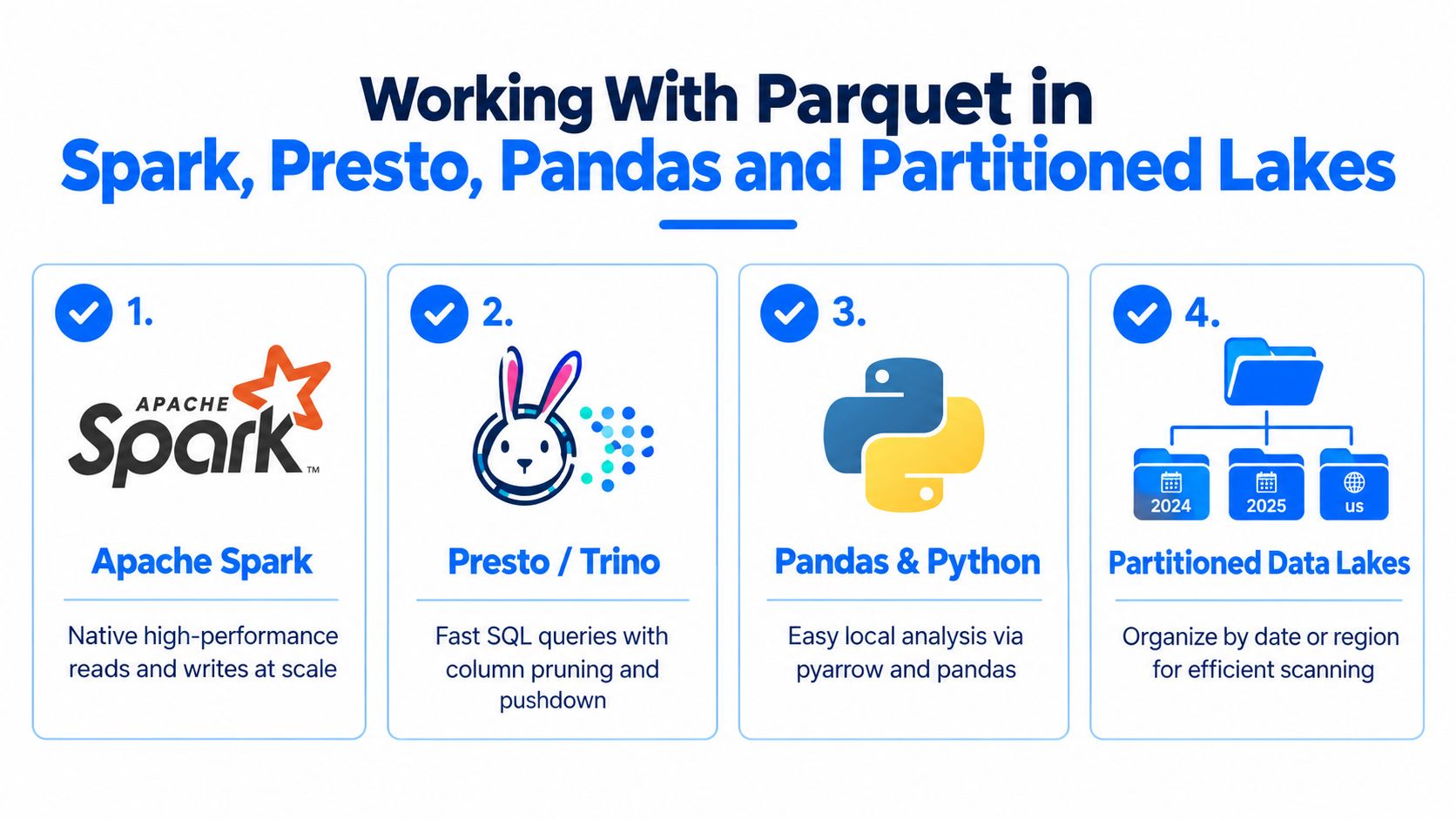
What this looks like in real pipelines
In Spark, Parquet is a natural fit for large distributed reads and writes. In Presto or Trino, column pruning and predicate pushdown are central to fast SQL over lake data. In Pandas, teams often read Parquet through Arrow-based tooling for local analysis and development workflows.
That broad support is one reason Parquet became a default choice for shared datasets. Tooling doesn't need special, one-off adapters just to participate.
For teams running lakehouse-style pipelines on Databricks, data platform observability for Databricks environments becomes relevant once the dataset count and job volume grow. File layout issues, late partitions, and schema mismatches tend to surface first as operational noise, not as obvious format errors.
The practical checklist
Parquet works best when teams manage the dataset, not just the individual file.
Partition with restraint: Organize data by fields that align with common filters, such as date or region, but don't explode the directory tree into tiny fragments.
Avoid small files: Too many tiny Parquet files can undermine the benefits of a good format because engines spend time opening and planning many objects.
Treat schema evolution carefully: Adding columns is often manageable. Incompatible type changes are where pipelines and dashboards start to break.
Standardize write patterns: Mixed conventions across producers create avoidable friction for downstream readers.
The file format can be correct while the dataset is still hard to operate. Most Parquet pain comes from layout, partitioning, or schema management mistakes.
One operational habit that pays off
Track schema drift deliberately. If one producer writes customer_id as a string and another writes it differently, the issue won't always show up as a failed write. Sometimes it shows up later as confusing nulls, skipped partitions, or a BI model that no longer compiles.
That's where observability joins file-format literacy. One option teams use is digna, which runs in the customer's environment and can monitor schema changes, timeliness, anomalies, and validation checks across lake and warehouse datasets. In Parquet-heavy platforms, those controls help catch the cases where files remain technically readable but operationally unsafe.
Ensuring Reliable Parquet Data With Observability and Quality Checks
A Parquet file can be perfectly valid and still cause a broken dashboard on Monday morning. That's the part many teams learn the hard way.
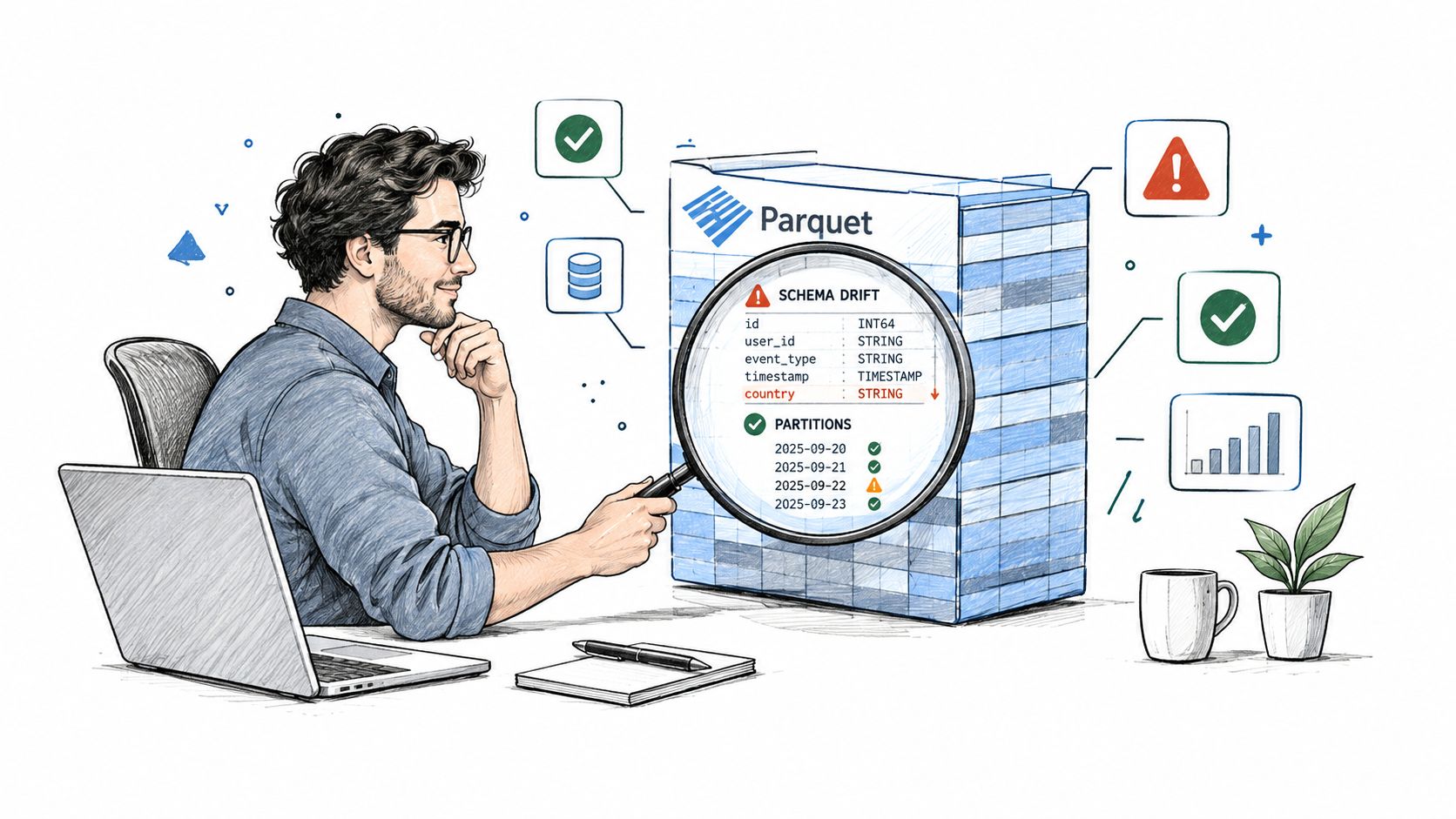
Where reliability issues actually show up
Common failure modes aren't exotic:
A producer adds or removes columns and downstream transforms don't adapt cleanly.
A partition arrives late so yesterday's dashboard looks complete but isn't.
Data values shift even though the file structure still looks fine.
File counts explode and engines spend more time managing objects than reading useful data.
None of those problems are solved by saying "we use Parquet." The format gives you efficient storage and useful metadata. It doesn't guarantee that producers write consistent schemas or that jobs deliver data on time.
What to monitor around Parquet datasets
Reliable Parquet operations usually include checks in a few categories:
Schema tracking: Detect added, removed, or changed fields before downstream readers fail.
Timeliness checks: Watch whether expected partitions or loads arrive when they should.
Data validation: Confirm business rules still hold after transformations and rewrites.
Anomaly detection: Notice unusual shifts in row counts, null patterns, or business metrics.
Teams that implement data observability practices around lake datasets catch these problems earlier, especially when checks run close to the data instead of after reports break.
Valid file format doesn't equal reliable dataset. Reliability comes from monitoring behavior, structure, and delivery over time.
If you're teaching others what is Parquet file, that's the mature answer to leave them with. Parquet is a powerful columnar format for analytics. Its row groups, column chunks, pages, and metadata make selective reads possible. But at enterprise scale, the success metric isn't just whether queries run fast. It's whether teams can trust the data those queries return.
digna gives teams an in-environment way to monitor the behavior around Parquet datasets, including schema changes, timeliness, anomalies, and validation checks across lakes, warehouses, and pipelines. If you're standardizing on Parquet and want the format's efficiency without blind spots in reliability, visit digna.
Running those checks continuously, rather than sampling them after a dashboard breaks, is what data platform observability is for.
Frequently asked questions
What is a Parquet file?
Apache Parquet is an open-source, column-oriented file format built for analytical workloads. Each file opens with a 4-byte PAR1 magic number and ends with a footer holding the schema, row-group locations and column statistics, which is what lets query engines skip data they never need to read.
How does a Parquet file differ from a CSV file?
CSV stores values row by row, so an engine parses every field of every row even when a query touches three columns. Parquet groups each column's values together, letting engines read only what was asked for. CSV stays easier at ingestion boundaries; Parquet pays off under repeated analytical queries.
What are row groups, column chunks and pages in Parquet?
They are three nested layers inside the file. A row group is a horizontal slice of the table; within it each column's values live in a column chunk; each chunk splits into pages, the units Parquet actually encodes and compresses. Row-group size determines how much a query can skip.
Is Parquet's speed advantage just compression?
Compression is only one of three reasons. Encoding — dictionary, run-length, delta — restructures values before any codec runs, compression then shrinks those encoded bytes per column, and footer metadata lets the engine avoid opening irrelevant row groups entirely. The metadata usually saves more time than the bytes saved on disk.
Which tools can read Parquet files?
Parquet is supported across Spark, Presto and Trino, Pandas through Arrow-based tooling, and most warehouse-adjacent engines. Spark suits large distributed reads and writes, Presto and Trino lean on column pruning and predicate pushdown, and Pandas fits local analysis. Track schema drift across producers, since mismatched types surface later as confusing nulls.


