MX Record Validation: A Complete Step-by-Step Guide
|
5
min read

You usually find the problem the same way: a sender says the email went out, the ticket queue says the mailbox never saw it, and everyone starts blaming the app, the gateway, or the recipient. In practice, the failure often sits in DNS, where MX record validation tells you whether mail routing is wired correctly, but not whether the rest of the delivery path will behave.
MX records are old infrastructure, and that's part of the point. The standard was defined in RFC 1035 in 1987, and it still underpins how mail systems decide where to deliver messages because the record semantics matter, not just the record's existence. If the target is wrong, malformed, or not resolving properly, the domain can look configured while mail stalls or bounces.
Table of Contents
Why MX Validation Matters for Email Reliability
A broken inbox route is rarely dramatic. More often, mail just disappears into retries, deferrals, or vague bounce messages, and the team only notices when customers, vendors, or internal systems start missing replies. That's why MX record validation is foundational, but it's not the same thing as proving email deliverability end to end.

The record has to mean the right thing
The MX standard isn't just “a DNS record exists.” RFC 1035 defines the MX RDATA format with a 16-bit preference value and a domain-name exchange host, and lower values are preferred for delivery order. The exchange field has to identify a host willing to act as a mail exchanger for the domain, which is why a raw IP address or a sloppy alias won't pass operational muster. That basic rule is still reflected in enterprise guidance today, because the mail system needs a hostname it can resolve and trust for routing.
A lot of teams get caught here. They check for an MX entry, see something in DNS, and assume the job's done. It isn't, because the record has to be semantically valid and operationally useful, not just present. If you want the bigger picture on the auth side of mail infrastructure, how email authentication works is a useful companion read.
Practical rule: treat MX as the routing signal, not the final proof of delivery.
A healthy DNS posture works the same way in any critical system. That's also why teams that care about resilience usually tie record checks back to a broader quality process, not a one-off lookup. The same mindset shows up in why data quality is important to an organization, because silent misconfiguration is still silent misconfiguration, whether it's a dataset or a mail route.
Performing DNS Lookups for MX Records
The first move is still the simplest one, ask DNS what the domain publishes. If you're doing MX record validation manually, query the authoritative view and inspect whether the response contains the right mail exchangers, because the output tells you both what exists and whether the routing order makes sense.
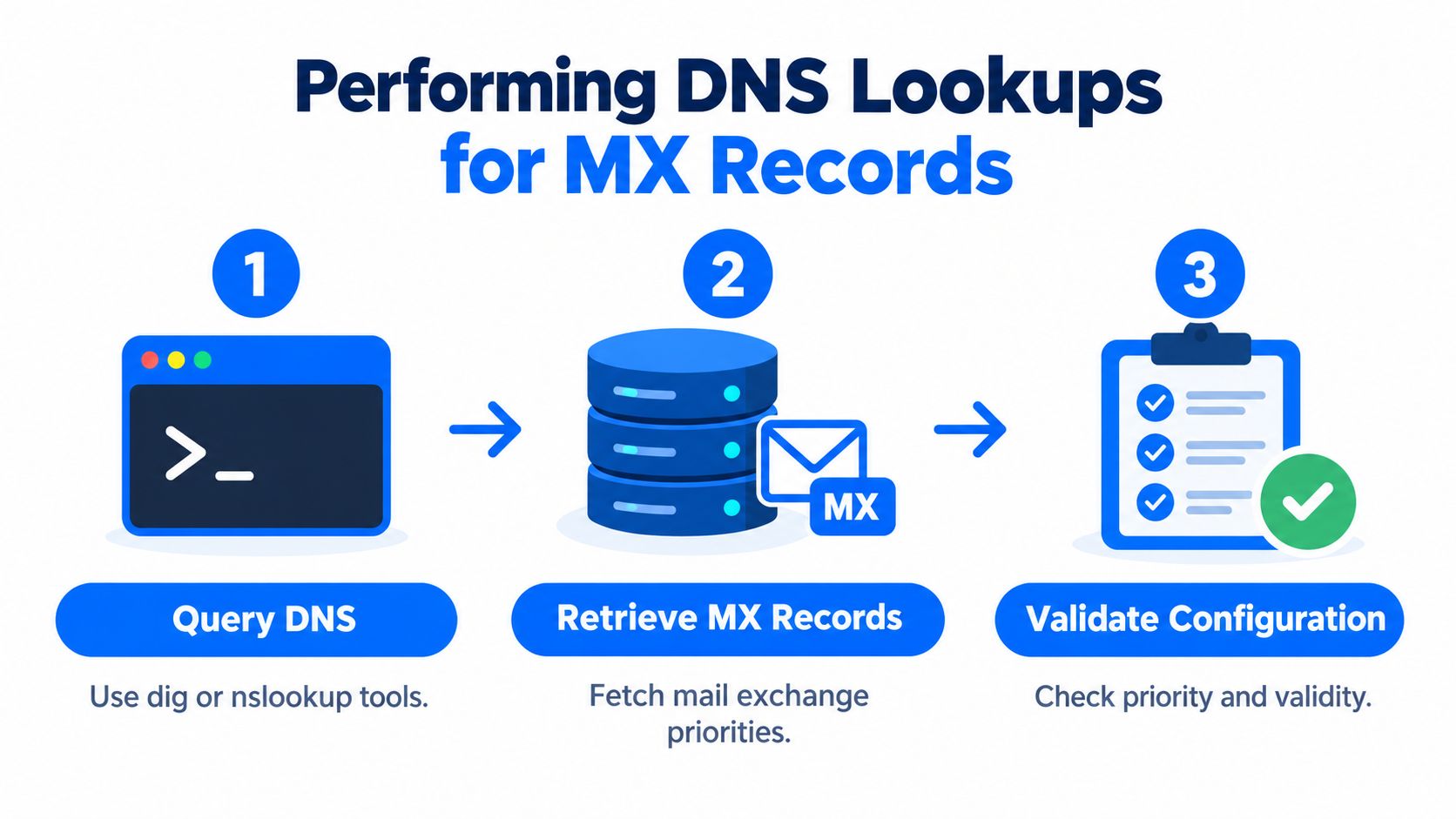
Read the lookup like an operator
Use standard DNS tools such as dig MX domain or nslookup -type=MX domain, then look for one or more authoritative MX hosts in the response. Each host should resolve to an IP address, because the mail server still has to be reachable after the MX lookup returns. The priority values matter too, since lower preference numbers are tried first, which is how mail systems decide failover order. The operational guidance also recommends testing from multiple global DNS resolvers and allowing propagation time after changes, with common TTL guidance around 300–3600 seconds for faster correction cycles. Mailtester's deliverability checklist for MX verification captures that workflow clearly.
A lookup that returns something isn't automatically a success. It can mean the record exists, but the host is stale, the target won't resolve everywhere yet, or the priority order no longer matches what the mail provider expects. That's why I like to compare resolver outputs before I touch the DNS zone again. If one resolver sees the new record and another still sees the old one, you're looking at propagation, not a bad edit.
Confirm the response, then confirm the resolution, then confirm the priority. Skipping any one of those steps is how mail routes get blamed for symptoms they didn't create.
You can anchor the same process in your broader validation workflow as well. The pattern in data validation rules, checks, and continuous data quality applies here too, because one check should feed the next, not replace it.
Checking MX Target Hostname Syntax
Having MX records is not enough if the target names are malformed. The resolver can hand back a record that looks fine at a glance, while the target itself violates hostname rules or points to the wrong kind of DNS object. That's where automation often catches what humans miss.
Hostnames, not aliases or IPs
A correct MX setup must point to a hostname, not an alias, and the target has to be a valid hostname under DNS hostname rules. Operational guidance also notes that the MX host itself must not be a CNAME, which is a common validation failure in automated checks. That matters because the mail system expects a real host it can resolve directly, not an indirect name that adds ambiguity during delivery. If you're validating records programmatically, reject anything that doesn't satisfy legal hostname syntax before you even look at the rest of the routing chain.
The cleanest manual test is simple. Take each MX target, confirm that it's a proper hostname, and then confirm that it resolves to an address record. If the target name is misspelled, malformed, or chained through a CNAME, the record can exist while delivery still fails. Strict syntax checks based on RFC-derived rules exist for a reason, they prevent garbage names from slipping through and becoming production outages.
A valid MX row can still hide a bad target. The target name is part of the record, not an optional extra.
This is also where stale configuration tends to linger after migrations. Old hostnames stay in place because they don't look obviously broken, and then mail delivery starts depending on a server no one maintains anymore. The validation error isn't the typo alone, it's the fact that the typo survives long enough to affect routing. For a parallel example of how bad records surface in validation systems, data validation error is a good mental model.
Understanding Priority Values and Failover
MX priority is one of those details that sounds administrative until the first outage. Then it becomes obvious that the number decides which server gets tried first, which server acts as backup, and how gracefully the domain absorbs a mail-host failure. In other words, priority is routing logic, not decoration.
Lower numbers win
When a domain publishes more than one MX record, mail delivery follows the lowest preference first and only moves to higher numbers if the preferred server is unavailable. Several docs use 10 as a common example, but the actual rule is that the smallest number wins, not that 10 is mandatory. The preference field is an unsigned 16-bit integer, so the valid range is 0 to 65535, and if multiple MX records share the same value, SMTP clients are expected to treat them as equal-priority targets and try them before moving on. Dell's MX prioritization guidance reflects the same ordering rule.
MX Priority Examples | Meaning | Usage |
|---|---|---|
Lower number | Higher delivery priority | Primary mail exchanger |
Same number | Equal-priority targets | Shared failover or load distribution |
Higher number | Lower delivery priority | Backup mail exchanger |
The practical trap is confusing “MX exists” with “mailbox exists.” MX records only tell you that the domain publishes mail servers, not that a specific local part is valid or that the server will accept the message. That's why address-level verification still needs SMTP or higher-layer validation, especially when you're testing real recipients rather than infrastructure.
Don't stop at presence
A lot of teams over-trust the DNS layer. A perfectly valid MX setup can still route to a server that's reachable but not accepting the intended message, or to a backup server that should never have become primary. I've seen that happen after migrations when an old route stayed in place and a new route was added with the wrong precedence. The result looked like a DNS problem, but the actual bug was priority logic.
If failover is part of the design, the lowest number should always be the one you'd want to use on a good day.
The same priority mindset shows up in systems work outside email too. If you're orchestrating many checks, pipeline orchestration is the right analogy, because order determines behavior, not just availability.
Interpreting Results Beyond Simple Presence
A green MX lookup only proves the domain publishes mail servers. It doesn't prove that a mailbox exists, that the server will accept the message, or that delivery will succeed end to end. That gap is where many validation efforts stop too early.

Add the layers that MX can't prove
A valid MX record only says the domain is configured to receive mail. It does not prove that a specific local part is valid, so address-level verification still needs SMTP or higher-layer validation. A second failure mode is stale or missing MX entries, which can make mail bounce or sit in deferral loops. There's also the RFC 5321 implicit-MX fallback to A and AAAA records when no MX exists, and that often points mail at a non-mail host and fails slowly. InventiveHQ's MX checker notes make that distinction explicit.
That's why a real workflow layers checks instead of treating MX as the finish line. Start with DNS presence, then verify target syntax, then check resolution, then test SMTP reachability, then review blacklist or reputation signals, and finally confirm SPF, DKIM, and DMARC are aligned. You're not building a prettier lookup, you're building confidence that the mail path behaves under actual sending conditions.
The most useful habit is to separate configuration from deliverability. Configuration answers whether the domain is declared to receive mail. Deliverability answers whether mail reaches its destination. Those are related, but they're not the same question, and confusing them causes a lot of avoidable false positives.
A passing MX check is a signal, not a verdict.
If you manage validation as a broader reliability process, the pattern maps cleanly to what data validity means, how to measure it, and why it matters. The important part is the habit of chaining checks until the result means something operational.
If you want a better way to keep DNS-related checks, validation rules, and reliability signals under control, visit digna. It helps teams monitor data behavior, detect changes, and validate records inside their own environment, which is the same discipline good MX record validation depends on. If broken routing or silent misconfiguration is slowing your team down, digna is built to help you catch it earlier and prove it faster.
The layered approach above, where presence, syntax, resolution and priority each get their own check, is the same pattern behind record-level rules in digna Data Validation, applied to rows in your database rather than DNS entries.
Frequently asked questions
How do I check the MX records for a domain?
Run dig MX domain or nslookup -type=MX domain and look for one or more authoritative mail exchangers in the response. Then confirm each host resolves to an IP address, check the priority values, and repeat the lookup from several global DNS resolvers to rule out propagation delays.
What does the MX priority number mean?
Lower numbers win. Mail is delivered to the lowest preference value first and only moves to higher numbers when that server is unavailable. The field is an unsigned 16-bit integer from 0 to 65535, and records sharing the same value are treated as equal-priority targets.
Can an MX record point to an IP address or a CNAME?
No. According to RFC 1035, the exchange field must name a host willing to act as a mail exchanger, so a raw IP address will not pass. The MX target also must not be a CNAME, a common failure in automated checks; it should resolve directly to an address record.
Does a valid MX record mean an email address exists?
A valid MX record only shows that the domain publishes mail servers. It does not prove a specific mailbox exists or that the server will accept the message, so address-level verification still needs SMTP or higher-layer checks, plus SPF, DKIM and DMARC alignment for deliverability.
What happens if a domain has no MX record?
Under RFC 5321, sending servers fall back to the domain's A or AAAA records when no MX exists. That implicit-MX fallback often points mail at a host that does not run a mail server, so delivery fails slowly through retries and deferrals instead of bouncing cleanly.


