What Is an In-Memory Database? Key Trade-Offs
|
7
min read

An in-memory database doesn't eliminate disk. It uses RAM as the primary working layer and persistent storage as its recovery foundation, which is why an apparently volatile architecture can support durable production workloads. The performance case is equally direct: industry commentary has described memory access as about 10 times faster than disk access, while modern technical references associate in-memory systems with microsecond read latency and single-digit millisecond write latency (Mordor Intelligence explains the historical shift, AWS outlines current in-memory behavior).
That answers the question behind the question, what is an in-memory database? It's a database designed to keep active data in main memory, process it there, and use logs, snapshots, save points, or other persistence mechanisms to recover after failure. The speed is real, but so are the costs, capacity limits, operational decisions, and durability responsibilities.
Table of Contents
The Speed Paradox - Data in Memory, Yet Safe on Disk
The common mental model is wrong: “in-memory” doesn't mean “stored nowhere else.” A production system keeps frequently used data in RAM because the CPU can reach it without waiting for a traditional storage round trip, while persistent storage preserves the information needed after a crash or power loss. SAP describes RAM as the core location for processing in an in-memory database, while still requiring disk or SSD storage for permanent persistence (SAP explains the core distinction).
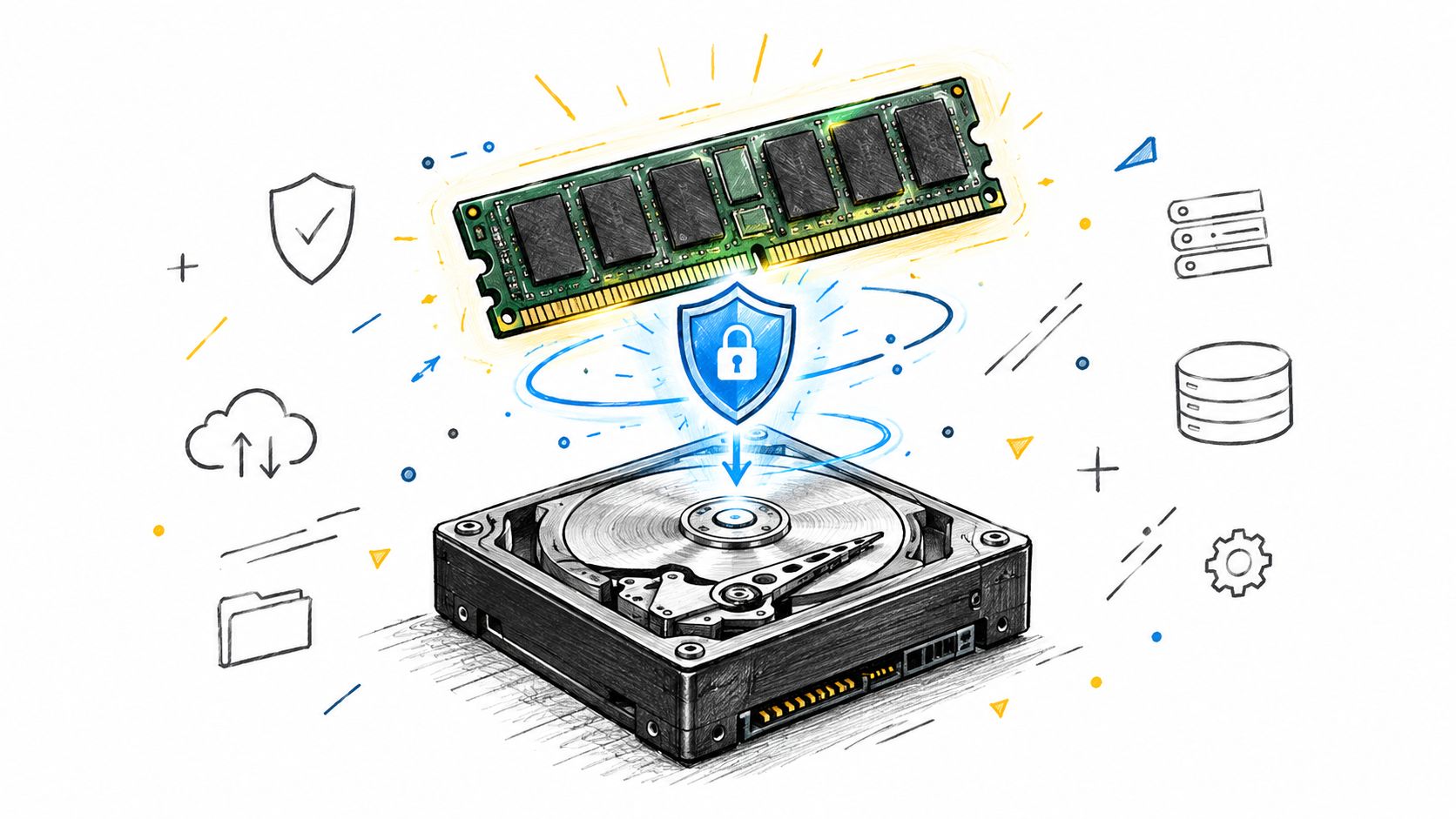
Why engineers accept the RAM premium
Consider a transaction service that must repeatedly inspect active accounts, recent events, or current inventory. A disk-first design continually pays for storage I/O. A memory-first design pays more for RAM and for the mechanisms that keep that memory populated, but it shortens the path between a request and the data required to answer it.
The architecture became commercially practical during the 1980s and early 1990s, as cheaper RAM and expanded 64-bit addressable memory made larger working sets feasible. IBM DB2's in-memory version launched in the early 1990s, and by 2014, a DBTA survey cited in Mordor Intelligence's market history reported in-memory use in about 32% of enterprises, while 75% of respondents expected to expand it over the following 3 years.
Practical rule: Treat RAM as the fast operating surface, not the permanent record.
That distinction resolves the power-failure puzzle. If the server loses power, the database doesn't trust the contents of RAM to survive. It reconstructs its state from durable records, then repopulates memory. The exact recovery design varies by product, but durability isn't an optional feature for a system that owns transactions.
The trade-off remains important. RAM costs more than persistent storage, and keeping everything in memory can be wasteful when only a subset of data needs immediate access. Modern systems therefore combine memory-first execution with storage tiers, keeping hot data in RAM and moving colder data to NVMe SSDs when appropriate (AWS describes this tiered approach).
How In-Memory Databases Work Under the Hood
An in-memory database changes more than the location of data. It changes what the engine optimizes for. A disk-oriented system is shaped around minimizing storage reads, managing pages, and making efficient use of a buffer pool. An in-memory engine can spend more of its design budget on CPU efficiency, memory bandwidth, compression, parallel execution, and fast access paths.
The first architectural choice is data layout. Row-based storage keeps the fields of a record together, which suits many transactional operations that read or update complete records. Columnar storage groups values by column, so an analytical query that needs one measure and a few filters doesn't have to process every field in every row. SAP identifies column organization and distribution across multiple servers as important capabilities in in-memory systems (SAP's HANA overview).
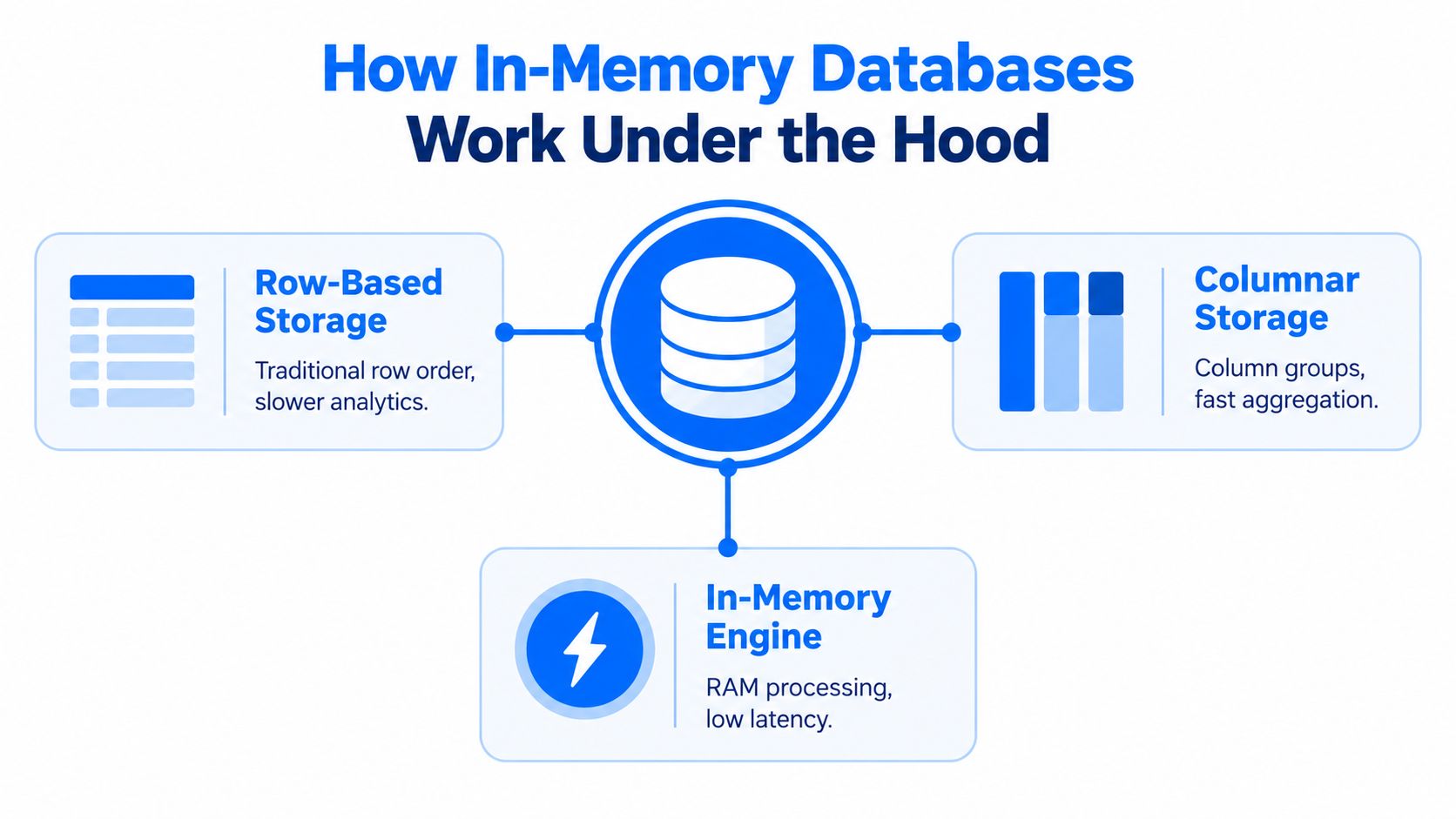
Compression and distribution
Compression matters because RAM is valuable. Repeated values, ordered columns, and compact encodings allow the engine to keep more active information in memory and reduce the amount of data the CPU must move. Compression isn't free, though. The engine spends CPU time encoding and decoding values, so the useful question isn't whether compression exists, but whether its CPU cost is lower than the memory and I/O cost it avoids.
Distribution addresses a different constraint. A single server has finite memory and compute capacity, so systems can partition data and processing across multiple machines. That introduces coordination, network traffic, replication choices, and failure domains. Scaling out can extend the working set, but it doesn't make distributed operations free.
The memory-to-disk relationship should remain explicit in the design. RAM handles active processing, while persistent storage supports recovery and colder data. Some platforms use tiering so applications don't need to manage every movement manually. Others keep a smaller, deliberately selected working set in memory and leave the source of truth in a conventional database.
For teams evaluating where computation should happen, in-database processing provides a useful architectural comparison. Running computation close to the data can reduce movement, but the database still needs enough memory, CPU, and concurrency headroom to serve both operational queries and analytical work.
In-Memory vs Traditional Storage - The Performance Reality
In-memory databases are faster because they remove storage I/O from the hottest path, not because they change SQL itself. The engine still parses queries, evaluates predicates, maintains indexes or other structures, coordinates workers, and handles contention. A CPU-bound workload or poor data model can erase the benefit of keeping data in RAM.
Technical references commonly describe in-memory databases as offering microsecond reads and single-digit millisecond writes. Actual latency depends on the engine, hardware, durability configuration, query shape, and concurrency (AWS documents these latency characteristics). That profile suits decisions that must be made while an event is still current.
In-Memory vs Disk-Based Database Performance
Metric | In-Memory Database | Disk-Based Database |
|---|---|---|
Read latency | Avoids most storage round trips, but cache misses, locks, serialization, and network hops still affect tail latency | Storage access, buffer-cache misses, indexes, and queue depth add more variable delay |
Write latency |
| Latency depends on storage hardware, logging, checkpoints, indexes, and workload contention |
Throughput profile | Strong fit for frequent, low-latency reads and active transaction processing | Strong fit for capacity-oriented storage, archival data, and batch workloads |
Hardware cost | Higher memory cost, with possible requirements for replication and persistence | Lower-cost capacity per unit of stored data, with more reliance on storage infrastructure |
Best operational fit | Live dashboards, decision services, sessions, and fast-changing working sets | Cold data, long retention, large historical stores, and relaxed batch processing |
The table supports architecture decisions, not product comparisons by label. A disk-based database can outperform an in-memory system when the query is better designed, while an in-memory system can disappoint if its working set spills into slower tiers. Measure the access pattern and durability behavior together.
Speed matters only when the application can use the shorter response time.
Evaluate p95 and p99 latency, write durability requirements, memory utilization, eviction or tiering behavior, replication lag, and recovery time. Database performance tuning is relevant because query shape and workload behavior can erase the benefit of faster storage when execution patterns go unmeasured.
Solving the Durability Puzzle - Persistence Without Penalty
In-memory does not mean storage-free. RAM supplies the low-latency working state, but a production database still needs durable records for restart, failover, and disaster recovery. The Springer review discusses IMDB durability and benchmarking, treating persistence as part of in-memory database design rather than an optional safeguard.
Logs, snapshots, and save points
A transaction log records changes in a durable sequence. After a restart, the engine loads a saved base state and replays the applicable log records. Committed work survives, while active processing continues against memory-resident data.
Save points and snapshots establish recovery boundaries. At intervals, the engine writes a consistent representation of the working state to persistent storage. A crash then requires the database to restore that representation and apply later log entries. More frequent persistence can shorten recovery exposure, but it consumes storage bandwidth and can compete with live queries and writes.
The design usually combines four mechanisms:
Transaction logging: Records changes for recovery and preserves durable committed transactions.
Save points: Persist a recoverable state without rewriting the entire dataset for every operation.
Snapshots: Create a durable point-in-time representation that can speed restart and recovery.
Asynchronous backups: Run backup work in the background, subject to the database's recovery guarantees.
SAP states that disk or SSD storage remains necessary for permanent persistency after a power failure or catastrophe, even when the data is available in memory (SAP's persistence guidance). SAP HANA illustrates the same design with ACID-compliant processing, compressed columnar data in memory, and committed transactions persisted through logging and save points so the system can recover after a restart (SAP's HANA administration material).
Recovery test: Do not stop at “the database has persistence.” Restore a failed node, replay logs, validate committed transactions as described in our database reliability engineering guide, and measure application behavior during recovery.
Durability settings expose a direct trade-off. Aggressive persistence protects more recent writes but increases storage pressure and coordination work. Relaxed settings can improve write throughput while leaving more work for recovery. Choose the configuration according to the business consequence of losing recent data, the recovery objective, and the storage capacity available to support the workload.
Enterprise Use Cases Where Speed Matters Most
An in-memory database earns its cost when a delayed answer changes the outcome. The strongest candidates generate data continuously, evaluate it immediately, and cannot wait for a warehouse load or long batch cycle. The right question is not only how fast the query runs, but what the application must do when a node restarts.
Financial services provide a clear example. A transaction arrives, and a fraud service needs current account behavior, transaction context, and risk signals before approving or challenging it. Keeping those active signals in RAM shortens the path from event ingestion to decisioning. The workload still needs a defined durability policy: committed decisions must be recoverable, while temporary features or derived signals may be rebuilt. Risk analytics benefits for the same reason, particularly when analysts or automated controls need changing positions rather than yesterday's extracts.

Match the engine to the decision
Manufacturing and logistics teams face a related problem. Sensors, orders, inventory movements, and delivery events change the operational picture continuously. A memory-first layer can feed live dashboards, exception detection, dispatch decisions, and capacity views without forcing each request through a storage-heavy analytical path. It suits workloads where stale information can trigger a missed shipment, an unnecessary production change, or a poor allocation decision.
Define the active working set before choosing the platform:
Identify the decision window. Determine which events, entities, and measures must be available immediately.
Separate active from historical data. Keep current operational context in the fast layer and retain older records in appropriate persistent systems.
Define failure behavior. Decide what must survive a restart, what can be rebuilt, and how quickly service must return.
Measure the full path. Include ingestion, transformation, query execution, persistence, replication, and application response time.
SAP HANA is a prominent example of combining transactional and analytical processing in one platform, which can remove a data-movement hop between operational updates and analysis. The broader lesson is workload-specific: consolidation helps when separate systems would add unacceptable delay, but it also concentrates performance, recovery, and capacity concerns in one platform.
Real-time data monitoring requires more than a fast query engine. Teams must know whether data arrived, whether its shape changed, and whether values remain plausible. A real-time data monitoring approach can complement the database layer by checking the behavior and availability of the data that fast applications depend on. That evidence belongs in the operating model, alongside latency, recovery, and capacity measurements.
Common Misconceptions About In-Memory Technology
The first misconception is that RAM cost automatically makes an in-memory database uneconomical. RAM is more expensive than disk capacity, so the concern is valid. But the comparison shouldn't stop at the memory bill. A memory-first design can reduce repeated I/O, simplify some processing paths, and remove parts of a fragmented architecture. Whether total cost falls depends on workload shape, licensing, replication, operations, and how much data requires fast access.
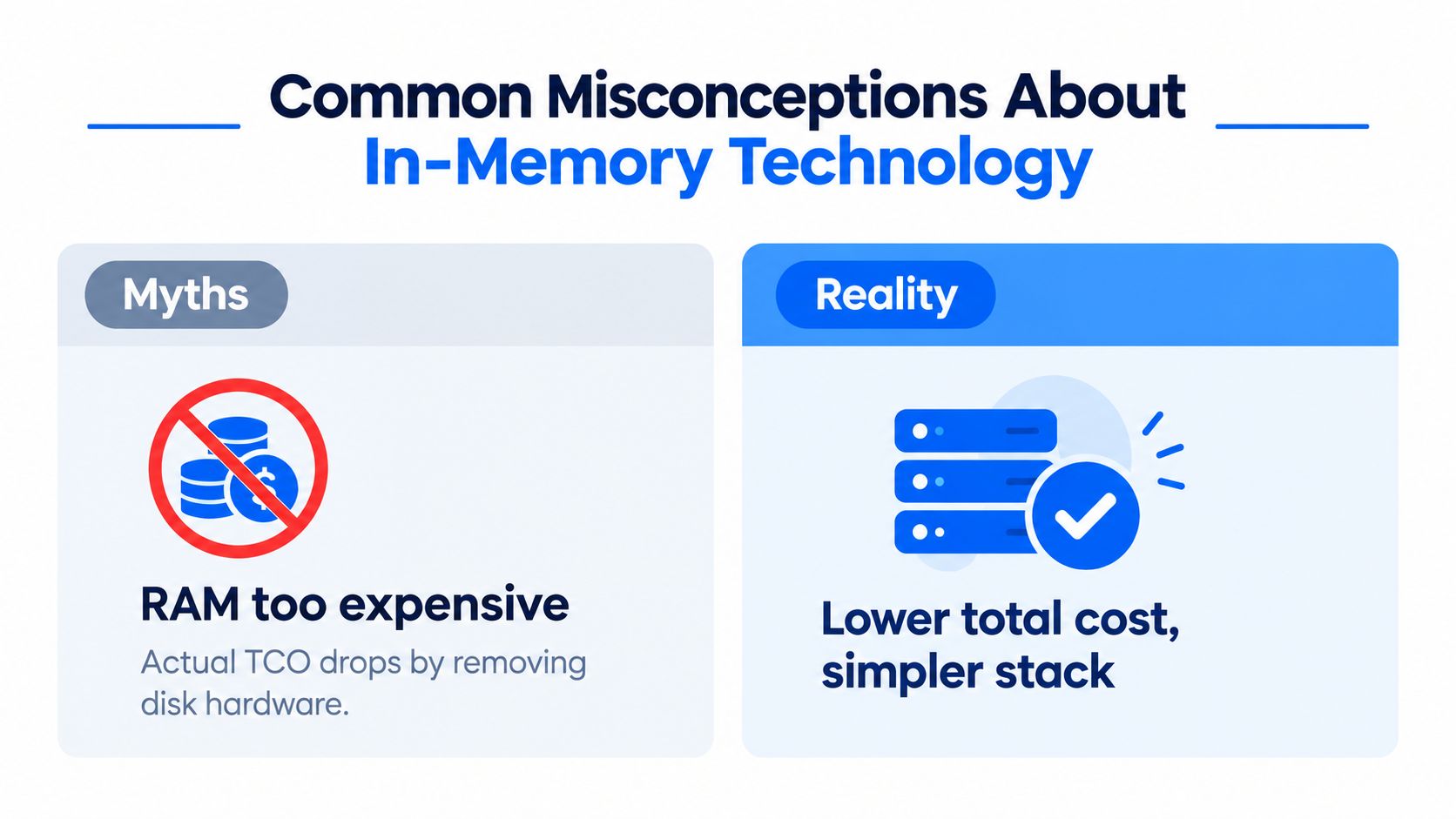
Three assumptions worth challenging
“The whole dataset must fit in RAM.” Not necessarily. Modern designs can tier hot data in RAM and colder data on NVMe SSDs, while distributed architectures can spread active processing across servers (AWS describes memory and SSD tiering). The important sizing question is the active working set and its access pattern, not merely the total historical footprint.
“In-memory means data disappears during a failure.” A memory-only prototype may behave that way. A production in-memory database uses persistence mechanisms such as logs, snapshots, or recovery files, and the durability configuration determines what the system can reconstruct. Teams should test those guarantees rather than infer them from the product name.
“Faster storage fixes every database problem.” It doesn't. Poor joins, excessive serialization, lock contention, inefficient data modeling, and unbounded cardinality can keep a fast engine slow. In-memory technology removes one class of bottleneck, storage latency, but leaves the rest of the system visible.
The right question isn't “Can we put this database in memory?” It's “Which data and decisions justify memory-first execution?”
Another misconception is that a single architecture must serve every workload. Historical archives, large retention stores, and batch transformations often benefit from capacity-oriented persistent storage. An in-memory layer can sit beside those systems, accelerating the active path without becoming the only place data lives.
Deciding If an In-Memory Database Fits Your Stack
Choose the workload before the product. An in-memory database fits when users or services require consistently low latency, transactions arrive continuously, active records are reused often, and delayed decisions create operational costs. It is less suitable for archival access, scheduled batch queries, or a working set too cold to justify its RAM footprint.
Use this decision filter:
Choose memory-first execution for fraud signals, live operational views, session state, high-frequency decisions, and workloads where storage I/O dominates response time.
Keep traditional storage central for cold archives, long-retention datasets, infrequent reporting, and batch jobs with flexible completion windows.
Use a hybrid design when only part of the dataset needs immediate access while the rest remains on persistent tiers.
The market has moved beyond niche experimentation. Estimates put the global in-memory database market at about USD 7.20 billion in 2024, USD 8.14 billion in 2025, and USD 9.05 billion in 2026, reaching USD 15.31 billion by 2031, according to Fortune Business Insights' market estimate. Market growth supports continued adoption, but it does not replace workload tests or failure-recovery validation.
Before committing, benchmark representative queries, verify persistence during power loss and restart, measure memory pressure, and check tiering behavior. Tune the SQL path with SQL query optimisation, then compare measured latency gains with memory, licensing, replication, and operational costs. The result should be an infrastructure choice based on the system you run.
digna helps data teams monitor anomalies, timeliness, schema changes, and record-level quality checks within their own databases. If an in-memory architecture depends on current, trusted inputs, visit digna to evaluate an in-database observability approach.
A fast engine only helps if the data feeding it is current, so it is worth tracking whether each source table actually arrived on schedule; see how digna Timeliness learns expected arrival patterns and flags delayed or missing loads.
Frequently asked questions
Does an in-memory database lose data when the power goes out?
Not in a production system. RAM is treated as the fast working surface, not the permanent record, so after a power loss the engine restores a saved state from disk or SSD and replays its transaction log. SAP HANA, for example, persists committed transactions through logging and save points.
How much faster is an in-memory database than a disk-based one?
Memory access has been described as roughly 10 times faster than disk, and technical references cite microsecond reads with single-digit millisecond writes. Real latency still depends on hardware, durability settings, query shape and concurrency, so teams should measure p95 and p99 latency rather than trust headline figures.
Does all of my data have to fit in RAM?
No. Modern designs keep hot data in RAM and move colder data to NVMe SSDs, and distributed setups spread the working set across several servers. The sizing question that matters is the active working set and how it is accessed, not the full historical footprint of the database.
When should you use an in-memory database instead of a traditional one?
Use one when a delayed answer changes the outcome, such as fraud signals, live operational dashboards, session state or dispatch decisions. Cold archives, long-retention data and batch jobs with flexible windows usually belong on capacity-oriented disk storage, while a hybrid design suits workloads where only part of the data is hot.
What is the difference between fsync-per-commit and group commit?
Both decide when writes reach durable storage. Fsync-per-commit flushes every transaction immediately, giving the strongest durability at a higher cost per write. Group commit batches several flushes together, raising throughput but adding commit coordination, so the right choice depends on how costly losing recent writes would be.


