In Database Processing
|
7
min read

In-database processing runs analytics and monitoring directly inside the customer's database engine, so the data stays in place and transfer overhead disappears. That matters most when your warehouse is large, sensitive, or both, because the choice isn't just speed, it's whether the check happens where the data already lives.
Monday morning usually exposes the weakness first. A dashboard goes stale, a finance report drops rows, or a freshness alert fires after business users have already noticed the problem, and the root cause is often the same, the data had to leave one system before it could be analyzed in another.
Table of Contents
When Data Movement Breaks Your Dashboards
The failure usually starts without warning. A warehouse feed lands on time, the extract job runs, and the external engine receives what looks like a clean copy. Then one upstream delay, one malformed column, or one oversized batch makes the numbers drift just enough that the dashboard no longer matches what the business expects.
That's the core appeal of in-database processing. The database engine does the work where the data already sits, so teams avoid the extract step that adds latency, creates extra copies, and expands the security surface. The historical case for this model has been consistent since the mid-1990s, but broader adoption only arrived in the mid-2000s when analytics moved from external workstations into enterprise data warehouses, and column-oriented databases made warehouse-side scanning and aggregation practical. The historical overview of in-database processing shows that arc clearly.

A good dashboard example helps frame the problem. If the metric you're watching is already derived from warehouse tables, then pulling those tables out to another engine just to check freshness or schema drift creates a second point of failure. For a quick scan of how reporting surfaces are usually shaped, browse Yalc GTM dashboard examples and compare the way operational metrics depend on clean, current source data.
Practical rule: if a check can fail because the data had to move, the architecture is already doing more work than the user asked for.
That's why modern observability platforms increasingly treat the warehouse itself as the execution site. A separate engine can still be useful, but the cost of moving regulated, high-volume data often outweighs the convenience of an external workflow. Teams that keep the computation near the data usually get better control over governance, and they avoid the awkward gap between “the source is fine” and “the reporting copy is wrong.”
If you're already seeing duplicate tables, delayed dashboards, or reconciliation work that repeats every morning, the issue probably isn't your metrics definition. It's the extra hop.
For a related failure mode, see how data redundancy creates anomalies in analytics reporting systems, because duplicated copies often explain why one team trusts the numbers and another doesn't.
How In-Database Processing Evolved and Works
The architecture didn't appear all at once. In-database analytics systems became commercially relevant in the mid-1990s, then gained broader traction in the mid-2000s as warehouse teams stopped treating analytics as something that had to happen on a separate workstation. The key idea was simple, keep the data in place, reduce movement, and run the statistical work where the data already lived.
A milestone often cited in that shift came at the Teradata Partners conference in Orlando on September 18 to 22, 2005, when Thomas Tileston presented the idea of accelerating data mining by combining SAS and Teradata inside the warehouse. That moment mattered because it turned a niche optimization into an enterprise pattern. Column-oriented databases, built for analytics, warehousing, and reporting, made the approach practical by improving how systems scan and aggregate large datasets.

From warehouse acceleration to database-native analytics
Modern systems now execute directly inside the database engine instead of extracting into working memory. IBM's documentation says operating on data in the database avoids security issues associated with extracting it, and the MADlib project describes itself as a SQL-based library of machine learning, data mining, and statistics that runs at scale within the database engine with no import or export to other tools. The architectural point is that analytics becomes a database concern, not a sidecar concern.
Teradata's in-database analytic functions pushed that further into a broad library model, and one cited source notes more than 200 analytical functions in a shared-nothing architecture, including profiling, descriptive statistics, and sampling. That kind of breadth is why the model survived beyond early warehouse tuning and became useful for governance-heavy operations.
The practical trade-off is still there. As the database takes on more logic, performance depends on query planning, indexing, memory locality, and vectorized execution. A well-tuned engine can turn that into a strength, but a poorly tuned one turns in-database work into a bottleneck.
The history matters because it explains why this is no longer experimental. Teams aren't adopting a clever trick, they're using a mature execution pattern that has already been shaped by warehouse-scale constraints.
If you're comparing modern storage and execution patterns, what is open table format is a useful adjacent read because the open-storage conversation often overlaps with where analytics should run.
In-Database Execution versus Extract-Analyze Workflows
The essential question is where the work should happen, and what that choice does to security, latency, and operational complexity.
Dimension | In-Database Processing | Extract-Analyze Workflow |
|---|---|---|
Data movement | Computation stays where the data resides, so movement is minimized | Data is copied or exported before analysis, which adds transfer overhead |
Security posture | Data can remain inside the customer environment, which helps with regulated datasets | More copies and external transfers create a wider exposure surface |
Performance shape | Depends on query planning, indexing, memory locality, and pushdown behavior | Depends on transfer speed, staging, and the external engine's compute profile |
Best fit | Large, sensitive, or latency-sensitive warehouse workloads | Lightweight analysis, ad hoc exploration, or systems that already expect exports |
Operational risk | Can overload production if the engine is pushed too hard | Can drift from the source and create stale or duplicated truth |
In-database execution keeps large or sensitive datasets inside the system of record, so another engine does not need to read them over the network. That matters in enterprise environments where the source warehouse already carries governance, access control, and audit expectations. The trade-off is not theoretical. The database engine now has more work to do, so bad plans, weak indexing, or heavy concurrent load can slow production jobs and observability checks at the same time.
IBM's in-database analytics guidance is clear that keeping data in the database avoids security issues associated with extracting it, which is why this model shows up often in regulated environments. For a practical comparison of safer in-database execution versus external pipelines, see the in-database versus external pipeline comparison.
Schema drift makes the difference sharper. How redundancy creates anomalies in analytics and reporting systems explains why extra copies often create conflicting versions of the same fact. When observability, quality checks, or anomaly detection run outside the warehouse, teams often spend more time reconciling copies than fixing the underlying issue.
Where each approach usually wins
In-database wins when the data is too sensitive to move, too large to copy often, or too important to inspect close to arrival time.
Extract-analyze wins when the dataset is small, the logic is experimental, or the warehouse should not carry extra analytical load.
Hybrid patterns win when governance must stay close to the warehouse, but exploratory work needs a separate environment.
Benchmark-style research on warehouse workloads measures response time, throughput, and total cost. Real-time benchmarks test whether a system can absorb incoming streams without delay. That matters because observability checks behave like latency-sensitive warehouse workloads, not like offline reporting jobs.
How digna Runs Observability Inside Your Warehouse
digna keeps metric computation inside the customer's own databases, so the data stays put while the platform evaluates it. That's the right shape for teams that care about governance first, because the observability layer doesn't need to copy production data elsewhere before it can inspect freshness, schema, or behavior.
The operating model centers on five dimensions, freshness, volume, schema, distribution, and lineage. Those are the practical mechanics behind monitoring data behavior, not just checking whether a single rule passed at a point in time. A warehouse can look healthy in one batch and still be drifting in another, so the checks need to follow the data over time.
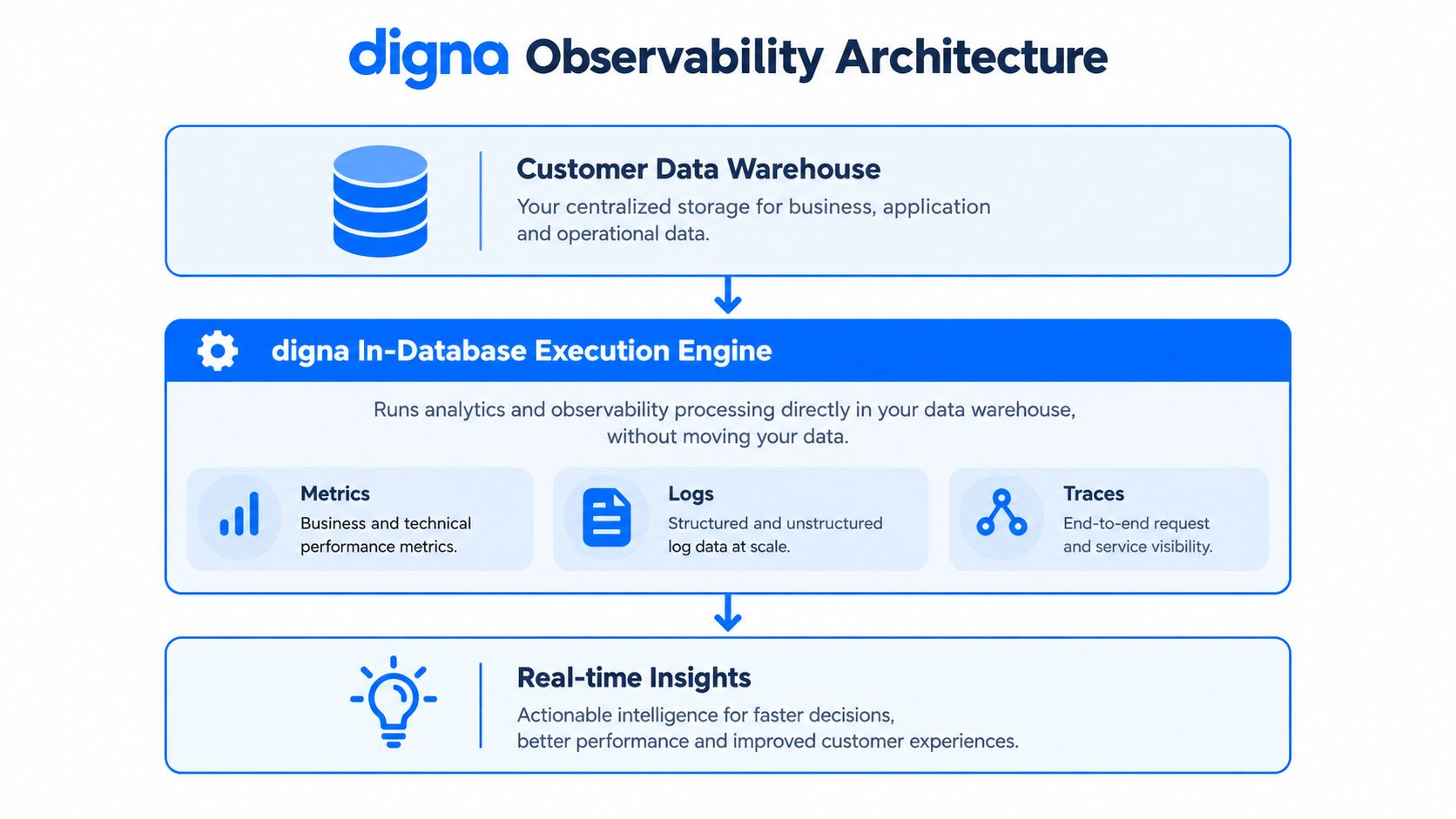
What happens inside the warehouse
Schema drift monitoring compares the incoming or inferred schema against an expected baseline or contractual schema, then classifies additions, removals, renames, and data-type changes for severity-based handling. That detail matters because a missing column and a renamed column don't usually deserve the same response. A strict alert on every change creates noise, while no alert at all leaves downstream systems exposed.
Timeliness monitoring checks whether data arrived on schedule, early, or late, and anomaly detection learns dataset behavior without requiring manual rule setup for every case. That shift from rigid rules to baseline learning is what makes the system practical at enterprise scale, especially when feeds vary by day, source, or business cycle.
The platform's in-database execution also aligns well with the common enterprise question: how do you monitor freshness and business-rule violations without turning every incident into a hand-built maintenance project? The answer is usually to let the warehouse do the computation, then let the observability layer interpret the pattern.
Operational rule: if a monitor needs constant manual tuning just to stay quiet, it's not observability, it's alert fatigue with extra steps.
digna's documentation also describes modular licensing, with a base fee plus per active table per module. That kind of structure matters operationally because teams rarely need every capability on day one, they usually start with one problem, then expand once the pattern proves itself.
For teams comparing implementation styles, checks on OpenDatabase removal is a useful adjacent example of how warehouse-side inspection can be framed as a controlled audit activity rather than an external data export.
The practical win is simple. You keep the data in the customer environment, compute metrics where the data already lives, and reduce the number of places where a stale copy can become “the truth.”
When In-Database Processing Is Not the Right Choice
The strongest in-database setup still has limits. If the engine cannot plan the query well, cannot use memory locality, or cannot take advantage of vectorized execution, observability work becomes overhead on production instead of a guardrail.
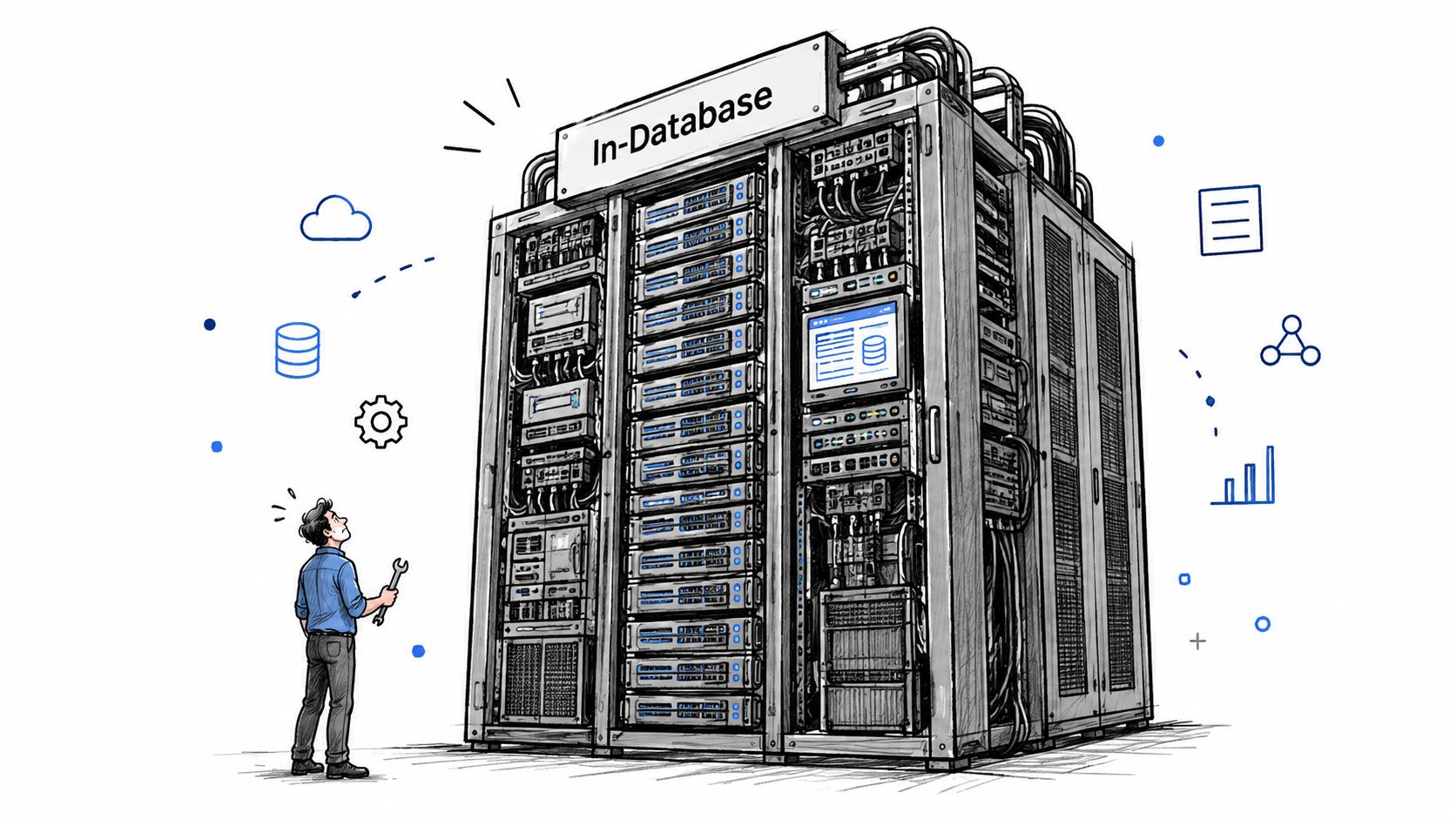
The failure modes are practical, not theoretical
Compatibility is the first one. Not every database exposes the same analytic functions, and not every environment allows the same level of pushdown. If the platform cannot run the needed checks inside the engine, teams usually end up reintroducing exports through the back door.
Workload contention is the second. A warehouse that already serves BI and ad hoc analysis can get throttled if observability jobs are poorly scheduled or too expensive to run inline. Query planning and indexing matter here, and “keep it in the database” never means “run everything immediately.”
Overreach is the third. Lightweight analytics, short-lived investigations, or low-risk datasets often do not justify the setup cost. In those cases, a simpler external workflow can be easier to support and easier to retire later, especially when teams already have an ETL data pipeline carrying the operational load.
Keep the checks where the data lives only when the engine can absorb the work without becoming the problem.
The enterprise trade-off is clear. In-database execution can reduce movement and help regulated data stay inside the customer environment, but it also asks more from the database stack. If the team cannot control query shape, index design, or workload isolation, the model can still fail at scale.
The choice is not ideological. It comes down to whether the warehouse can absorb the monitoring load without creating new bottlenecks, new tuning work, or new cost pressure. As noted earlier, some workloads are better handled inside the warehouse, while others are cleaner outside it.
Industry Use Cases That Demand In-Database Reliability
Regulated sectors care about this pattern for the same reason, they can't afford a second, drifting copy of the truth. Financial services, healthcare, telecommunications, and public sector teams all deal with data that's sensitive, traceable, or operationally time-critical, so the check has to happen without unnecessary movement.
Financial teams usually need to inspect transactional, risk, and regulatory data in place. If the monitoring process exports data to another environment, it can collide with data residency, audit expectations, or internal controls. Healthcare teams face a different pressure, delayed loads or schema changes can distort clinical and operational reporting, and that isn't a problem you want to discover after the fact.
Telecommunications teams handle constant high-volume streams, so continuous anomaly detection has to run without a heavy export bottleneck. Public sector teams need evidence that the controls themselves are auditable, which makes in-database execution attractive because the monitoring trail stays close to the governed environment.
The shared constraint across these industries
The common thread isn't the vertical, it's the operational shape of the data. Each of these environments needs monitoring that is fast enough to matter, strict enough to satisfy governance, and contained enough to avoid creating new copies that drift away from the source.
That's why the security versus complexity question matters more than the definition. If the workload is sensitive, high-volume, and closely tied to compliance, in-database execution often becomes the practical choice rather than the architectural preference. If the workload is casual or exploratory, the same approach can be more trouble than it's worth.
The recent trend in observability is moving in the same direction, treating data quality and observability as one database-centric analytics problem instead of two separate jobs. That's useful because the core question in enterprises is rarely “Can we detect a problem?” It's “Can we detect it without breaking the system we're trying to protect?”
Making the Decision Does In-Database Fit Your Stack
Start with the data, not the tool. If the dataset is too sensitive to leave the environment, too large to move efficiently, or too close to the source of truth to tolerate delay, in-database processing deserves a serious look.
Then check the workload. Real-time anomaly detection, freshness checks, schema drift monitoring, and business-rule validation all benefit when they run near the data source. If the same checks only run once in a while, or if they're exploratory rather than operational, the simplicity of an external engine may be enough.
Next, test the engine itself. Does it support the analytical functions you need? Can it execute pushdown cleanly? Can it handle observability without starving production queries? Those questions matter more than the marketing label, because a database that can't plan well will punish you faster than a slow external job.
A short decision checklist
Choose in-database processing when the data is regulated, the volume is high, or latency matters.
Prefer external analysis when the workload is lightweight, temporary, or still changing shape.
Validate engine behavior before rollout, especially query plans, indexing, and workload isolation.
Preserve existing BI tools where they already work, because in-database execution doesn't require throwing out the rest of the stack.
The biggest misconception is that in-database execution replaces everything else. It doesn't. It changes where the checks happen, not whether analysts, dashboards, or downstream applications still exist. In practice, the best deployments keep the warehouse as the source of truth, use the database engine for governance-heavy inspection, and avoid rebuilding an entire analytics stack just to solve a freshness problem.
If your current setup spends more time copying data than checking it, the architecture is probably fighting you. If you want a platform that computes quality and observability inside the customer's environment, keeps the data in place, and supports modular monitoring across anomalies, timeliness, validation, schema change, and business metrics, visit digna and see how the in-database model fits your warehouse and governance requirements.
Since engine compatibility decides whether checks can stay inside the database, the list of databases and warehouses digna integrates with is the first thing to confirm for your stack.
Frequently asked questions
What is in-database processing?
In-database processing runs analytics and monitoring directly inside the database engine, so data stays in place instead of being extracted to an external tool. That removes transfer overhead, avoids extra copies and keeps the security surface smaller, which matters most when a warehouse is large, sensitive, or both.
When did in-database processing become mainstream?
In-database analytics became commercially relevant in the mid-1990s and gained broad traction in the mid-2000s. A frequently cited milestone is the Teradata Partners conference in September 2005, where combining SAS and Teradata inside the warehouse was presented, while column-oriented databases made warehouse-side scanning and aggregation practical.
What is the difference between in-database processing and extract-analyze workflows?
In-database processing computes where the data resides, while extract-analyze workflows copy or export data to another engine first. The first suits large, sensitive or latency-sensitive workloads but can overload production; the second suits lightweight or ad hoc analysis but can drift from the source and create duplicated truth.
When is in-database processing not the right choice?
It struggles in three situations named in the article: compatibility gaps where the database lacks the needed analytic functions or pushdown, workload contention where observability jobs throttle BI queries, and overreach where lightweight, short-lived or low-risk analysis does not justify the setup cost of running inside the engine.
How does digna use in-database processing for data observability?
digna keeps metric computation inside the customer's own databases and monitors freshness, volume, schema, distribution and lineage there. Its schema drift checks compare incoming structure against an expected baseline and classify additions, removals, renames and type changes by severity, while anomaly detection learns dataset behavior without manual rules.


