Timestamp to Datetime: Complete Conversion Guide
|
6
min read

1700000000 is not a datetime, it's a machine timestamp. If you convert it safely, you first identify the unit, normalize to UTC, then render the result with explicit timezone context, or you'll corrupt the record.
A broken dashboard at 8:05 a.m. usually doesn't look broken at all. The chart loads, the batch finishes, and the billing export lands on time, but one team is reading seconds as milliseconds, another is assuming local time, and a third is formatting an instant without preserving the original value. That gap between machine timestamps and human-readable datetimes is where most production issues hide.
Table of Contents
Why Timestamp Conversions Fail in Production
A dashboard that shows yesterday's numbers, an ETL run that shifts records by one day, or a billing extract that lands in the wrong region usually points to one root problem, ambiguous timestamp meaning. A Unix timestamp identifies an instant relative to the Unix epoch, which is 00:00:00 UTC on 1 January 1970, but the number itself does not tell you how to display it. The same digits can become the wrong moment if one system reads seconds and another reads milliseconds, or if a server's local timezone sneaks into the conversion step. The Unix convention also treats every civil day as exactly 86,400 logical seconds, so arithmetic stays simple, but leap seconds and timezone rules still matter when the result is shown to people. (NASA leap-second reference)
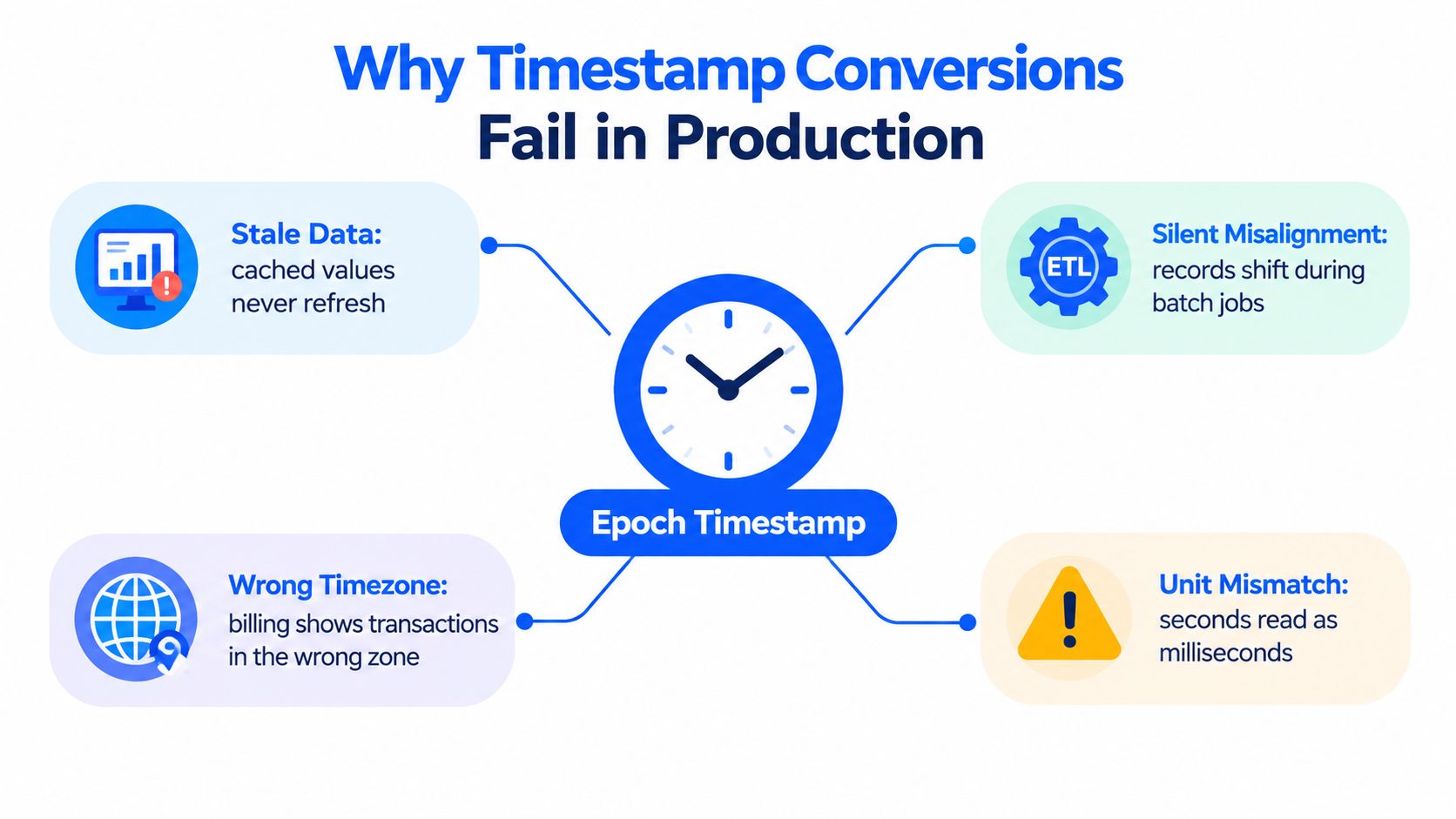
What breaks first
The first failure is usually unit mismatch. A value that should be interpreted as seconds can be misread as milliseconds, and the resulting datetime lands near 1970 or far outside the expected range. The second failure is timezone drift, where a timestamp is decoded correctly but displayed through the wrong local context.
Practical rule: treat the raw numeric value as the source of truth and the formatted datetime as a presentation layer.
The third failure is hidden inside cross-system exchange. One service writes UTC, another reads a naive value as local time, and the pipeline still “works” because the output looks plausible enough to pass a quick glance. The fourth failure is leap-second policy, because ordinary POSIX time ignores inserted UTC seconds and cannot represent 23:59:60 uniquely. The risk is not limited to pretty displays. It shows up in billing cutoffs, incident timelines, and any dataset where ordering matters. Why early pipeline failures are often invisible at first gives a useful way to think about those silent faults in adjacent data flows.
What a correct mental model looks like
The right sequence is simple, but each step matters. First, identify the unit and semantic contract. Second, normalize to an absolute instant. Third, render that instant in UTC or a named civil zone only when the output is needed. If you skip any of those steps, you're no longer converting a timestamp to a datetime, you're guessing.
Converting Timestamps Across Common Systems
The safest conversions are the ones that make the unit and timezone obvious in code. Python, JavaScript, and SQL each have their own defaults, and the defaults are exactly where production bugs start. If you standardize on explicit timezone-aware conversion, the same raw value stays reproducible across servers, jobs, and notebooks.
Python
Python's standard library gives you a clean pattern: datetime.fromtimestamp(value, tz=timezone.utc) for UTC-aware conversion, then astimezone(target_zone) only when a named local zone is required. If you omit tz, Python uses the platform's local time and returns a naive datetime, which is how the same code starts behaving differently across hosts. That's why the explicit UTC step is the safer default. The official datetime docs also describe the naive-versus-aware split and the recommended timezone.utc usage. (Python datetime docs)
JavaScript
JavaScript's Date stores milliseconds since the Unix epoch, so Unix seconds need multiplication by 1,000 before conversion. The reverse operation needs division by 1,000, and you should preserve fractional precision when it matters. The other trap is accessor choice, because UTC-based storage does not stop local accessors from reading through the host machine's timezone. MDN's Date reference is a good reminder to keep that distinction explicit.
SQL and warehouse engines
SQL engines vary, so the safest habit is to verify the target type and timezone behavior rather than assuming one engine matches another. PostgreSQL distinguishes timestamp precision and supports fractional resolution, while ClickHouse exposes separate functions for seconds, milliseconds, and microseconds. In practice, the important part is not memorizing every function name, it's making sure the stored type matches the source unit and the display timezone is chosen intentionally. The PostgreSQL datetime docs are especially useful when you need to reason about precision support and fractional seconds. (PostgreSQL datetime types)
For teams working across file formats and warehouse ingestion, Parquet file formats matter because timestamp fields often cross systems with different precision expectations. A datetime that looks fine in one engine can lose meaning when a downstream parser assumes a different unit or truncates fractional detail.
Timezone Handling Beyond Basic Conversion
Epoch decoding and timezone conversion solve different problems. Decoding answers which instant the record represents. Conversion answers how that instant should appear in a specific location and historical context. Systems that blur those steps create local dates that look correct in one environment and wrong in another. The IANA time zone database exists because timezone history changes by place and over time. It records local time rules and updates them as governments change offsets and daylight-saving policies.
Why fixed offsets fail
A fixed offset captures one moment, but it does not capture the rules behind that moment. America/New_York is not the same as UTC-5, because the named zone includes daylight-saving behavior and historical changes while the offset does not. Store only the offset, and you lose location identity along with the rule changes attached to it.
Python handles this correctly with tzinfo, which keeps offset and zone behavior together. The safer pattern is to decode in UTC first, then convert to a named zone at the display boundary. Attaching a timezone label to a naive datetime is reinterpretation rather than conversion.
A local wall-clock time can repeat during fall-back transitions and can disappear during spring-forward transitions.
Why JavaScript needs extra care
JavaScript's Date object is UTC-based internally, but its ordinary component accessors use the host machine's local timezone. A debug notebook on one laptop and a production container in another region can show different local fields for the same instant. The timestamp is still correct. The display path changes, and that is enough to create confusing bugs. For deterministic pipelines, use UTC accessors or a timezone-aware library, and do not rely on machine defaults.
Auditability is part of timezone handling
Timezone work is not only formatting. Systems handling finance, healthcare, or cross-border reporting need the original instant, the chosen zone, and the conversion status preserved together as metadata fields that travel with the record, not beside it in a notebook note or ticket comment.
That separation matters in production. If the original instant is missing, you cannot prove what was received. If the conversion status is missing, you cannot tell whether a value was normalized, displayed, or reinterpreted later.
Precision, Unit Detection, and Silent Data Loss
A timestamp to datetime conversion can change more than the display. It can destroy precision, collapse event ordering, and hide the difference between two records that happened in the same displayed second but not at the same instant. That's why unit detection has to be treated as a schema contract, not a digit-count guess. Data quality accuracy practices become especially relevant here because the wrong precision choice still looks “valid” to downstream systems.
Why digit counting is a trap
A long integer doesn't tell you whether the source is seconds, milliseconds, microseconds, or nanoseconds. A 13-digit value might be milliseconds in one feed, but another system may use a different scale altogether. If you divide by 1,000 because the number “looks like” milliseconds, you can create a plausible datetime that's subtly wrong.
PostgreSQL supports timestamp precision from zero through six fractional digits, which is enough to show why this matters. If your source carries microseconds and your target only stores second-level output, you lose ordering information even though the result still renders cleanly. That loss can affect deduplication, latency measurement, incident correlation, and audit trails.
What to preserve
Store the original numeric value. Store the source unit. Store the target precision. Then render the human-readable datetime only after those values are explicit. If the source uses fractional seconds, preserve them in a form that doesn't round through floating-point unless your system can tolerate that loss.
Human-readable output is useful for people, but it can hide the operational truth that two events were distinct.
POSIX-style timestamps also deserve careful wording. They are convenient for arithmetic because each day is treated as 86,400 seconds, but they are not a perfect physical clock and they do not separately count leap seconds. That distinction matters in observability systems, where the pipeline may need to distinguish “same displayed second” from “same underlying event.”
Building a Production Timestamp Pipeline
A production pipeline should move in the same order every time. Parse the raw value first and confirm the source unit. Validate magnitude, precision, and nullability against the contract. Normalize to UTC. Convert to a named local timezone only for presentation. Emit an explicit format such as ISO 8601 with a Z or offset. That sequence keeps the same record from changing meaning as it moves across services.

The workflow that holds up in production
Begin with the contract before you touch the formatter. A timestamp field should declare whether it is seconds, milliseconds, or another unit, and whether it represents UTC or a local civil time. Put that declaration in schema docs, pipeline checks, and test fixtures so the parser and the reviewer are judging the same thing.
Normalize the instant before any display formatting. JavaScript needs explicit multiplication or division around its millisecond Date storage. Python should create aware UTC datetimes first. SQL should use timezone-aware types and avoid silent casts that depend on session settings. Only after that should you convert to the business zone, and only if a downstream consumer needs local presentation.
Teams comparing orchestration and warehousing pieces can use modern data pipeline components as a reference for the moving parts. The practical rule is simpler: every hop should carry the raw value, the source unit, the presentation timezone, and the validation result. That keeps troubleshooting possible without replaying the whole pipeline.
The original numeric timestamp should never disappear just because a datetime has been rendered for a report. Keep both. One is the audit field, the other is the display layer. Data pipeline quality controls are strongest when both survive every hop.
Validating Conversions with Edge Case Testing
Timestamp bugs show up at the edges. Values that look fine in a quick demo often fail in production, so the test suite needs to hit the awkward cases on purpose. Include zero, negative pre-epoch values, fractional seconds, nulls, nonnumeric strings, and timestamps that land near daylight-saving transitions. The same suite should also cover maximum supported dates near system limits and verify that JavaScript UTC accessors stay consistent with local accessors across environments. Data quality testing practices are strongest when they probe the ugly cases, not just the happy path.
What to test first
Zero and pre-epoch values: confirm the pipeline handles
0and negative timestamps consistently, or rejects them with a clear reason.Fractional precision: verify that microseconds or milliseconds survive conversion when the source contract requires them.
DST transition moments: test repeated and skipped local times so the display layer does not mislabel the instant.
Null and nonnumeric inputs: confirm the pipeline rejects bad records without guessing.
Upper-bound timestamps: check the largest supported datetime range your database, language runtime, or serialization format can hold.
What to log
Record the source unit, the source timezone metadata, the normalized UTC instant, validation status, and any error reason. That metadata makes incident review reproducible, especially when one environment upgrades its timezone data while another lags behind. The IANA database changes over time, so reproducibility depends on version awareness as much as on code correctness.
A conversion that can't be reproduced from logs has not been validated.
A final check should compare the original value to the rendered datetime after a round trip where that's supported. If the returned instant changes, the conversion path is still losing information. Keeping the raw timestamp alongside the datetime makes audit review much easier, because one field preserves the machine value and the other shows the human-readable form.
If you want those timestamp contracts - unit, plausible range, precision and nullability - enforced on every load instead of only in test suites, digna Data Validation runs them as rules directly inside your database.
Frequently asked questions
How do I convert a Unix timestamp to a datetime in Python?
Use datetime.fromtimestamp(value, tz=timezone.utc) to get a UTC-aware datetime, then call astimezone() with a ZoneInfo zone such as America/New_York only when you need local display. Leaving out tz makes Python use the host's local time and return a naive datetime, so results differ between servers.
Why does my converted timestamp show a date in 1970?
A date near 1970 almost always means a unit mismatch: a value in seconds was read as milliseconds, so the instant lands just after the Unix epoch of 00:00:00 UTC on 1 January 1970. Confirm the source unit from the schema contract instead of guessing it from the number of digits.
Is America/New_York the same as UTC-5?
No. UTC-5 is a fixed offset that describes a single moment, while America/New_York is a named IANA zone that carries daylight-saving rules and historical changes. If you store only the offset, you lose the location identity and every rule change attached to it, so local times drift.
What should a timestamp pipeline store besides the formatted datetime?
Keep the original numeric value, the source unit, the target precision, the timezone used for display and the validation result. The raw value is the audit field and the datetime is only the presentation layer, so both should travel with the record through every hop of the pipeline.
Which edge cases should timestamp conversion tests cover?
Start with zero and negative pre-epoch values, fractional seconds, nulls and nonnumeric strings, plus moments around daylight-saving transitions where local times repeat or disappear. Add upper-bound dates near your database or runtime limits, and check that a round trip returns the same instant.


