Oracle JDBC Connection String: Formats and Examples
|
7
min read
At 2 a.m., an application can be perfectly healthy at the code level and still refuse every database connection. The pool reports a malformed URL, the listener rejects a service, or a TLS connection reaches the server and fails before the first query runs. In each case, the Oracle JDBC connection string is part of the runtime configuration, not a harmless text field.
The practical difficulty is that Oracle supports several connection styles. Older SID syntax still appears in production, service names are the normal choice for modern deployments, TNS aliases shift resolution into client configuration, and current Thin-driver syntax can express multiple hosts, failover, load balancing, and security properties. The right format depends on the database architecture and the environment where the application runs.
Table of Contents
Why the Connection String Matters in Oracle JDBC
Treat the URL as configuration, not decoration
General Structure of an Oracle JDBC URL
Parts of an Oracle JDBC URL
SID Format and Service Name Format Compared
SID versus service name URL
Embedding Credentials and Connection Properties
Choose the configuration boundary deliberately
Using a TNS Alias Instead of Easy Connect
Check alias resolution before debugging Java
Easy Connect Plus for Multiple Hosts and RAC
Descriptor fields that change behavior
SSL and TCPS Connection Strings
Wallet and certificate configuration
Production Edge Cases That Break Valid URLs
Four failures worth testing before deployment
Edge cases versus working URL form
Common Oracle JDBC Errors and Their Fixes
Quick Reference for Oracle JDBC Connection Strings
Why the Connection String Matters in Oracle JDBC
At 2 a.m., an application can be healthy while every Oracle connection fails. The driver may reject a malformed URL, a listener may refuse the requested service, or a TCPS handshake may stop before Java creates a Connection. The Oracle JDBC connection string is runtime configuration, not decorative text.
Before opening a connection, the driver parses the URL to determine the driver type, destination, naming method, protocol, and optional behavior. Its syntax supports Thin-driver patterns such as jdbc:oracle:thin:@//<host>:<port>/<service>, alongside SID, TNS alias, full connect descriptor, and Easy Connect Plus forms. A slash, colon, alias, or security parameter can therefore change which database target the driver attempts to resolve.
A credential containing @, /, or ? can also be read as URL syntax rather than password data. These failures occur before SQL, schema permissions, or pool sizing become relevant.
Treat the URL as configuration, not decoration
The string controls:
Reachability, through the host, port, protocol, and naming method.
Database selection, through a SID, service name, TNS alias, or connect descriptor.
Resilience, through multiple hosts, retry behavior, failover, and load-balancing options.
Security, through TCPS, wallets, certificate validation, and encrypted connection properties.
Operational consistency, because a URL that works on a laptop can fail in a container with different DNS, wallet files, or Oracle client configuration.
Practical rule: Validate the URL independently of application code. If the driver cannot parse or resolve it, changing pool sizes or retry logic will not correct the connection failure.
Choose the format with deployment dependencies in mind. Easy Connect keeps host and service details in application configuration. A TNS alias moves those details into tnsnames.ora, which can simplify centralized administration but creates a file-discovery dependency. Easy Connect Plus and RAC-style multi-host URLs add failover behavior, while TCPS introduces wallet and certificate requirements. The database topology and the runtime's available configuration must both fit the chosen string.
General Structure of an Oracle JDBC URL
Most Thin-driver URLs can be read as one template:
jdbc:oracle:thin:@<connect_info>
The <connect_info> portion is where the formats diverge. An Easy Connect service-name URL uses //host:port/service, while the older SID form uses host:port:SID. A TNS-based URL uses an alias or a full connect descriptor instead of a direct host and service pair. Oracle's current documentation also describes optional properties and richer multi-host forms, so the simple examples are entry points rather than the entire grammar.
For example:
jdbc:oracle:thin:@//dbhost.example.com:1521/ORCLPDB1jdbc:oracle:thin:@dbhost:1521:ORCLjdbc:oracle:thin:@PROD_ALIAS
The leading characters after @ matter. The // form identifies Easy Connect syntax. A parenthesized descriptor is parsed as a connect descriptor, while an alias requires the driver to resolve a naming entry. That parser choice explains why changing only a colon to a slash can alter the result significantly.
Parts of an Oracle JDBC URL
Segment | Example | Purpose |
|---|---|---|
Driver prefix |
| Selects the Oracle JDBC Thin driver |
Connection marker |
| Separates the driver portion from destination data |
Host |
| Identifies the database host or listener address |
Port |
| Identifies the listener port |
Database identifier |
| Selects a SID or service, depending on syntax |
Alias or descriptor |
| Delegates resolution to Oracle naming configuration |
Properties |
| Adds connection and resilience settings |
A useful companion when documenting dependencies is this guide to referencing a database. It reinforces an important operational habit: write down what each connection field identifies instead of copying a URL whose semantics nobody on the team can explain.
SID Format and Service Name Format Compared
Oracle's two familiar Easy Connect forms look similar, but they identify different targets:
SID form:
jdbc:oracle:thin:@host:1521:ORCLService-name form:
jdbc:oracle:thin:@//host:1521/ORCLPDB1
The SID form uses a colon between the port and identifier. It addresses an Oracle instance by its System Identifier and remains relevant for older environments or a connection that explicitly expects a SID. The service-name form uses // followed by a slash before the service. It asks the listener for a registered service, which is the appropriate model for many current deployments, including pluggable database connections.
Oracle's JDBC FAQ describes the progression from the legacy jdbc:oracle:thin:@[HOST][:PORT]:SID pattern to the service-name form, jdbc:oracle:thin:@//[HOST][:PORT]/SERVICE. The same reference also documents support for TNSNames in driver release 10.2.0.1 and current multi-host capabilities. The syntax history matters because many applications inherited URLs from older database layouts and never revisited the naming choice.
SID versus service name URL
Aspect | SID Form | Service Name Form |
|---|---|---|
Example |
|
|
Separator | Colon before the identifier | Slash before the service |
Target | An Oracle instance identified by SID | A listener-registered service |
Best fit | Legacy or explicitly SID-based environments | Services, PDBs, relocation, and clustered deployments |
Common mistake | Using a SID where only a service is registered | Omitting |
Don't choose based on which URL looks more familiar. Ask the DBA for the exact registered service name or SID and confirm whether the target is a non-CDB, a PDB, or a service that can move between instances. If the database uses services for workload management or cluster relocation, the service-name form is the safer foundation.
Embedding Credentials and Connection Properties
Credentials can appear in the URL, but they don't have to. A credential-bearing pattern might look like this:
jdbc:oracle:thin:username/password@//dbhost:1521/ORCLPDB1
For static examples, that syntax is easy to read. In an application, it creates two risks. First, the password can enter source control, logs, exception messages, or pool diagnostics. Second, reserved characters can change how the driver identifies the username, password, and destination.
Choose the configuration boundary deliberately
Use a Properties object or a data source when credentials are dynamic or managed by a secret store. For example, the application can keep the URL focused on destination data and provide the user and password separately through the JDBC connection API or OracleDataSource. That separation makes rotation easier and reduces accidental exposure.
URL properties can also express advanced behavior. Oracle's current JDBC reference notes that Thin-style service names and optional connection properties support tuning and failover behavior. The exact property names and accepted placement depend on the driver syntax, so verify them against the driver version rather than assuming properties from another Oracle client configuration will work unchanged.
Keep these parsing hazards in mind:
At signs, an
@in a password can be mistaken for the delimiter before the host.Question marks, a
?can begin a property section instead of remaining part of the password.Slashes, a
/can blur the boundary between credentials and the Easy Connect destination.Semicolons, values containing semicolons may need double-quote wrapping in property-based descriptor syntax.
Commas, unencoded commas can be interpreted as separators in a multi-address or failover expression.
Credentials also deserve the same governance as other sensitive connection data. Teams documenting data residency requirements should record where wallet files, secret providers, and connection configuration live, not just where the database server runs.
Using a TNS Alias Instead of Easy Connect
A TNS alias changes the ownership of connection details. Instead of placing host, port, and service information in the application URL, the application references an entry maintained in tnsnames.ora:
jdbc:oracle:thin:@PROD_ALIAS
The alias can represent a more involved connect descriptor than an Easy Connect string. That makes it useful when database administrators already manage naming files, when several applications share the same destination definition, or when the organization wants to change listener details without editing every deployment manifest.
The trade-off is environmental dependency. The Thin driver must find the correct tnsnames.ora. Set the TNS_ADMIN system property or the oracle.net.tns_admin JVM argument to the directory containing the file, or provide the file through the runtime's expected Oracle configuration path. A URL that works on a developer workstation can fail in a container because the alias file was never copied into the image.
Check alias resolution before debugging Java
Dotted aliases deserve special attention. An alias such as PROD.EXAMPLE.COM may be interpreted as dot notation rather than as the TNS lookup name, which can produce an Invalid connection string format error. Oracle support and community troubleshooting discussions, including this Oracle JDBC connection-string format discussion, show why a syntactically plausible alias can still fail during resolution.
When the name is ambiguous, use an explicit description-list form or configure the alias path unambiguously. The TNS_ENTRY connection property can also make the intended lookup explicit. LDAP-backed naming introduces another layer. Thin-driver behavior doesn't automatically reproduce every sqlnet.ora naming rule, and LDAP resolution may require oracle.net.ldap.enabled to be set.
Use TNS when centralized naming is a real operational requirement. Use Easy Connect when self-contained deployment configuration matters more than shared client-side naming.
Easy Connect Plus for Multiple Hosts and RAC
Basic Easy Connect is concise, but clustered Oracle deployments often need several listener addresses. Easy Connect Plus supports multiple hosts, optional ports, connection properties, and RAC-oriented behavior in one URL. A descriptor-style form makes each setting explicit:
jdbc:oracle:thin:@(DESCRIPTION=(ADDRESS_LIST=(ADDRESS=(PROTOCOL=TCP)(HOST=scan-a.example.com)(PORT=1521))(ADDRESS=(PROTOCOL=TCP)(HOST=scan-b.example.com)(PORT=1521)))(LOAD_BALANCE=on)(FAILOVER=on)(CONNECT_DATA=(SERVICE_NAME=APP_SERVICE)))
The URL lists two listener endpoints and enables client-side balancing and failover between them. SERVICE_NAME remains the logical database target. In RAC, applications should request the registered service rather than pinning themselves to one instance. Instance-specific targeting can defeat service placement and leave the application tied to a node that is unavailable or overloaded.
Descriptor fields that change behavior
Field | Purpose | Typical Value |
|---|---|---|
| Holds multiple listener addresses | Multiple |
| Names an address endpoint | A SCAN-style host name |
| Selects the listener port | The listener's configured port |
| Selects transport |
|
| Enables client-side address balancing |
|
| Allows another address after failure |
|
| Selects the registered database service |
|
| Limits connection establishment time | An environment-approved timeout |
| Controls connection retry attempts | An environment-approved count |
| Controls address traversal behavior | Enabled when the route requires it |
A shorter Easy Connect Plus form can be easier to maintain:
jdbc:oracle:thin:@//scan.example.com:1521/APP_SERVICE?LOAD_BALANCE=on&FAILOVER=on
Use the descriptor when you need separate address blocks, protocol selection, or routing controls. Use the compact form only after testing the driver version and Oracle environment with the required properties. A URL can parse successfully while a listener, service registration, or property remains incompatible.
Containers benefit because topology stays in deployment configuration instead of depending on a mounted tnsnames.ora. Review failover settings alongside infrastructure changes, and test both initial connection failure and later node loss. A reachable SCAN name alone does not prove that the requested service is registered on every listed endpoint.
SSL and TCPS Connection Strings
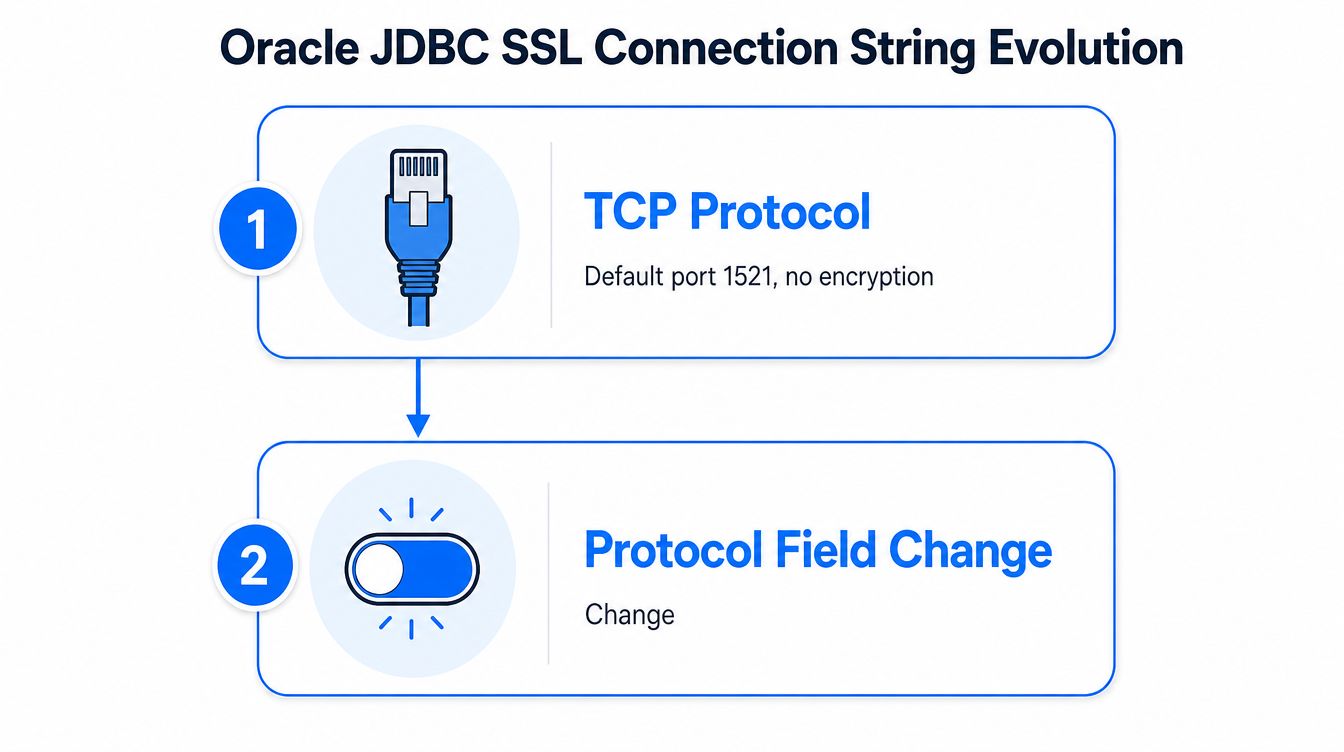
A TCPS URL can parse correctly while the connection still fails during the handshake. Changing TCP to TCPS requires a TCPS-enabled Oracle listener, reachable certificate or wallet files, and server-name validation that matches the certificate policy.
Start with a descriptor:
jdbc:oracle:thin:@(DESCRIPTION=(ADDRESS=(PROTOCOL=TCPS)(HOST=dbhost.example.com)(PORT=2484))(CONNECT_DATA=(SERVICE_NAME=APP_SERVICE)))
The port must match the TCPS listener configured by the database team. A reachable TCP listener does not accept a TCPS handshake, and reaching the TCPS listener does not confirm that the wallet or trust configuration is usable.
Wallet and certificate configuration
Wallet-based deployments commonly set:
oracle.net.wallet_location=(SOURCE=(METHOD=FILE)(METHOD_DATA=(DIRECTORY=/opt/oracle/wallet)))
The wallet can use auto-login or a password-based store. Its directory must be mounted where the JVM can access it, with permissions that allow the driver to read the required files. If trust is managed by Java, configure the relevant javax.net.ssl.trustStore instead of relying only on an Oracle wallet. A complete security design for encrypted connections is covered in this customer data protection guide.
Server distinguished-name matching also needs deliberate configuration. Set oracle.net.ssl_server_dn_match=true when the client must reject certificates whose identity does not match the expected server name. The certificate subject and the hostname still have to align. Oracle's JDBC FAQ documents driver-specific syntax and supported connection options.
One production failure is easy to misread: TCPS encryption succeeds, but wallet-based authentication does not. The driver can establish an encrypted channel and then use password authentication because the wallet was not loaded or authentication properties were incomplete. Test transport encryption, certificate validation, wallet loading, and authentication separately. A successful socket handshake verifies only the transport layer, not the full security configuration.
Production Edge Cases That Break Valid URLs
A URL can be syntactically valid and still be operationally wrong. The failures that consume the most time usually involve assumptions outside the string itself.
Four failures worth testing before deployment
Dotted TNS aliases:
jdbc:oracle:thin:@mydb.prod.example.commay be parsed as dot notation instead of the intended alias. Use an explicit descriptor, a reliableTNS_ADMINpath, or an explicitTNS_ENTRYconfiguration.Container hostnames:
jdbc:oracle:thin:@//localhost:1521/XEPDB1points to the application container itself when Java runs inside a container. It works only when the database is reachable through that container-local address and mapped port. Otherwise, use the database service name exposed to the container network.RAC single-host URLs: A single host can connect successfully while providing no useful node-level failover. Use the multi-host form when the RAC service and listener topology require client-side address selection.
Reserved password characters:
@,/, and?can corrupt URL parsing. Provide credentials throughOracleDataSource.setUserandsetPasswordinstead of embedding them in the URL.
The RAC point is especially easy to miss. A SCAN-style listener name may resolve to a cluster entry point, but a one-address URL still doesn't express the full failover policy. Easy Connect Plus or an equivalent descriptor makes the address list and service behavior explicit.
Edge cases versus working URL form
Edge Case | Broken URL Fragment | Working URL Fragment |
|---|---|---|
Dotted alias |
|
|
Container-local localhost |
|
|
RAC without topology |
| A multi-host descriptor with failover settings |
Reserved password character |
| URL without credentials, plus |
The operational lesson aligns with broader database reliability engineering: test the connection from the same runtime boundary as the application. A workstation, a Kubernetes pod, and a production VM can have different DNS, mounted files, truststores, and Oracle client properties.
Common Oracle JDBC Errors and Their Fixes
Most Oracle JDBC errors point to a mismatch between what the URL names and what the listener registers.
Error Code or Message | URL-Level Cause | Fix |
|---|---|---|
| A SID was supplied where the listener expects a service, or the reverse | Confirm the target identifier and switch between |
| The service name isn't registered with the listener | Obtain the exact registered service name and correct the final URL segment |
| The endpoint, protocol, TLS negotiation, or listener behavior doesn't match | Verify host reachability, listener type, and whether the URL should use |
| An IPv6 literal or stray colon was parsed as part of the port | Use the driver's accepted host syntax and keep the port delimiter unambiguous |
| The colon and slash pattern doesn't match an accepted SID or service-name form | Compare the URL against the two canonical patterns |
Protocol rejection from SQL*Net | The port is reachable, but the client protocol doesn't match the listener | Point the URL at the correct listener and apply the TCPS properties described earlier |
Don't respond to every error by changing the port. ORA-12505 and ORA-12514 are usually naming problems, while a protocol rejection requires checking the listener's transport mode. For a broader operational context, teams can connect this troubleshooting discipline with database monitoring and auditing techniques.
Quick Reference for Oracle JDBC Connection Strings
Use this table as a deployment review checklist, not as a substitute for confirming the database team's registered names.
Use Case | URL Pattern | Key Dependency | Watch Out For |
|---|---|---|---|
SID |
| A valid instance SID | Don't use it when the target exposes only a service |
Service name |
| A listener-registered service | Keep the |
TNS alias |
|
| Dotted aliases can be parsed unexpectedly |
Easy Connect Plus |
| Driver and database support for the selected properties | Test property parsing and cluster behavior |
TCPS with wallet |
| TCPS listener, wallet, trust configuration, and DN matching | Encryption alone doesn't prove wallet authentication |
Before shipping, test the exact URL from the application runtime, confirm whether the target is a SID or service, inspect alias and wallet paths, and verify that credentials aren't exposed in logs.
digna provides an Oracle database connector with Oracle-specific fields such as DSN, UID, PWD, Driver, and DBQ for database integration configuration. If connection reliability is part of a broader data-quality and observability program, visit digna to review how its platform monitors data behavior, timeliness, validation, and schema changes inside your environment.
See how digna does this in practice: data quality for Oracle.
Frequently asked questions
What is the general format of an Oracle JDBC connection string?
Most Thin-driver URLs read as jdbc:oracle:thin:@<connect_info>, and the connect_info is where formats diverge. The characters right after the @ decide the parsing: a double slash signals Easy Connect with a service name, while a bare host leads to SID or TNS alias resolution.
What is the difference between the SID and service name formats?
The separator. jdbc:oracle:thin:@dbhost:1521:ORCL uses a colon and targets an Oracle instance by SID, while jdbc:oracle:thin:@//dbhost:1521/ORCLPDB1 uses a slash and targets a listener-registered service. Omitting the double slash silently falls back to SID parsing, which is a common mistake.
How do you connect to Oracle RAC from JDBC?
Use a descriptor with an ADDRESS_LIST holding several listener endpoints, then enable LOAD_BALANCE and FAILOVER. A shorter Easy Connect Plus form such as @//scan.example.com:1521/APP_SERVICE?LOAD_BALANCE=on&FAILOVER=on is easier to maintain, and keeps topology in deployment configuration rather than a mounted tnsnames.ora.
Why does a password break an Oracle JDBC URL?
Because reserved characters collide with the URL grammar. An @ in a password can be mistaken for the delimiter before the host, a question mark for the property separator, and a slash for the credential boundary. Pass credentials through setUser and setPassword or a Properties object instead.
Which valid-looking Oracle URLs still fail in production?
Four recur. Dotted TNS aliases get parsed as dot notation, localhost points at the application container when Java runs in a container, a single-host URL against RAC connects but gives no node-level failover, and TCPS can encrypt successfully while wallet authentication still fails.


