How to Create a Configuration File That Works
|
0
minuto de lectura

To learn how to create a configuration file, define the settings your application needs, choose a readable format, save it with the correct extension, and validate it before pushing anything live. The goal is to keep runtime behavior separate from application code so teams can adjust environments without changing the codebase.
Table of Contents
Understand Configuration Files and Quick Setup
A configuration file bridges the gap between your code and the running environment. Rather than hardcoding database connection strings, API endpoints, logging levels, or feature flags directly in the source, you store them externally so authorized team members can update them independently.
That separation matters in finance, healthcare, and public-sector systems, where changes need to be controlled, access-restricted, and auditable. It also reduces deployment mistakes because development, staging, and production can use different values while sharing the same application code.
Start by listing the settings the application cannot run without:
Connection details such as database names and service references
Feature flags that toggle optional behavior on or off
Logging settings including verbosity level and output destination
Environment labels so the app loads the right profile on startup
Choose the format that fits your toolchain. YAML is readable and handles hierarchy well. JSON is strict and works smoothly with APIs. INI is suitable for straightforward key-value pairs. TOML provides explicit structure without much ceremony.
The chart below compares these four formats by readability, hierarchy, comment support, and common use cases.
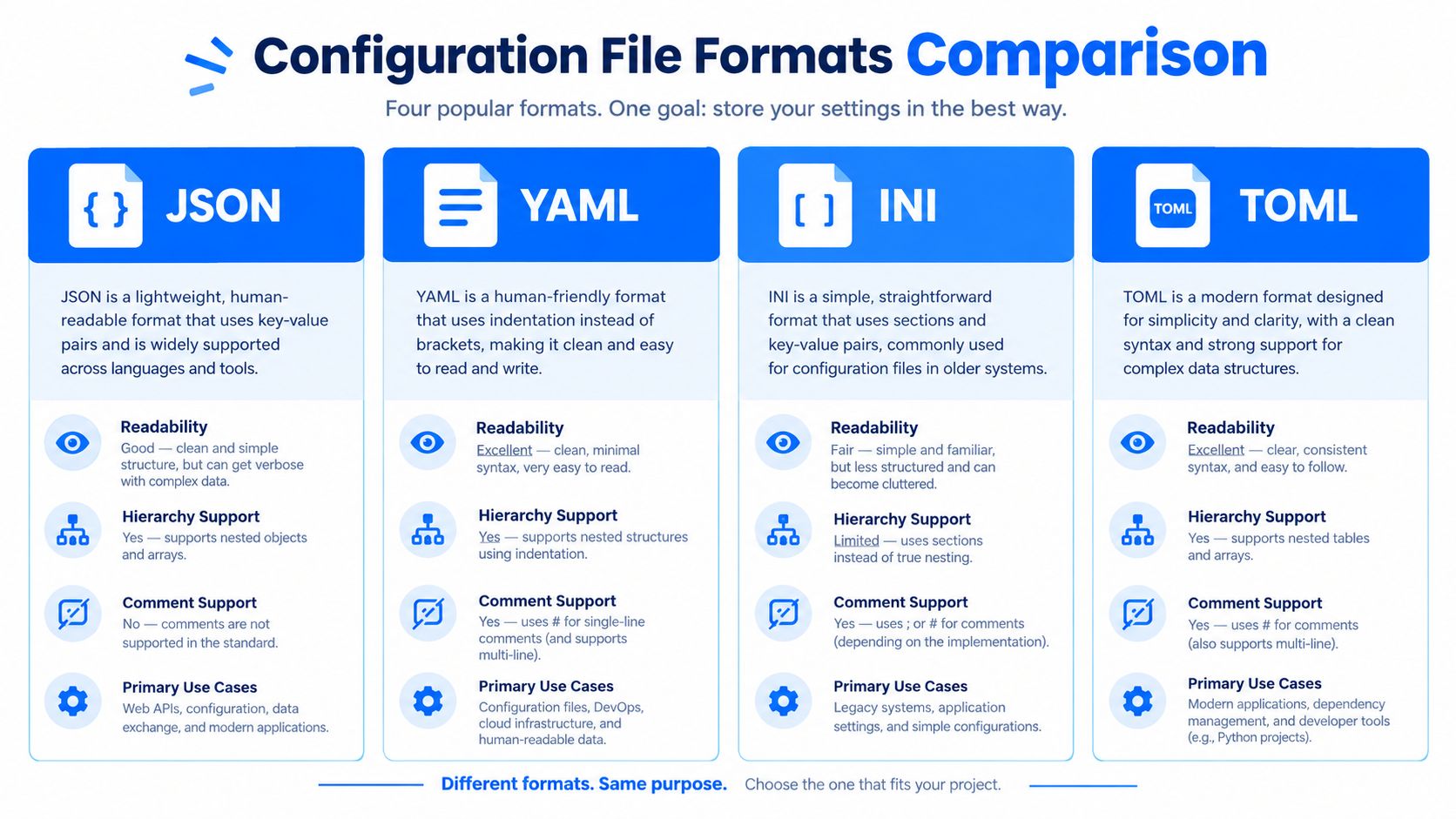
You will notice that YAML and TOML favor human editing, while JSON is designed for strict machine parsing and INI remains useful for flatter, simpler settings.
Tip: Treat every configuration file as input that can fail. Always parse and validate it before the application starts—never assume it will load correctly.
If you are working in Python and need to connect monitoring workflows with application code, see digna's Python SDK documentation for a practical example of how configuration supports real-world observability.
The right configuration format comes down to three factors: what your application expects, what your deployment pipeline already runs, and who will maintain the file six months from now. Do not choose based solely on personal preference. Choose the format your toolchain supports reliably.

Match the Format to the Workflow
YAML is popular for good reason. It appears in Kubernetes manifests, Docker Compose setups, and CI/CD pipeline definitions because its indentation-based structure is easy to read. However, a single misplaced space can break the entire file. One extra tab may prevent a container from starting. Editor consistency and linting are essential.
JSON works well when machines generate the file. API contracts, serialized payloads, and automatically generated settings benefit from its strict syntax. The downside is that hand-editing a large JSON file becomes tedious, and a missing comma can produce a cryptic parser error.
INI sits at the other end of the spectrum. It uses flat sections with simple key-value pairs. For a small desktop utility or lightweight development tool, that simplicity is a feature rather than a limitation.
TOML addresses readability without relying on indentation. Section headers, typed values, and predictable structure make it attractive for modern tooling. The tradeoff is adoption: not every language or platform offers first-class TOML support.
Format | Best fit | Main consideration |
|---|---|---|
YAML | Infrastructure and pipelines | Indentation errors |
JSON | APIs and generated data | Verbose editing |
INI | Flat application settings | Limited nesting |
TOML | Explicit modern tooling | Less universal support |
Practical rule: Choose the format your parser, deployment platform, and maintenance team already understand.
In enterprise analytics environments, YAML and JSON are common choices. They balance human readability with reliable automation. Both formats are valuable skills for data and platform engineers. If your pipelines also use columnar storage formats, learn more about Parquet files and their structure before connecting those datasets to your monitoring or processing stack.
Always validate your configuration with the actual parser before sending it to a real environment. A file that looks correct to you may still fail when the application encounters an unsupported edge case.
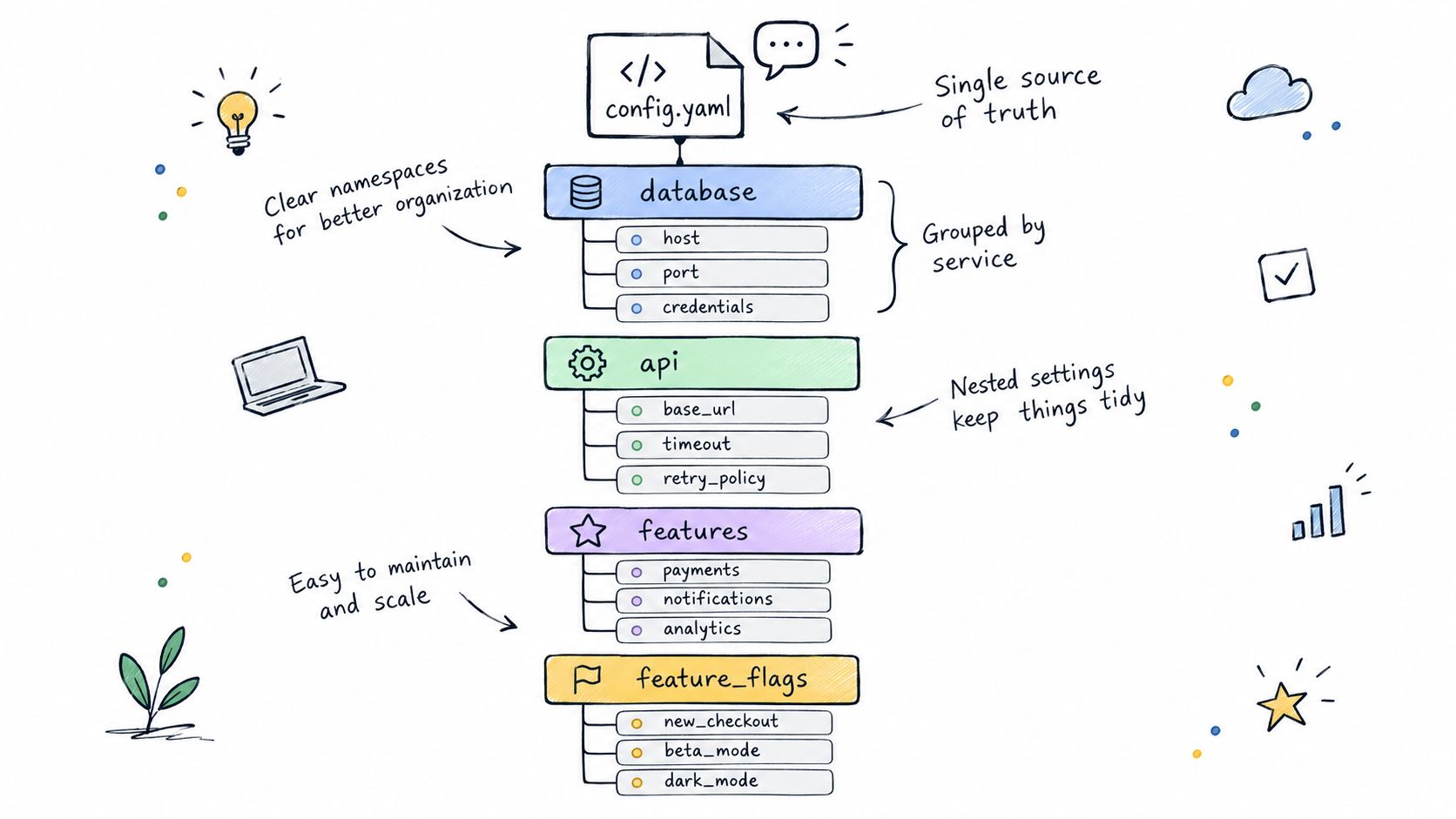
Every reliable configuration file begins with an honest inventory. Include only what the application genuinely needs to run—database references, service endpoints, logging levels, feature flags, and similar settings. Then group related values under meaningful namespaces instead of scattering them throughout the file.

Organize Settings Around Application Concerns
Suppose you are configuring a reporting service in YAML. The file might look like this:
When an incident occurs at 2 a.m., this structure pays for itself. Anyone on call can find the relevant setting quickly instead of searching through a wall of keys. JSON works similarly: nest matching objects and use consistent two-space indentation. INI is different, so keep the design flat and rely on clearly named sections such as [database] and [logging].
Use comments selectively. Add them to explain an unusual timeout, a temporary feature switch, or a value that must remain synchronized with another system. A comment that merely repeats the parameter name adds noise. Readers need the reasoning behind a decision, not an echo of it.
Key takeaway: A configuration file should explain the application's operating choices, not force readers to reverse-engineer them.
Before saving the file, run through three quick checks:
Use the expected extension—such as
.yaml,.json, or.ini—so tools recognize the file.Keep names consistent, choosing one convention such as
timeout_secondsand using it everywhere.Separate environments, so development and production can use different values without changing application logic.
If your settings describe datasets or metadata, learn more about database schema descriptions to keep configuration terminology aligned with the data it controls.
Test the file with the application's real parser immediately. A file can look valid while containing an unsupported key, an incorrect type, or a missing required value. Finding these issues before deployment keeps configuration changes predictable and reduces recovery work.
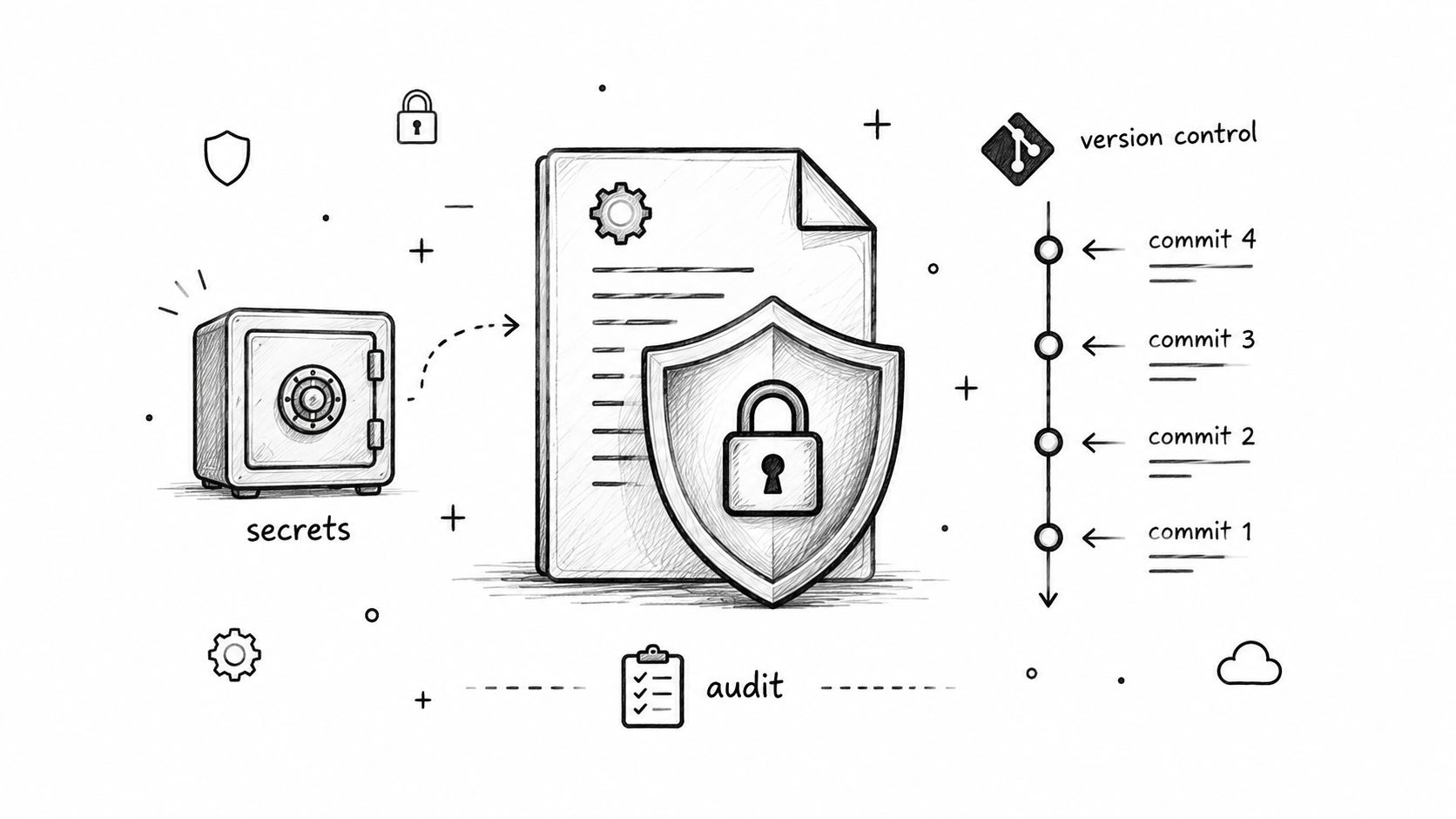
Managing configuration at scale goes beyond selecting the right format. Every non-secret configuration file should live in Git. Version control gives teams visibility into changes, a straightforward rollback path, and an audit trail for compliance.
Commit discipline matters. Small, focused commits with messages such as Increase reporting timeout are more useful than a large miscellaneous fixes commit. For production changes, pull-request review should be mandatory. When you deploy a configuration update across multiple services, tag the release so you can locate it later.
Protect Secrets and Validate Changes
Passwords, tokens, private keys, and connection strings do not belong in committed files. Instead, reference environment variables or retrieve secrets from a dedicated management system that provides access control and rotation without requiring application-code changes.
Before merging any configuration change, combine automated checks with human review:
Parse the file with the same library your application uses to catch runtime parsing issues early.
Validate the schema to identify missing keys, incorrect types, or unexpected values.
Run a linter to detect formatting inconsistencies and syntax errors.
Scan commits for secrets before they reach the shared repository; removing leaks from history is much harder than preventing them.
Test environment overrides so staging and production resolve to expected values rather than forgotten defaults.
Key takeaway: Treat configuration as production code, and treat secrets as a separate security boundary.
Naming conventions create problems for more teams than expected. Choose one style—such as timeout_seconds or TIMEOUT_SECONDS—and use it consistently across services. Document required variables and keep environment overrides predictable. A base file with sensible defaults works well, with staging and production files overriding only values that genuinely differ.
Build Reliable Deployment Controls
Set up a pipeline gate that blocks invalid configuration from reaching deployment. For critical services, roll out changes gradually, monitor startup and health metrics closely, and maintain a tested rollback path.
If you need a reminder of why this matters, Cloudflare's postmortem of its November 2025 outage is worth reading. It shows why generated configuration needs its own validation, size limits, controlled propagation, and a known-good recovery version.
For teams handling customer data, digna offers guidance on protecting customer data in enterprise environments. The principle is straightforward: keep configurations reviewable, auditable, and recoverable as your services and team grow.
Even a well-structured configuration can fail during parsing, loading, or runtime. The key is determining whether you are dealing with a syntax problem or a genuine runtime failure, then testing the appropriate layer first.
Find Parsing Problems First
YAML often breaks because of inconsistent indentation, especially when tabs and spaces appear in the same file. JSON typically fails because of missing quotes, a stray comma before a closing brace, or an unclosed bracket.
Run the configuration through the exact parser your application uses. Then add a linter or schema validator to your development workflow so these checks happen automatically. Invalid structure should be caught long before it reaches production.
Confirm indentation and nesting in YAML files.
Check quotes, commas, and brackets in JSON.
Verify that required keys and expected value types are present.
Make sure the filename extension matches what your loader expects.
Key takeaway: A file that looks perfect in your editor still needs automated parsing and schema validation to be trustworthy.
Investigate Runtime Failures
Sometimes a configuration parses cleanly but fails when the application uses its values. An invalid port number, unsupported option, missing environment variable, or unreachable endpoint can block startup or cause errors that appear hours later.
Start by comparing the failing file with a known working configuration, changing one value at a time until the problem appears. Then review application logs; the error message often identifies the key or value that caused the failure.
Before pushing to production, check the following:
Referenced services are available in the target environment.
Environment variable overrides resolve to the expected values.
No credentials or tokens are hardcoded in plain text.
Resource limits accept the configured values without clamping.
A tested earlier version is available for rollback.
Cloudflare's November 18, 2025 outage report reinforces that generated configuration needs size limits, controlled propagation, and a known-good recovery version. Addressing these details before rollout makes deployments more predictable and helps protect availability when problems occur.
Configuration files give data quality tools a clear, consistent operating plan. When setting up digna, define database connection references, monitoring schedules, validation rules, and alert thresholds in a dedicated configuration layer instead of scattering them across multiple scripts.
For example, a finance team might check transaction tables as new loads arrive, flag unusual volume changes, and verify that regulatory datasets are delivered on schedule. In healthcare, the same structure can support record validation, schema-change detection, and alerts when clinical data delivery falls behind.
A practical configuration makes each monitoring decision easy to find:
Connection settings point to the approved data source without exposing credentials.
Schedules specify when timeliness checks and other monitoring jobs should run.
Thresholds define when drift, delays, or validation failures require attention.
Module settings enable or disable anomaly detection, validation, timeliness, or schema tracking.
Key takeaway: Your configuration should describe what digna monitors and how it responds. Keep secrets in environment variables or an approved secret manager, not in configuration files.
Keep Monitoring Settings Safe and Testable
digna runs inside your own cloud, VPC, or data center and computes metrics directly within your databases. This setup lets teams leave data in place while applying consistent controls across warehouses, lakes, and pipelines.
Separate configuration files by environment—development, staging, and production. Before rolling out a new schedule or alert threshold, test it against representative data and review the resulting incidents. Version-control every change so data engineers can trace who modified a rule and roll back to a known-good version without scrambling.
For a closer look at how this supports a broader monitoring strategy, explore digna's data quality integration capabilities. This approach helps finance, healthcare, and telecom teams keep analytics and AI systems trustworthy without compromising security or audit requirements.
Resolve Format and Security Questions
When deciding how to create a configuration file, use JSON for strict, machine-generated settings and YAML for readable infrastructure files. In practice, the best choice is usually the format your parser and deployment tools already support.
To rotate secrets without causing downtime, store them in a secret manager, publish a new version, and let applications reload the credentials before revoking the old ones.
Key takeaway: Never commit credentials. If exposure occurs, revoke the secret immediately, remove it from active files, and assume your Git history is compromised.
Keep Validation and Environments Predictable
Run format parsers, schema checks, and linters in CI/CD. Tools such as yamllint, JSON Schema validators, and platform-native checks can block invalid changes before they reach production.
Document precedence clearly: command-line values typically override environment variables, which in turn override file defaults. For microservices, detect drift by comparing resolved configurations with a versioned baseline.
Always keep a known-good configuration for rollback. digna helps teams monitor data behavior and schema changes directly in their own environment.
Explore digna at digna.ai to support reliable data operations.


