SQL Server-JDBC-Connector: Einrichtungs- und Konfigurationshandbuch
|
8
min. Lesezeit
Eine SQL Server-Verbindung kann monatelang einwandfrei funktionieren, und dann macht ein routinemäßiger Patch, ein JVM-Upgrade oder eine Aktualisierung von Abhängigkeiten sie über Nacht instabil. Die schlimmsten Fälle sind diejenigen, die nicht lautstark fehlschlagen, sondern sich mit Zertifikatswarnungen, hängenden Pool-Sitzungen oder geänderten Datentyp-Verhalten mühsam dahinschleppen, die gerade so weit abweichen, dass sie die nachgelagerte Logik stören. Deshalb sollte der SQL Server JDBC-Treiber wie eine verwaltete Abhängigkeit behandelt werden und nicht wie eine einmalige Installation.
Teams beginnen in der Regel mit einer Verbindungszeichenfolge und arbeiten dann weiter. Die Produktion bringt dann meist die verborgene Arbeit ans Licht: die Abstimmung der Treiberversionen, die Kompatibilität der Java-Laufzeitumgebung, die TLS-Validierung, die Wahl des Authentifizierungsmodus, das Pool-Tuning und die Planung des Support-Lebenszyklus. Die Treiberhistorie von Microsoft selbst zeigt einen langen Wartungszeitraum. Der Connector wurde im Jahr 2000 eingeführt, 2016 als Open Source bereitgestellt und anschließend durch Versionen wie 1.0 im Januar 2006, 2.0 im März 2009, 3.0 im April 2010, 4.0 am 6. März 2017 sowie spätere Versionen wie 4.1, 6.0, 7.0 und 8.4 bereitgestellt, die im Laufe der Zeit ihre eigenen Support-Meilensteine erreichten Microsoft JDBC-Treiber-Release-Notes. Diese Zeitleiste sagt viel aus: Der Connector entwickelt sich mit der Plattform weiter, und Ihre Produktionsumgebung muss sich mit ihm weiterentwickeln.
Inhaltsverzeichnis
Warum die JDBC-Connector-Konfiguration Aufmerksamkeit erfordert
Auswahl der richtigen Treiberversion und Java-Laufzeitumgebung
Auswahl von Authentifizierungsmodi für Unternehmensumgebungen
Konfigurieren von TLS-Verschlüsselung und Zertifikatsvalidierung
Unterstützung moderner SQL Server-Datentypen und -Funktionen
Beispielkonfigurationen für die Datenerfassung und In-Database-Ausführung
h2 id="69">Warum die JDBC-Connector-Konfiguration Aufmerksamkeit erfordert
Ein bekannter Fehler beginnt mit einer Bereitstellung, die gestern noch in Ordnung aussah. Die Pipeline stellt eine Verbindung her, fügt einige Zeilen ein, und dann wird ein SQL Server-Patch eingespielt. Am nächsten Morgen wirft der Job nur auf einigen Hosts Handshake-Fehler aus, oder schlimmer noch, er läuft weiter, während der Server den Verbindungsstil verweigert, auf den der Client ausgewichen ist.
Diese Art von Ausfällen ist häufig, da JDBC-Fehlkonfigurationen oft unterhalb der Wahrnehmungsschwelle von Entwicklern liegen. Eine REST-API scheitert normalerweise an der Schnittstelle. Ein Datenbank-Connector kann stattdessen subtile Betriebsschäden verursachen: veraltete Pool-Sitzungen, doppelte Wiederholungsversuche, umgangene Zertifikate oder ein Datenverhalten, das sich nur unter Last ändert. Der Treiber-Lebenszyklus von Microsoft macht dies umso wichtiger, da ältere Hauptversionen aus dem Mainstream-Support ausscheiden, während neuere Versionen kontinuierlich plattformabhängiges Verhalten hinzufügen Release-Notes und Support-Matrix.
Die versteckten Kosten von „Es verbindet sich“
Eine funktionierende Verbindung bedeutet nicht automatisch eine sichere Verbindung. Der Microsoft JDBC-Treiber ist ein Typ-4-JDBC-Treiber, d. h. er kommuniziert direkt in reinem Java über das TDS-Protokoll von SQL Server ohne native Bibliotheken. Microsoft gibt an, dass er Azure SQL-Datenbank, SQL-Datenbank in Fabric, Azure SQL Managed Instance sowie alle unterstützten SQL Server-Versionen und -Editionen, einschließlich Express-Editionen, unterstützt Treiber-Übersicht. Diese breite Kompatibilität ist nützlich, führt aber auch dazu, dass Fehlkonfigurationen leicht übersehen werden, bis eine bestimmte Laufzeitumgebung, Zertifikatskette oder Serverfunktion beansprucht wird.
Praktische Regel: Wenn ein JDBC-Connector in der Produktion nie mit der exakten JVM, dem exakten Treiber-Build und dem exakten SQL Server-Patch-Level getestet wurde, ist er nicht wirklich getestet.
Es ist ein Umdenken erforderlich. Betrachten Sie den Connector nicht mehr als bloße Rohrleitung, sondern als versionierte Laufzeitabhängigkeit mit Sicherheits- und Lebenszyklusgrenzen. Diese Sichtweise verhindert, dass Sie davon ausgehen, eine Standardeigenschaft, ein Java-Upgrade oder ein SQL Server-Patch könnten ignoriert werden, nur weil die Anwendung noch startet.
Auswahl der richtigen Treiberversion und Java-Laufzeitumgebung
Die Treiberwahl entscheidet über Laufzeitstabilität und kontinuierlichen Support. Microsoft veröffentlicht mehrere Connector-Linien parallel. Die richtige Wahl hängt von Ihrer Java-Laufzeitumgebung, den verwendeten SQL Server-Funktionen und dem Druck ab, den Sie bei Upgrades vertragen können, ohne Ausfälle zu riskieren. Der neueste GA-Treiber ist 13.4, veröffentlicht am 13. März 2026. Laut Microsoft unterstützt er Java 8, 11, 17, 21 und 25 und folgt einem festen Lebenszyklus, bei dem die neueste Minor-Version innerhalb von 12 Monaten nach der Veröffentlichung installiert werden muss, um den vollen Support zu behalten Release-Notes und Support-Matrix. Diese Support-Regel macht verzögerte Upgrades zu einem echten operativen Risiko.
Das Artefakt fest an die Laufzeitumgebung binden
Microsoft liefert separate JAR-Varianten aus, wobei jre8 und jre11 mit der verwendeten JVM-Linie übereinstimmen müssen. Stimmen Sie das Artefakt auf Ihre JVM-Linie ab, um zeitaufwendiges Classpath- und Laufzeit-Debugging unter Zeitdruck zu vermeiden. Das Release 13.4 hält die Kompatibilität aktuell und beschreibt die Java-Unterstützung klar, was in Unternehmensumgebungen wichtig ist, in denen sich der Anwendungsstack und die Laufzeitplattform nicht synchron bewegen 13.4 GA-Notes.
Legen Sie die genaue Treiberversion in Maven oder Gradle fest, anstatt transitive Abhängigkeiten driften zu lassen. In isolierten (air-gapped) Umgebungen kopieren Sie die JAR-Datei als Teil des Bereitstellungspakets und behandeln Sie sie als verwaltete Abhängigkeit, nicht als eine Datei, die sich zufällig auf der Festplatte befindet. Überprüfen Sie auch die Classpaths der Anwendungsserver sorgfältig, da ältere gebündelte Treiber die Version überschatten können, die Sie eigentlich ausführen wollten.
Treiberversion | Java-Laufzeitumgebung | SQL Server-Versionen | Hauptmerkmale | Support-Status |
|---|---|---|---|---|
13.4 | 8, 11, 17, 21, 25 | Moderne SQL Server- und Azure SQL-Ziele | VECTOR- und JSON-Metadatenverarbeitung, Sicherheitsupdates, Java 21-Kompatibilität | Neueste GA, Support hängt von der Aktualität der Minor-Version ab |
12.x | 8, 11, 17 | Breite SQL Server-Kompatibilität | Stabile Unternehmensbasis | Nur verwenden, wenn Ihre Laufzeitumgebung oder Plattform neuere Linien blockiert |
11.x | 8, 11 | Ältere Unternehmensumgebungen | Älterer Funktionsumfang | Häufig akzeptabel für Altsysteme, aber nicht ideal für Neuinstallationen |
10.x | 8, 11 | Legacy-Kompatibilität | Vor-Standardänderungs-Verhalten für Verschlüsselung | Auf Abweichungen bei TLS-Standards achten |
9.x | 8 | Ältere Infrastrukturen | Grundlegende Konnektivität | Nur behalten, wenn Plattform-Einschränkungen dazu zwingen |
Erkennen, wann jTDS nicht mehr ausreicht
jTDS taucht immer noch in älteren Systemlandschaften auf, meist weil jemand vor Jahren eine funktionierende Konfiguration kopiert hat und sich seitdem niemand mehr darum gekümmert hat. Das Problem ist die funktionale Auseinanderentwicklung. Wenn Ihre Umgebung moderne Authentifizierungspfade, aktuelle TLS-Verarbeitung oder neuere SQL Server-Semantiken benötigt, wird jTDS zu einem Migrationshindernis.
Verwenden Sie den Microsoft-Treiber, wenn die Arbeitslast moderne SQL Server-Funktionen, aktuelle Sicherheitserwartungen oder an Azure ausgerichtete Authentifizierungen berührt. Wenn Sie einen älteren Connector beibehalten, dokumentieren Sie den Grund und legen Sie einen Migrationsplan fest. Unbeaufsichtigte technische Schulden führen zum ungünstigsten Zeitpunkt zu Produktionsausfällen.
Die Verbindungs-URL korrekt aufbauen
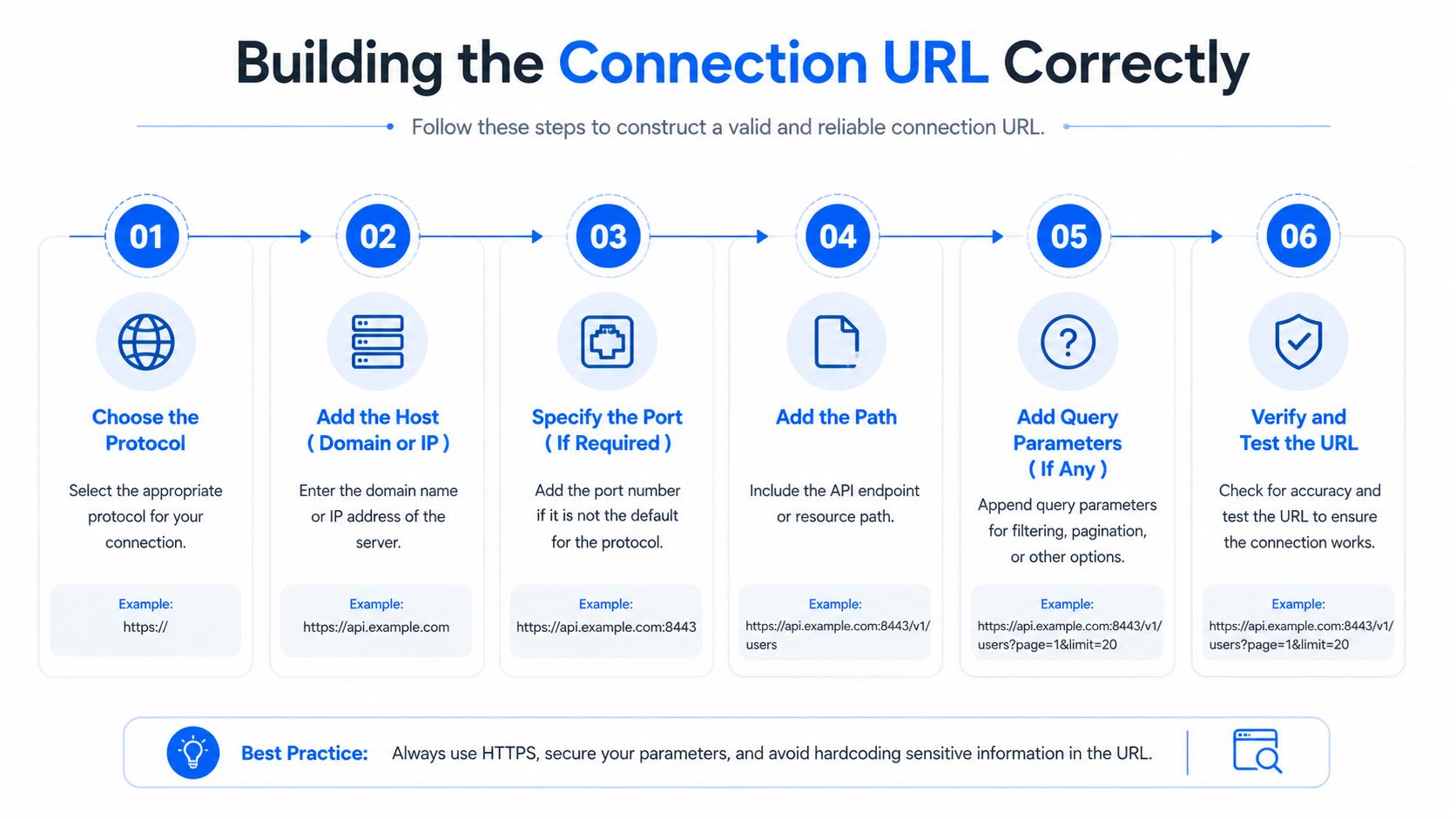
Eine SQL Server JDBC-Verbindungs-URL bleibt nur dann überschaubar, wenn Sie sie in der richtigen Reihenfolge aufbauen. Beginnen Sie mit dem Host, der Instanz und dem Port, und fügen Sie dann die Datenbank sowie die verhaltensbeeinflussenden Eigenschaften hinzu. Das Standardformat lautet jdbc:sqlserver://[Servername[\Instanzname][:Portnummer]][;Eigenschaft=Wert[;Eigenschaft=Wert]]. Microsoft erlaubt diese Eigenschaften in der URL, in einem Properties-Objekt, das an DriverManager.getConnection übergeben wird, oder über Setter-Methoden von SQLServerDataSource Dokumentation zur Verbindungs-URL. Die Syntax ist streng, durch Semikolons getrennt, und doppelte Eigenschaften werden abgewiesen.
Bei Datenerfassungspipelines ist die Verbindungszeichenfolge nur ein Teil eines größeren Betriebspfades. dignas Leitfaden für Datenerfassungspipelines ist eine nützliche Erinnerung daran, dass Connector-Einstellungen die Übergabe zwischen Umgebungen, Jobs und Bereitstellungswerkzeugen überstehen müssen.
Vom Netzwerkziel nach außen aufbauen
Beginnen Sie mit dem Endpunkt, dann der Instanz oder dem Port, gefolgt von der Datenbank und schließlich den Eigenschaften. Diese Reihenfolge verhindert, dass ein einfacher Host- oder Portfehler in einer langen Zeichenfolge von Optionen untergeht.
Für das Verhalten von Eigenschaften sind die praktischen Details entscheidend:
applicationNameist standardmäßig aufMicrosoft JDBC Driver for SQL Servereingestellt und auf 128 Zeichen begrenzt. Setzen Sie diesen Wert explizit, wenn serverseitige Ablaufverfolgungen nützlich sein sollen Verbindungseigenschaften.databaseNamehat ebenfalls ein Limit von 128 Zeichen, andernfalls wird auf die Standarddatenbank des Servers zurückgegriffen Verbindungseigenschaften.connectRetryCountist standardmäßig auf 1 eingestellt und kann Werte von 0 bis 255 annehmen Verbindungseigenschaften.connectRetryIntervalist standardmäßig auf 10 Sekunden eingestellt und kann zwischen 1 und 60 Sekunden liegen Verbindungseigenschaften.
Hinterlegen Sie dauerhafte Einstellungen im Code oder als Infrastructure-as-Code, nicht in Ad-hoc-String-Bearbeitungen, die sich zwischen Umgebungen unterscheiden.
DataSource-Eigenschaften für wiederholbare Bereitstellungen bevorzugen
Verwenden Sie DataSource-Eigenschaften für gepoolte Bereitstellungen. Eine auf Settern basierende Konfiguration ist überprüfbar und resistent gegen das Überschreiben von Werten. Sie lässt sich auch leichter vergleichen, wenn dieselbe Anwendungsdefinition über mehrere Laufzeitpfade hinweg wiederverwendet wird, was in Frameworks wie HikariCP häufig vorkommt.
Auswahl von Authentifizierungsmodi für Unternehmensumgebungen
Unternehmen verlassen sich bei der SQL Server-Konnektivität selten auf ein einziges Authentifizierungsmodell. Teams nutzen SQL-Authentifizierung für eine einfache Handhabung, integrierte Windows-Authentifizierung für Domänenvertrauen, Entra ID-Abläufe für die Cloud-Ausrichtung und verwaltete Identitäten, wo die Plattform dies unterstützt. Die richtige Wahl hängt weniger von persönlichen Vorlieben ab, sondern vielmehr von Rotationsrichtlinien, Föderationsgrenzen und dem Maß an Reibung, das Ihr Sicherheitsteam toleriert.
Den Modus an das Netzwerk und das Identitätsmodell anpassen
Die SQL-Authentifizierung ist unkompliziert, verlagert jedoch die Verwaltung der Zugangsdaten zurück auf die Anwendung. Das ist für isolierte Arbeitslasten und kurzlebige Proofs of Concept in Ordnung, eignet sich jedoch selten ideal für die Governance in Unternehmen. Die integrierte Authentifizierung passt in der Regel besser zu Windows-Domänenumgebungen, während Entra ID die natürliche Wahl ist, wenn das Unternehmen bereits Microsoft-Identitätskontrollen und tokenbasierte Zugriffsmuster nutzt.
Kerberos kann in verwalteten Unternehmensnetzwerken sehr leistungsfähig sein, hängt jedoch von korrektem SPN- und Ticket-Verhalten ab. Wenn SPNs fehlerhaft sind, kommt es häufig zu NTLM-Fallbacks oder zeitweiligen Verbindungsproblemen, die erst auftreten, wenn der Pool Sitzungen aktualisiert. Tokenbasierte Ansätze lösen eine andere Klasse von Problemen, führen jedoch Aktualisierungs- und Bibliotheksabhängigkeiten ein, die bei lang laufenden Jobs eingeplant werden müssen.
Authentifizierungsmodus | Erforderliche Eigenschaften | Bestens geeignet für | Häufige Stolpersteine | Rotation von Zugangsdaten |
|---|---|---|---|---|
SQL-Authentifizierung | Benutzername, Passwort | Einfache Anwendungskonten, Altsysteme | Passwort-Wildwuchs, hoher manueller Rotationsaufwand | Manuell, anwendungsgesteuert |
Integrierte Windows-Authentifizierung | Einstellungen für integrierte Authentifizierung, Kerberos-bezogene Konfiguration | In Domänen eingebundene Unternehmensumgebungen | SPN-Probleme, Ticket-Ablauf, unerwartete Fallbacks | Verwaltet durch Identitätsinfrastruktur |
Integrierte Entra ID |
| Microsoft-zentrierte Identitätsstrukturen | Verschiebungen bei Bibliotheksabhängigkeiten, Lücken in der Token-Verarbeitung | Zentralisierte Identitätsrotation |
Verwaltete Identität | Cloud-Identitätsverknüpfung | In Azure gehostete Workloads mit Plattformidentität | Abweichungen bei Gültigkeitsbereich und Umgebung | Plattformverwaltet |
Token-Aktualisierung als Teil des Designs betrachten
Lang laufende Erfassungsjobs scheitern auf unschöne Weise, wenn Authentifizierungs-Token mitten im Pool ablaufen. Das ist weniger ein Fehler des Connectors als vielmehr eine Diskrepanz zwischen dem Lebenszyklus der Identitätsmethode und der Jobdauer. Das sicherste Design ist dasjenige, bei dem der Lebenszyklus der Anmeldeinformationen für den Betreiber sichtbar ist und nicht in einem Verbindungspool verborgen bleibt, der veraltete Sitzungen wiederverwendet.
Eine gute Frage für die Entscheidungsfindung ist einfach: Kann Ihr Betriebsteam erklären, wie Anmeldedaten rotiert werden, wie Sitzungen erneuert werden und was passiert, wenn ein Token abläuft, während ein anderer Thread eine Verbindung beansprucht? Wenn nicht, ist der Modus nicht bereit für die Produktion.
Konfigurieren von TLS-Verschlüsselung und Zertifikatsvalidierung
Eine TLS-Fehlkonfiguration ist die häufigste Quelle für unbemerkte JDBC-Ausfälle in der Produktion. Microsoft dokumentiert die Verbindungssicherheitseinstellungen rund um encrypt, trustServerCertificate, trustStore, trustStorePassword und hostNameInCertificate und empfiehlt ausdrücklich hostNameInCertificate für die Zertifikatsvalidierung TLS-Unterstützung. Microsoft gibt außerdem an, dass der Treiber bei encrypt=true und trustServerCertificate=true das TLS-Zertifikat des SQL Servers nicht validiert, während es bei encrypt=true und trustServerCertificate=false validiert wird SSL-Verschlüsselungsverhalten.
Verschlüsselung nicht mit Validierung verwechseln
Verschlüsselung und Validierung adressieren unterschiedliche Risiken. Eine verschlüsselte Verbindung, die jedem Zertifikat vertraut, schützt zwar den Kanal, nicht aber die Identität des Servers. Das ist in einer Testumgebung in Ordnung, aber für einen Datenbankpfad in der Produktion unzureichend.
Microsoft dokumentiert eine Verhaltensänderung ab Treiberversion 10.1+, bei der encrypt standardmäßig auf true gesetzt ist. Teams, die ein Upgrade durchführen, ohne ihre Truststore- und Hostnamen-Einstellungen erneut zu prüfen, erleben oft Überraschungen, wenn eine zuvor tolerante Verbindung plötzlich fehlschlägt. Wenn der Server nicht für Verschlüsselung konfiguriert ist, schlägt laut Microsoft encrypt=true mit trustServerCertificate=false fehl. Daher wird das Zertifikats- und Hostnamenmanagement Teil der Produktionsreife TLS-Unterstützung.
Die Produktionsmuster sind eindeutig:
Entwicklung mit selbstsignierten Zertifikaten: Verwenden Sie Verschlüsselung nur, wenn Sie Validierungsfehler während des Testens akzeptieren.
Produktion mit internen CA-Zertifikaten: Setzen Sie
encrypt=trueundtrustServerCertificate=falseund konfigurieren Sie den Truststore korrekt.Azure SQL: Verwenden Sie verschlüsselte Verbindungen und validieren Sie den von der Plattform erwarteten Zertifikatspfad.
Hostnames sind wichtiger, als Teams erwarten
hostNameInCertificate behebt Fälle, in denen der Name im Serverzertifikat nicht mit dem Verbindungsziel des Clients übereinstimmt. Microsoft empfiehlt diese Eigenschaft genau für solche Abweichungen, wodurch ein kryptischer TLS-Fehler in eine klare Konfigurationsänderung verwandelt wird TLS-Unterstützung.
FIPS-aktivierte JVMs bergen ein weiteres Risiko. Die Reihenfolge der Provider kann den Handshake stören, wenn die JVM TLS-Primitive in einer unerwarteten Reihenfolge auflöst. Solche Härtungsmaßnahmen erfordern produktionsnahe Tests mit genau den Sicherheitsvorkehrungen, die auch in der Produktion gelten.

Optimierung von Connection Pooling und Retry-Verhalten
Standard-Pooleinstellungen sind für Datentechnik-Workloads meist zu zurückhaltend. Sie setzen kurze Anfragen, moderate Parallelität und eine Datenbank voraus, die stets sofort antwortet. Dies entspricht nicht den Anforderungen von ETL-Spitzen, Failover-Ereignissen oder analytischen Abfragen, die Sitzungen länger blockieren als ein typischer Web-Anfragezyklus.
Verbindungsfehler von Abfragefehlern trennen
loginTimeout und socketTimeout lösen unterschiedliche Probleme und sollten nicht als ein einziger Regler behandelt werden. Eine Verbindung kann bereits beim schnellen Öffnen scheitern, oder sie öffnet sich und blockiert anschließend bei Netzwerk- oder Abfrageaktivitäten. Bleiben beide Timeouts undefiniert, wartet der Pool weiter, während sich die Threads hinter den toten Verbindungen stauen.
Die integrierten Wiederholungseinstellungen von Microsoft sind spezifisch genug, um gezielt eingesetzt zu werden. connectRetryCount ist standardmäßig auf 1 eingestellt, und connectRetryInterval beträgt standardmäßig 10 Sekunden Verbindungseigenschaften. Diese Standardwerte sind als Ausgangspunkt gut geeignet, ersetzen jedoch keine Validierungs- und Fehlerrichtlinien auf Poolebene.
Eigenschaft | OLTP-Abfragen | Massen-Erfassung | Analytische Abfragen | Standardwert |
|---|---|---|---|---|
loginTimeout | Kurz | Moderat | Moderat | In den verifizierten Daten nicht angegeben |
socketTimeout | Kurz | Länger | Länger | In den verifizierten Daten nicht angegeben |
queryTimeout | Kurz | Moderat | Länger | In den verifizierten Daten nicht angegeben |
connectRetryCount | Niedrig bis moderat | Moderat | Moderat | 1 |
connectRetryInterval | Kurz | Moderat | Moderat | 10 Sekunden |
Für die Arbeitslast optimieren, nicht für die Vorlage
OLTP-Workloads erfordern schnelle Ausfälle und einen raschen Umschlag der Verbindungen. Die Massenerfassung benötigt Geduld bei Netzwerk- und Serverlast. Analytische Abfragen liegen dazwischen: Sie benötigen genügend Zeit zum Abschluss, ohne den Pool zu erschöpfen, aber nicht so viel, dass eine einzige fehlerhafte Anfrage Ressourcen unbegrenzt blockiert.
Für Fragen der Zuverlässigkeit ist dignas Leitfaden für Database Reliability Engineering eine relevante Referenz, da Connector-Verhalten und Datenbank-Resilienz in der Produktion untrennbar miteinander verbunden sind. Ein Pool, der zu aggressiv wiederholt, kann einen Ausfall noch verschlimmern, während ein zu schnell fehlschlagender Pool vorübergehende Schwankungen zu sichtbaren Störungen für den Benutzer aufblähen kann.
Praktische Regel: Dimensionieren Sie den Pool für die tatsächliche Parallelität, nicht für die maximale Anzahl an Threads, die der Anwendungsserver erzeugen kann.
Auch die Validierungsstrategie ist wichtig. testOnBorrow fängt fehlerhafte Sitzungen früher ab, während testWhileIdle die Validierungskosten über die Zeit verteilt. Wählen Sie den Ansatz, der am besten zu Ihrer Failover-Toleranz und Ihrer Bereitschaft passt, während einer kurzen SQL Server-Störung eine veraltete Verbindung zu erhalten.
Unterstützung moderner SQL Server-Datentypen und -Funktionen
Moderne SQL Server-Funktionen entwickeln sich schneller als die meisten JDBC-Dokumentationen. Der Connector ist heute nicht mehr nur eine Transportschicht. Er entscheidet darüber, ob Ihre Anwendung neuere Serversemantiken, Sicherheitsverhalten und Metadatenstrukturen ohne Überraschungen beibehalten kann.
Das Release 13.4 von Microsoft bringt Java 21-Kompatibilität und verbesserte Unterstützung für neuere SQL Server-Funktionen wie die Metadatenverarbeitung für VECTOR und JSON, zusammen mit Sicherheitsupdates für mehrere CVEs und ohne bahnbrechende API-Änderungen 13.4 GA-Notes. Das ist in der Produktion von Bedeutung, da ein Treiber stabil wirken kann, obwohl ihm die notwendigen Elemente fehlen, um neues Serververhalten korrekt zu interpretieren.
Funktionsunterstützung vor dem Upgrade des Servers überprüfen
Häufig führen Teams zuerst das Upgrade des SQL Servers durch und stellen dann fest, dass der Treiber das neue Verhalten nicht fehlerfrei abbilden kann. Die Folge sind meist abgeschnittene Werte, Konvertierungsfehler oder Metadatenaufrufe, die nicht mit der Struktur neuerer Typen übereinstimmen. Die Hinweise zu den Versionen 13.2 und 13.4 von Microsoft zeigen eine kontinuierliche Erweiterung der nativen Unterstützung für die Datentypen JSON und VECTOR sowie Verbesserungen beim Massenkopieren und der Metadatenverarbeitung 13.2 Release, 13.4 GA-Notes.
Betrachten Sie die Treiberversion als Teil der Feature-Freigabe. Wenn die Anwendung von Spaltenverschlüsselung, tokenbasierter Identität oder Read-Scale-Routing abhängt, überprüfen Sie diese Einstellungen mit dem exakten Treiber-Build, bevor Sie die Serveränderung einführen. Auch die Abstimmung der Java-Laufzeitumgebung ist wichtig, da erst Version 13.4 explizit die Java 21-Kompatibilität hervorhebt. Für Workloads, bei denen Abfragestruktur und Metadatenzugriff eng zusammenwirken, ist dignas Leitfaden zur T-SQL-Abfrageoptimierung eine nützliche Ergänzung.
SQL Server-Funktion | Mindestversion des JDBC-Treibers | Erforderliche Verbindungseigenschaft | Fehlersymptom bei fehlender Unterstützung |
|---|---|---|---|
Unterstützung des JSON-Datentyps | 13.2 | Funktionsbezogene Konfiguration | Konvertierungs- oder Metadatenkonflikte |
Unterstützung des VECTOR-Datentyps | 13.2 | Funktionsbezogene Konfiguration | Fehlende oder fehlerhafte native Verarbeitung |
Java 21-Kompatibilität | 13.4 | Abstimmung der Java-Laufzeitumgebung | Laufzeit-Inkompatibilität |
TLS-Zertifikat SAN IP-Validierung | 13.4 | TLS-Konfiguration | Validierungsfehler bei Verbindung über IP via TLS |
Modernisierung der integrierten Entra-Authentifizierung | 13.4 |
| Identitätsfluss hängt von neueren Authentifizierungskomponenten ab |
Davon ausgehen, dass sich Semantiken ändern können, selbst wenn APIs gleich bleiben
Ein Treiber kann geladen und Ihr Code kompiliert werden, während sich das Verhalten unter der Oberfläche unbemerkt verändert. Dies zeigt sich am häufigsten, wenn eine Arbeitslast Metadatenaufrufe, Sicherheitsvorkehrungen und sich weiterentwickelnde Datentypen mischt.
Eine Treiberüberprüfung vor der Einführung eines neuen Servers kostet weniger als die Behebung eines Vorfalls danach. Genau hier ist die Zeit gut investiert.
Beispielkonfigurationen für die Datenerfassung und In-Database-Ausführung
Massen-Erfassung und analytische Ausführung erfordern gegensätzliche Timeout- und Wiederholungsstrategien. Die Verwendung des einen Profils für das andere führt zu unbemerkten Leistungseinbußen. Erfassungsjobs benötigen Spielraum für vorübergehende Lastspitzen und ein Treiber-Setup, das den Datenfluss aufrechterhält. Die In-Database-Ausführung erfordert schnellere Fehler bei blockierten Sitzungen, eine strengere Validierung und eine eindeutige Job-Identität, damit serverseitige Ablaufverfolgungen lesbar bleiben.
Profil für Datenerfassung
Ein massendatenorientierter Job benötigt ein Socket-Fenster, das lang genug ist, um vorübergehende Lastspitzen zu überstehen, sowie Einstellungen, die dem Treiber helfen, Datenpakete effizient zu bewegen. Betrachten Sie die Treiberversion als Teil des Erfassungsdesigns und nicht als Hintergrundrauschen, da sich das Verhalten beim Massenkopieren mit dem Treiber-Build ändert und die Stabilität eines ETL-Laufs beeinflussen kann.
Ein praktisches Erfassungs-Setup sieht oft so aus, wobei vom Standard abweichende Werte gewählt werden, um ETL stabil zu halten:
URL:
jdbc:sqlserver://warehouse-host;databaseName=staging;encrypt=true;trustServerCertificate=false;applicationName=ETL LoaderEigenschaften:
connectRetryCount=2,connectRetryInterval=10,socketTimeoutfür längere Batch-Fenster optimiert und Optionen für das Massenkopieren dort aktiviert, wo es der Arbeitslast nütztBegründung: Verhindern, dass der Pool bei kurzen Störungen fehlschlägt, während das Serverzertifikat weiterhin ordnungsgemäß validiert wird
Für Teams, die eine durchgängige Datenübertragungsschicht aufbauen, ist eine Referenz zur Erstellung von ETL-Datenpipelines eine nützliche Ergänzung zum Connector-Profil selbst. Sie hilft dabei, Pipeline-Design, Wiederholungsverhalten und Übergabepunkte aufeinander abzustimmen, anstatt die JDBC-Einstellungen isoliert zu betrachten.
Profil für In-Database-Ausführung
Die analytische Ausführung benötigt die entgegengesetzte Ausrichtung. Der Treiber sollte bei toten oder blockierten Sitzungen schnell fehlschlagen, und die Anwendung sollte sich eindeutig identifizieren, damit serverseitige Ablaufverfolgungen die Aktivität dem jeweiligen Job zuordnen können. Für eine Berichts- oder Transformationsarbeitslast bedeutet dies in der Regel kürzere Timeouts, eine strikte Verschlüsselung und die Vermeidung von Parameterverarbeitungsoptionen, die Abfragepläne verfälschen.
digna ist eine Option für die Datenqualität und Observability direkt in der Datenbank, wenn Teams möchten, dass Prüfungen in ihrer eigenen Umgebung ausgeführt werden, anstatt Daten zur Überprüfung zu exportieren. Dies ist in SQL Server-Infrastrukturen wichtig, in denen der Connector-Pfad, die Transformationen und die Überwachungsschicht nahe an der Datenquelle verbleiben müssen.
Verbindungseigenschaft | Wert für Datenerfassung | Wert für In-Database-Ausführung | Begründung |
|---|---|---|---|
applicationName | ETL Loader | Analytics Runner | Macht Serverprotokolle lesbar |
connectRetryCount | Moderat | Niedrig | Die Erfassung toleriert vorübergehende Wiederholungsversuche besser |
socketTimeout | Länger | Kürzer | Die Erfassung benötigt mehr Zeit |
trustServerCertificate | false | false | Die Validierung in der Produktion bleibt intakt |
encrypt | true | true | Schutz der Übertragung beibehalten |
sendStringParametersAsUnicode | Arbeitslastspezifisch | Arbeitslastspezifisch | Unerwartete implizite Konvertierungen vermeiden |
Die beiden Einstellungen, die häufig fehlerhaft kopiert werden, sind sendStringParametersAsUnicode und selectMethod. Wenn Sie ein Workload-Profil auf ein anderes übertragen, ohne diese Einstellungen zu prüfen, können Sie die Qualität der Abfragepläne beeinträchtigen oder das Batch-Verhalten verlangsamen, was sich nur schwer auf den Connector zurückführen lässt.
Häufige Produktionsfehler und wie man sie behebt
Die gleichen Fehler treten bei SQL Server JDBC-Problemen immer wieder auf. Sie sind banal, weshalb sie Code-Reviews oft überstehen. Die meisten resultieren aus der Annahme, dass die Konfiguration in Ordnung sein muss, solange sich die Verbindung öffnen lässt.
Die üblichen Auslöser für Vorfälle
Das Belassen von encrypt=false in einer Umgebung, die modernes TLS erwartet, führt unweigerlich zu Fehlern, sobald die Serverrichtlinien verschärft werden. Werden loginTimeout und socketTimeout nicht unabhängig voneinander konfiguriert, kann eine blockierte Sitzung einen Pool-Slot viel zu lange belegen. Die Verwendung von jTDS für neuere SQL Server-Funktionen führt zu einer Vielzahl von Inkompatibilitäten. Wenn die Treiberversion nicht festgeschrieben wird, kann eine Aktualisierung von Abhängigkeiten das Verhalten ohne geplante Einführung verändern.
Die Standardwerte einiger Eigenschaften von Microsoft erschweren zudem das Debugging, wenn sie nie überschrieben werden. applicationName ist standardmäßig auf Microsoft JDBC Driver for SQL Server eingestellt. Das ist zu unspezifisch, wenn Sie eine von vielen Pipelines analysieren möchten Verbindungseigenschaften. Ein eindeutiger Name macht den Unterschied zwischen Raten und Wissen aus.
Die Unicode-Parameter-Falle verdient eine gesonderte Erwähnung. Wenn sendStringParametersAsUnicode=true eine implizite Konvertierung für varchar-Spalten erzwingt, kann die Leistung von Index-Suchvorgängen (Index Seeks) leiden, da der Server Parameter- und Spaltentypen abgleichen muss. Das führt zwar nicht zu einem Absturz des Connectors, stellt aber ein handfestes Produktionsproblem dar.
Fehlerbehebungen, die tatsächlich von Dauer sind
Verwenden Sie eine Bereitstellungs-Checkliste anstelle von Erfahrungswerten im Team. Bestätigen Sie vor dem Rollout die Treiberversion, die Java-Laufzeitumgebung, die TLS-Richtlinie, den Authentifizierungsmodus und die Pool-Einstellungen. Überprüfen Sie anschließend genau das erwartete Fehlerverhalten, wenn der Server nicht erreichbar ist, das Zertifikat ungültig ist oder die Abfrage länger dauert, als der Pool zulassen sollte.
Zur betrieblichen Kontrolle passt dignas Leitfaden für Datenbank-Monitoring und -Auditing gut zur JDBC-Fehleranalyse, da der Connector selten isoliert ausfällt. Er scheitert als Teil einer größeren Pipeline, und Sie benötigen Protokolle, Zeitmessungen und Validierungsnachweise, um festzustellen, welche Schicht zuerst versagt hat.
Kurzreferenz für wesentliche Verbindungseigenschaften
Dies ist die Kurzübersicht, die Sie bei Code-Reviews und der Reaktion auf Vorfälle griffbereit haben sollten. Die passenden Standardwerte hängen von Ihrer Umgebung ab, aber es ist wichtig zu wissen, welche Regler entscheidend sind und welche ihr Verhalten zwischen den Treibergenerationen geändert haben.
Eigenschaft | Standardwert | Empfohlener Bereich | Wann zu überschreiben |
|---|---|---|---|
encrypt | true ab Treiberversion 10.1+ | In der Produktion immer aktiviert | Nur in kontrollierten Testumgebungen überschreiben |
trustServerCertificate | false, wenn eine Validierung erzwungen wird; das Verhalten hängt jedoch von den Kombinationen ab | In der Produktion auf false belassen | Nur verwenden, wenn Sie bewusst auf eine Zertifikatsvalidierung verzichten |
hostNameInCertificate | Nicht angegeben | Explizit setzen, wenn Zertifikatsnamen angepasst werden müssen | Überschreiben, wenn die Hostnamen-Validierung andernfalls fehlschlagen würde |
applicationName | Microsoft JDBC Driver for SQL Server | Einen aussagekräftigen, anwendungsspezifischen Namen festlegen | Für jede Produktions-Arbeitslast überschreiben |
databaseName | Standarddatenbank des Servers | Explizit pro Arbeitslast festlegen | Überschreiben, wann immer die Zieldatenbank von Bedeutung ist |
connectRetryCount | 1 | Kleine positive Ganzzahl je nach Toleranz | Für netzwerkempfindliche Arbeitslasten überschreiben |
connectRetryInterval | 10 Sekunden | In einem moderaten Bereich halten | Überschreiben, wenn die Wiederholungsintervalle den SLOs entsprechen müssen |
loginTimeout | In den verifizierten Daten nicht angegeben | Explizit festlegen | Überschreiben, wenn der Verbindungsaufbau im Pool nicht unbegrenzt hängen darf |
socketTimeout | In den verifizierten Daten nicht angegeben | Explizit festlegen | Für alle Produktions-Arbeitslasten überschreiben |
responseBuffering | In den verifizierten Daten nicht angegeben | Je nach Arbeitslast anpassen | Überschreiben, wenn Speicherbedarf und Abrufverhalten kontrolliert werden müssen |
selectMethod | In den verifizierten Daten nicht angegeben | Nur bei klarem Einsatzzweck festlegen | Überschreiben, wenn klassisches Abrufverhalten erforderlich ist |
packetSize | In den verifizierten Daten nicht angegeben | Vorsichtig optimieren | Für Massendaten oder latenzempfindliche Pfade überschreiben |
Die wichtigste Erkenntnis ist einfach: Behandeln Sie den SQL Server JDBC-Treiber als eine kontrollierte Laufzeitabhängigkeit und nicht als eine einfache Standard-Zeichenfolge. Wenn Sie Unterstützung bei der Absicherung von Treiberversionen, TLS-Einstellungen und Connector-Verhalten in einer realen Datenplattform benötigen, besuchen Sie digna und prüfen Sie, wie sich eine plattforminterne Observability-Schicht in Ihre SQL Server-Arbeitslasten integrieren lässt.
Häufig gestellte Fragen
Welcher Treibertyp ist der SQL Server JDBC Connector?
Ein Typ-4-JDBC-Treiber, der in reinem Java direkt mit dem TDS-Protokoll von SQL Server spricht, ohne native Bibliotheken. Microsoft nennt Unterstützung für Azure SQL Database, SQL Database in Fabric, Azure SQL Managed Instance sowie alle unterstützten SQL-Server-Versionen und -Editionen einschließlich Express.
Welche Treiberversion und welche Java-Laufzeit sollte man nutzen?
Der aktuelle GA-Treiber ist 13.4, veröffentlicht am 13. März 2026, mit Unterstützung für Java 8, 11, 17, 21 und 25. Der Lebenszyklus verlangt, die neueste Nebenversion binnen 12 Monaten nach Freigabe einzuspielen, um vollen Support zu behalten, also pinnen Sie das Artefakt bewusst.
Warum zählen die JARs für jre8 und jre11?
Weil Microsoft getrennte JAR-Varianten ausliefert, die zur eingesetzten JVM-Linie passen müssen. Das wiegt besonders in Unternehmenslandschaften schwer, in denen sich Anwendungsstack und Laufzeitplattform nicht gemeinsam bewegen, denn genau dort überlebt ein unpassendes Artefakt unbemerkt.
Warum bricht eine monatelang stabile Verbindung plötzlich?
Weil JDBC-Fehlkonfiguration meist unterhalb der Wahrnehmungsschwelle von Engineers liegt. Ein Routine-Patch, ein JVM-Upgrade oder eine Abhängigkeitsauffrischung verändert eine Schicht, und eine funktionierende Verbindung ist nicht dasselbe wie eine sichere.
Wann gilt ein JDBC-Connector als getestet?
Erst wenn er gegen genau die JVM, den Treiber-Build und den SQL-Server-Patchstand getestet wurde, die im Produktivbetrieb laufen. Alles andere validiert ein anderes System als jenes, das ausfallen wird, weshalb „es verbindet“ ein schwaches Abnahmekriterium ist.


