Parquet File Viewer: Choosing the Right Tool
|
7
min di lettura

You've probably been handed a .parquet file in Slack, email, or a cloud bucket and needed a quick answer. What columns are in it. Whether the schema matches yesterday's export. Whether the file contains actual rows or just another broken pipeline artifact.
That's the moment when people realize Parquet isn't a spreadsheet format with a nicer extension. It's efficient, compact, and built for machines first. If you choose the wrong way to inspect it, you either waste time fighting tooling or create an avoidable security problem by moving sensitive data into the wrong environment.
Table of Contents
Why Parquet Files Require Specialized Viewers
A plain text editor won't help much with a Parquet file. You won't get readable rows and columns. You'll get a binary blob with just enough recognizable fragments to waste your time.
That's by design. Apache Parquet was created in 2013 as a joint effort between Twitter and Cloudera, first released on July 1, 2013, and later became a top-level Apache project. Its format was built around columnar storage, row groups, and Thrift-based metadata, which is exactly why a normal text viewer can't make sense of it (Parquet format background).

What goes wrong in practice
A common production scenario looks like this:
An analyst gets a file export from a vendor.
A data engineer needs to verify whether the schema drifted.
A platform team needs to check whether nested fields were encoded the way downstream jobs expect.
Someone tries to open the file in a text editor or generic file browser and gets nowhere.
At that point, a Parquet file viewer stops being a convenience and becomes basic tooling. Its job isn't only to show rows. It has to translate a storage format that was optimized for efficient analytics into something humans can inspect safely and quickly.
If you need a quick refresher on the format itself, this explanation of what Parquet is is a useful companion before choosing a viewer.
Why generic file viewers fail
The failure mode is predictable. Generic viewers assume the file is either line-oriented text, a simple binary container, or a document with a renderer. Parquet is none of those.
A good viewer understands things such as:
Schema extraction from file metadata
Column projection, so it can show only the fields you care about
Nested structures, including arrays and nullable values
Storage-aware previews, rather than fake “open file” behavior that tries to load everything
Practical rule: If a tool treats a Parquet file like a CSV with a different extension, it's the wrong tool.
The hidden requirement
The belief that a viewer is needed because Parquet isn't human-readable is common. That's true, but incomplete. The deeper requirement is that Parquet inspection needs format-aware logic.
You're not just opening a file. You're interrogating a storage structure. That means the best tool depends on what you need to inspect: rows, schema, row groups, statistics, encoding behavior, or file-level metadata. The right viewer gives you those answers without forcing a full scan or unnecessary data movement.
Understanding Parquet Internal Structure
The difference between a fast Parquet file viewer and a clumsy one starts with file layout. If you don't understand that layout, it's hard to judge whether a tool is efficient or just masking expensive reads behind a UI.
Parquet organizes data as file → row groups → column chunks → pages. Within a row group, the column chunks are written back to back, and the page is the smallest unit that gets encoded and compressed (Parquet data pages layout).

What a viewer is really showing you
When a viewer exposes row groups and column chunks, it isn't adding an advanced feature for power users. It's exposing the storage model.
That matters in production because a table preview can be misleading. A generic preview might show ten rows and make the file look trivial, while the actual file may contain many row groups, uneven chunk sizes, nested columns, and metadata choices that affect how downstream engines read it.
For teams working across changing data contracts, understanding file layout also helps when you're tracing schema evolution. A practical companion topic is schema type design and change handling, because file inspection gets much easier when your team already knows what structural drift to look for.
Why the footer matters
Parquet stores critical metadata in a footer at the end of the file. Readers typically seek to the last 8 bytes to find the footer length and the trailing PAR1 magic bytes before parsing schema, row groups, and column statistics (Apache Parquet format overview).
This single detail explains a lot about why some viewers feel instant and others don't. A smart viewer doesn't start by reading the file from the top and streaming everything into memory. It jumps to the tail, parses the metadata, and decides what to read next.
A Parquet viewer that starts with the footer can answer many structural questions before it touches most of the dataset.
Nested and nullable fields are not cosmetic details
Parquet internals also explain why nested columns can display oddly in weak tools. A column chunk can include at most one dictionary page, and if present it must be the first page in the chunk. The data pages then carry repetition levels, definition levels, and encoded values in that order (Parquet column chunk internals).
That's not trivia. It affects what a viewer needs to decode in order to present arrays, structs, and nulls correctly. If a tool flattens everything badly, that's often a sign it's hiding complexity rather than handling the format properly.
What to look for in a structure-aware viewer
A viewer is usually worth using if it can surface these elements clearly:
Viewer capability | Why it matters |
|---|---|
Schema browser | Helps verify column names, types, and nested structure |
Row-group view | Shows how data is partitioned horizontally |
Column-chunk details | Reveals per-column storage boundaries |
Page or encoding metadata | Useful when debugging nested fields, nullability, or compression issues |
If a tool only offers “preview rows,” it may still be fine for a quick check. It won't be enough when you're diagnosing pipeline behavior, validating vendor exports, or trying to understand why one query engine performs very differently from another.
Comparing the Top Parquet File Viewer Methods
There isn't one best Parquet file viewer. There are five common approaches, and each one solves a different problem. In production, the mistake isn't choosing a weak product. It's using the wrong class of tool for the job.
Command-line tools
If you need fast local inspection, command-line tools are often the most direct option. parquet-tools is the classic example.
They work well when you want to dump schema, inspect metadata, or sample records without opening an IDE. They also fit nicely into shell workflows and CI debugging.
The trade-off is usability. Command-line tools are efficient for engineers and hostile to everyone else. They also make collaborative inspection harder unless the output is captured and shared deliberately.
Python libraries
For data engineers, PyArrow and pandas are often the most flexible route. You can inspect schema, load selected columns, run quick filters, and combine inspection with ad hoc validation logic.
That flexibility is exactly why they become the default. It's also why they're easy to misuse.
A notebook or script tends to drift from “quick inspection” into “accidentally loaded too much data into memory.” And once people normalize local scripting against production extracts, security boundaries start to blur. If your team is already evaluating broader inspection and monitoring practices, data profiling software categories are worth comparing alongside file viewers.
Spark and distributed engines
Spark is not a viewer in the normal sense, but teams use it that way all the time. If the file lives in a lakehouse environment and you already have cluster access, reading it through Spark can be the most operationally consistent option.
It works best when the goal is inspection inside an existing platform, not one-off file opening. Spark handles large datasets and remote storage naturally. The cost is setup weight, slower feedback for simple tasks, and too much infrastructure for basic “what's in this file” questions.
If you need a cluster to answer a question that a footer-aware tool could answer locally, your inspection path is too heavy.
VS Code extensions and desktop viewers
These are useful for engineers who want a visual interface without leaving their local workflow. They're usually easier than CLI tools and lighter than spinning up notebooks or Spark sessions.
The issue is quality variation. Some extensions only provide shallow previews. Others don't expose row groups, statistics, or encoding details at all. For simple inspection, that may be enough. For production debugging, it often isn't.
Desktop tools are also only as safe as the workstation they run on. That matters when the file contains regulated or confidential data.
Online Parquet viewers
Online viewers are attractive because they remove setup friction. Open the site, upload the file, inspect the contents.
That convenience has to be weighed carefully. Some teams can use them safely for non-sensitive samples. Many teams can't use them at all for governance reasons.
One current viewer describes a stronger model. It says it can open local or remote Parquet files, read them in place with HTTP range requests, and fetch only the bytes needed for the current view, which lets multi-gigabyte files open in moments while keeping data local to the user's machine (Parquet Viewer product description). That's a meaningful improvement over naive upload-and-process designs.
A practical decision table
Method | Best for | What works | What breaks |
|---|---|---|---|
CLI tools | Engineers doing quick local checks | Fast schema and metadata inspection | Poor UX for non-technical users |
PyArrow or pandas | Ad hoc engineering analysis | Flexible, scriptable, easy to extend | Easy to over-read data or create messy local workflows |
Spark | Platform-native inspection at scale | Fits large lake environments | Too much overhead for simple checks |
VS Code or desktop viewers | Lightweight visual inspection | Convenient local UI | Feature depth varies a lot |
Online viewers | Fast access with no setup | Convenient for quick exploration | Privacy, governance, and data movement concerns |
The best teams don't standardize on one method for every case. They standardize on when each method is allowed, who uses it, and what kind of data can be inspected with it.
How to Inspect Parquet Files Safely
Safe inspection starts before you click “open.” The first question isn't which viewer you like. It's whether the file can be inspected without copying more data than necessary and without moving it into the wrong environment.
Parquet gives you an advantage here. A viewer can reduce I/O materially by using the file's footer metadata. Because Parquet stores metadata at the end of the file, including row-group and column-chunk locations, a viewer can parse the footer first and then read only the row groups or columns it needs instead of scanning the full dataset. That layout is also what enables selective inspection and predicate pushdown, since row groups are the main horizontal partitioning unit and each row group contains exactly one column chunk per column (Parquet file format metadata behavior).
Start with structure, not rows
The safest sequence is:
Open metadata first. Look at schema, row groups, and file-level information before previewing records.
Project only needed columns. If you're validating one field, don't load twenty.
Apply selective filters when available. Let the viewer avoid irrelevant groups or chunks.
Preview small slices. A sample is usually enough to confirm formatting or null handling.
Escalate to full reads only when the task requires it.
This sounds obvious, but many teams still inspect files by loading them wholesale in notebooks. That's acceptable for tiny, non-sensitive development samples. It's a bad habit in shared or regulated environments.
Match the method to the environment
The same file deserves different handling depending on where it lives.
Local development file: A CLI tool or local viewer is usually fine if the dataset is non-sensitive and access is controlled.
Object storage export: Prefer a tool that can inspect remotely and read selectively rather than forcing a full download.
Production or regulated data: Keep inspection inside approved infrastructure and limit who can preview actual records.
Shared debugging workflow: Capture schema and metadata findings first. Many incidents can be resolved without exposing raw values.
A lot of customer data protection work is reducing unnecessary movement. This is the same principle teams apply in broader customer data protection practices.
Security check: If your inspection workflow requires downloading raw production extracts to personal machines by default, the problem isn't the file format. It's the process.
Use footer-only inspection when the question is structural
Not every inspection task needs records at all. Sometimes you only need to confirm schema, row-group layout, key-value metadata, or basic statistics.
That's why footer-aware inspection is such a practical dividing line. Apache Doris exposes this pattern directly through its PARQUET_META table-valued function, which can read Parquet footer metadata without scanning data pages and surface schema, row-group statistics, file-level metadata, key-value metadata, bloom filter probe results, and even version or encryption-related metadata (Apache Doris PARQUET_META reference).
That's a useful sanity check for any viewer evaluation. If a database function can answer your question from metadata alone, a file viewer shouldn't need a full data read either.
A workflow that holds up in production
When teams handle Parquet safely, their process usually looks like this:
Triage with metadata first
Inspect values only for the minimum columns required
Avoid exporting intermediate copies
Document schema mismatches separately from value-level anomalies
Prefer platform-contained inspection for sensitive datasets
That's not overengineering. It's what keeps debugging from becoming accidental exfiltration.
Optimizing Viewer Performance
Viewer speed isn't just about the application. It's often a byproduct of how the Parquet file was written in the first place.
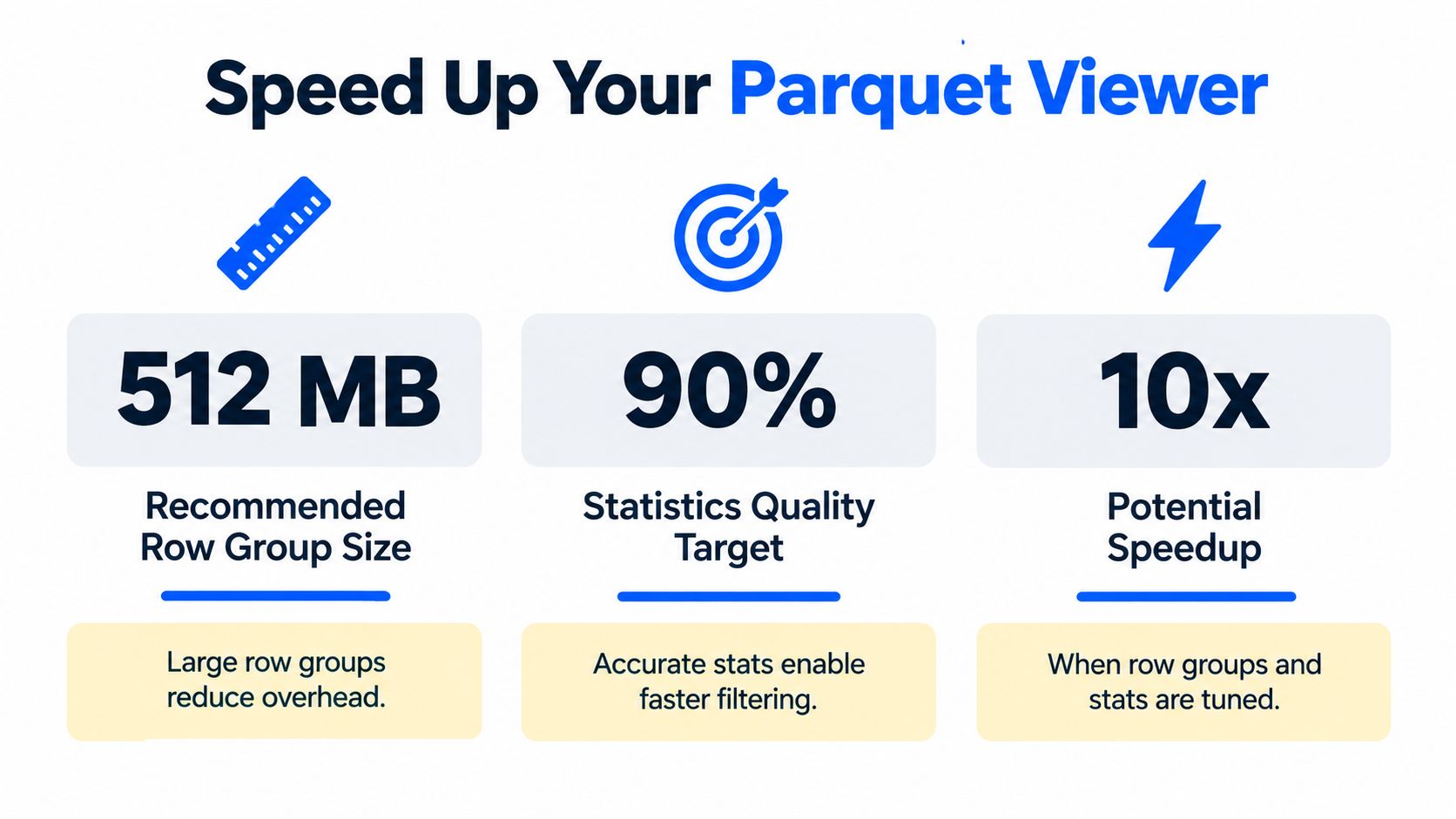
Apache Parquet recommends large row groups of about 512 MB to 1 GB for optimized reads, because an entire row group is often the minimum unit that must be read. When row groups are too small, metadata overhead goes up and scan efficiency drops. Larger groups improve sequential access and parallel processing. At the same time, row-group statistics such as per-column min and max values let a viewer or query engine skip irrelevant chunks, which matters most for wide tables and selective filters (Parquet configuration recommendations).
What actually improves performance
If you want a Parquet file viewer to feel responsive, focus on the write path as much as the read path.
Row groups should be sized intentionally. Files with fragmented row groups are harder to inspect efficiently.
Statistics need to be trustworthy. Weak or missing stats reduce the value of selective inspection.
Wide schemas need discipline. The more columns you carry, the more important projection becomes.
Nested data needs careful testing. A viewer may open the file quickly but still spend time decoding complex structures.
Why this matters beyond file inspection
Fast inspection is one symptom of healthy storage design. Slow, awkward inspection often points to broader data platform issues: inconsistent writer settings, weak schema governance, or poor observability around file generation.
That's why I treat Parquet viewing as more than a convenience feature. It's often the first place engineers notice that files are being produced in ways that hurt downstream query performance too. The same habits that help a human inspect data efficiently also help engines scan it efficiently. That includes sensible file sizes, good statistics, and clear schemas.
If your SQL workloads are also struggling, the principles behind query optimization often overlap with what you'll discover during Parquet inspection.
Enterprise Security and In-Place Alternatives
For regulated environments, the main issue usually isn't whether a Parquet file viewer is convenient. It's whether using one requires moving data outside approved boundaries.
That's where teams need to be strict. Finance, healthcare, telecommunications, and public sector environments often can't allow analysts or engineers to upload sensitive extracts into external services or scatter local copies across laptops. Even if the viewer itself is competent, the workflow may violate governance requirements.
An in-place model is safer because it keeps inspection and monitoring inside the customer's own environment. In practice, that means teams inspect structure, validate records, and monitor schema changes without exporting the underlying data to third-party systems. It also means compute should run close to the data, ideally in-database, so teams avoid unnecessary movement just to answer operational questions.
For day-to-day engineering, that changes the goal. Instead of asking, “Which viewer should open this file?” teams start asking, “Can we answer this question without moving the file at all?” That's the better default for enterprise operations.
If your team needs that in-place approach, digna provides an enterprise data quality and observability platform that runs inside your own environment. It helps teams track schema changes, validate records, monitor data behavior, and keep analysis close to the data, which is exactly the safer pattern when Parquet inspection touches sensitive production datasets.
Opening the footer by hand answers whether a schema changed in one file; to catch added, dropped or retyped columns across every table automatically, digna's Schema Tracker monitors structural changes inside your own environment, so the data never has to leave it.
Frequently asked questions
How do I open a Parquet file?
Use a format-aware tool, not a text editor, because Parquet is a binary columnar format with Thrift-based metadata. Options include parquet-tools on the command line, PyArrow or pandas in Python, Spark, VS Code extensions and online viewers, each suited to a different inspection job and data sensitivity level.
Why can't I open a Parquet file in a text editor?
A text editor shows only a binary blob because Parquet stores data as row groups, column chunks and compressed pages, with schema held in a footer at the end of the file. Reading it requires parsing that footer, located via the last 8 bytes and the trailing PAR1 magic bytes.
Is it safe to use an online Parquet viewer?
It depends on the data. Upload-and-process viewers can be acceptable for non-sensitive samples, but many teams in finance, healthcare, telecom and the public sector cannot use them for governance reasons. Viewers that read files in place with HTTP range requests and keep data local are a safer design.
Can I check a Parquet schema without reading the data?
Yes, because schema, row-group locations and column statistics live in the file footer. Footer-aware tools parse that metadata first, and Apache Doris offers a PARQUET_META table-valued function that returns schema, row-group statistics and key-value metadata without scanning any data pages.
Why is my Parquet viewer slow on large files?
Slowness often comes from how the file was written rather than the viewer itself. Apache Parquet recommends row groups of roughly 512 MB to 1 GB, since a whole row group is often the minimum read unit. Fragmented row groups, missing statistics and very wide schemas all slow inspection.