What Is a Data Catalog? Guide to Its Power in 2026
|
0
min. Lesezeit
You're probably living this already. Someone asks for “the revenue table,” and three different teams point to three different datasets. An analyst finds a dashboard but can't tell whether it's current. A data engineer knows the pipeline name but not who owns the downstream report. An ML team wants training data, but nobody can say with confidence whether the source is approved, fresh, or even still used.
That's the gap a data catalog is meant to close.
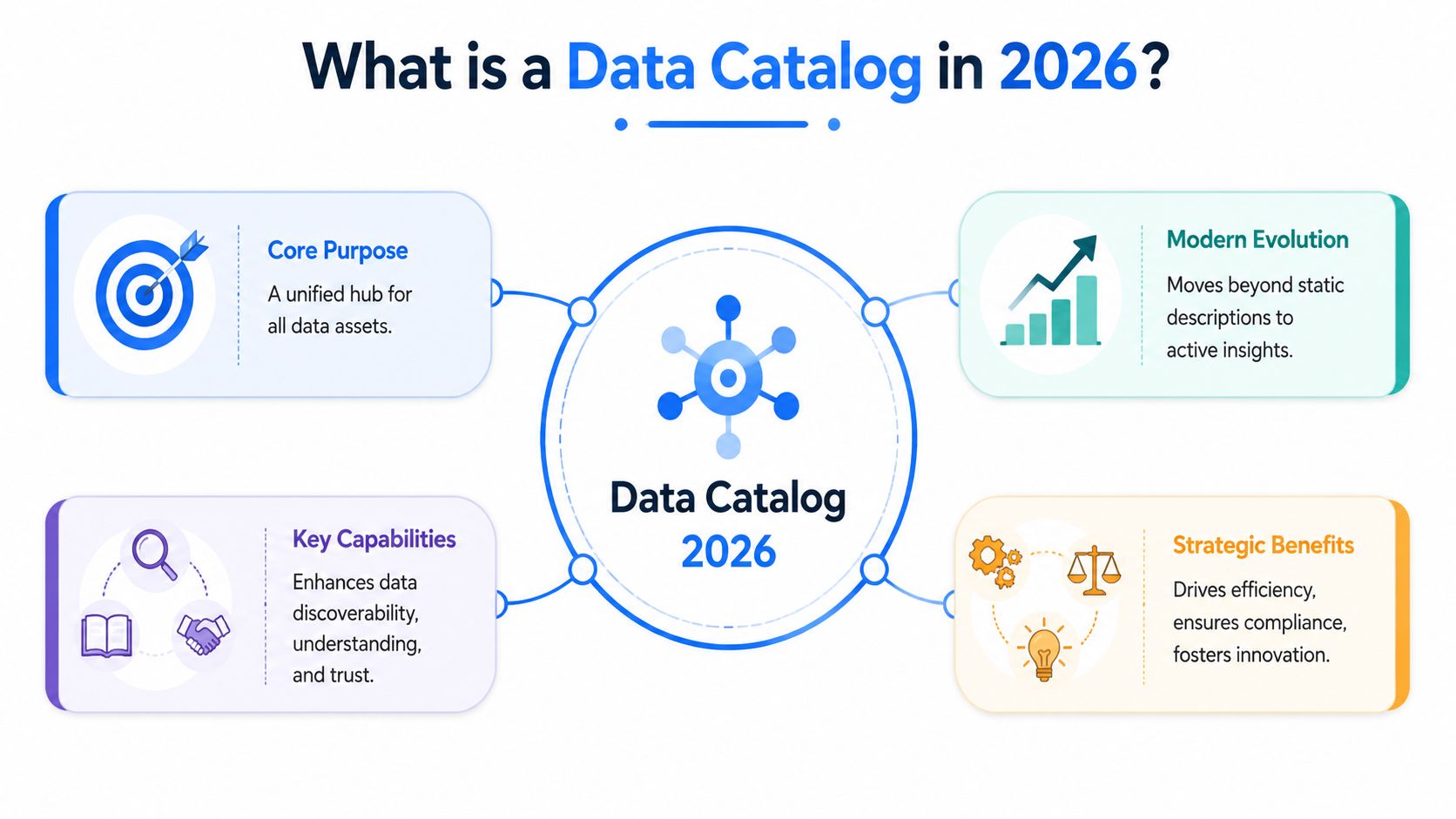
At a basic level, a data catalog helps people find and understand data. In practice, a modern catalog does more than inventory tables and dashboards. It becomes the place where metadata, lineage, ownership, business meaning, and governance meet. In 2026, that role matters even more because humans aren't the only consumers anymore. AI agents also need context, trust signals, and clear lineage if they're going to use enterprise data safely.
Table of Contents
Under the Hood The Core Architecture of a Modern Data Catalog
Supercharging Your Catalog with Data Quality and Observability
Beyond the Library Analogy What a Data Catalog Is in 2026
The library analogy still works as a starting point. A classic card catalog helped you find a book without walking every aisle. A data catalog does something similar for datasets, dashboards, reports, pipelines, and models.
But that analogy breaks quickly in a modern data stack.
A library card never updated itself when a book moved shelves, changed title, or was cited by ten other books. A modern catalog has to do exactly that kind of work. It connects to warehouses, lakes, BI platforms, transformation layers, and orchestration tools. It ingests metadata automatically, links assets together, and gives users enough context to decide whether a dataset is usable.
What the catalog actually stores
A useful catalog doesn't just list names. It organizes different layers of metadata around each asset:
Technical metadata gives the physical shape of the asset, such as schema, columns, data types, source system, and refresh pattern.
Business metadata explains what the asset means in plain language, including definitions like “net revenue” or “active customer”.
Governance metadata captures classifications, access controls, ownership, and policy context.
Operational metadata shows how the asset behaves in the wild, such as usage patterns, pipeline dependencies, and update activity.
That's why a catalog matters. It turns raw inventory into usable context.
Why the old definition is too narrow
Historically, data catalogs evolved from manual card-based systems in the 1970s to automated, AI-powered platforms today, with a significant milestone in 2020 when the industry officially recognized the data catalog as the discovery and governance layer of the data stack, distinct from traditional metadata repositories.
That shift matters because most organizations don't struggle with storing data. They struggle with knowing what they have, whether they can trust it, and how to use it correctly.
A spreadsheet of table names isn't a catalog. It's a list of things nobody can safely act on.
The best way to think about what is a data catalog today is this: it's a working knowledge layer for your data estate. It helps an analyst find the right dashboard, helps an engineer trace upstream impact, and helps a governance lead answer who owns a dataset and why it exists.
There's also a close parallel with evolving technical documentation. Static docs age fast. Systems that stay useful pull in live context, reflect current state, and connect explanations to real operational artifacts. A good catalog does the same for data.
Under the Hood The Core Architecture of a Modern Data Catalog
A catalog may look like a search bar and a few lineage diagrams, but under the surface it's a metadata system with several tightly connected parts. If any one of them is weak, users feel it immediately.
A clean interface can't save a weak metadata foundation.

The four parts that matter
Expert data catalog architecture relies on four essential components: a metadata store preserving connections, a search engine for indexing, a backend application for ingestion and integration, and a frontend application as the user portal. These components must manage technical, governance, operational, quality, and usage metadata to enable full discovery.
Here's what that means in practice.
Component | What it does | What breaks without it |
|---|---|---|
Metadata store | Keeps asset definitions, relationships, history, and ownership together | Context fragments across tools |
Search engine | Indexes metadata so users can actually find assets | Discovery turns into tribal knowledge |
Backend application | Pulls metadata from source systems and keeps it synchronized | The catalog drifts from reality |
Frontend application | Presents assets, lineage, docs, and workflows to users | Adoption stalls because nobody wants to use it |
Why architecture choices show up in user trust
The metadata store is the heart of the system. If it only stores schemas and table names, the catalog will always feel shallow. Strong catalogs capture the richer picture: who owns the asset, what policies apply, what downstream objects depend on it, and how people use it.
Search is more technical than many teams expect. Good search isn't just keyword matching. It has to index structured and unstructured metadata, support synonyms, and rank likely matches in a way that fits business language as well as technical naming.
For teams working through metadata strategy, this guide on how metadata enhances data quality and efficiency is useful because it connects architecture decisions to day-to-day reliability.
Later in the stack, the backend ingestion layer is where many implementations often fail. If connectors run unreliably, or if they can't reflect upstream changes quickly, the catalog starts showing stale ownership, outdated schemas, or missing lineage. That's when users stop trusting it.
A short walkthrough helps make that concrete:
Practical rule: If your ingestion layer updates slowly and your users work in a fast-moving warehouse, your catalog will become a historical archive instead of an operational tool.
The frontend matters too, but not because of cosmetics. It's where business users, stewards, and engineers meet the same metadata from different angles. One person wants a certified KPI definition. Another wants dbt lineage. A third wants to know who to message when a dashboard is wrong. The interface has to serve all three.
Key Features and Capabilities to Look For
Teams often ask what is a data catalog as if the answer is a category label. The more useful question is simpler: what can the catalog help people do on a bad Tuesday afternoon?
That's where features stop being checklist items and start becoming operational advantage.
Discovery features that save real time
The first job is helping users find the right asset fast, then judge whether it's the right one.
Look for these capabilities:
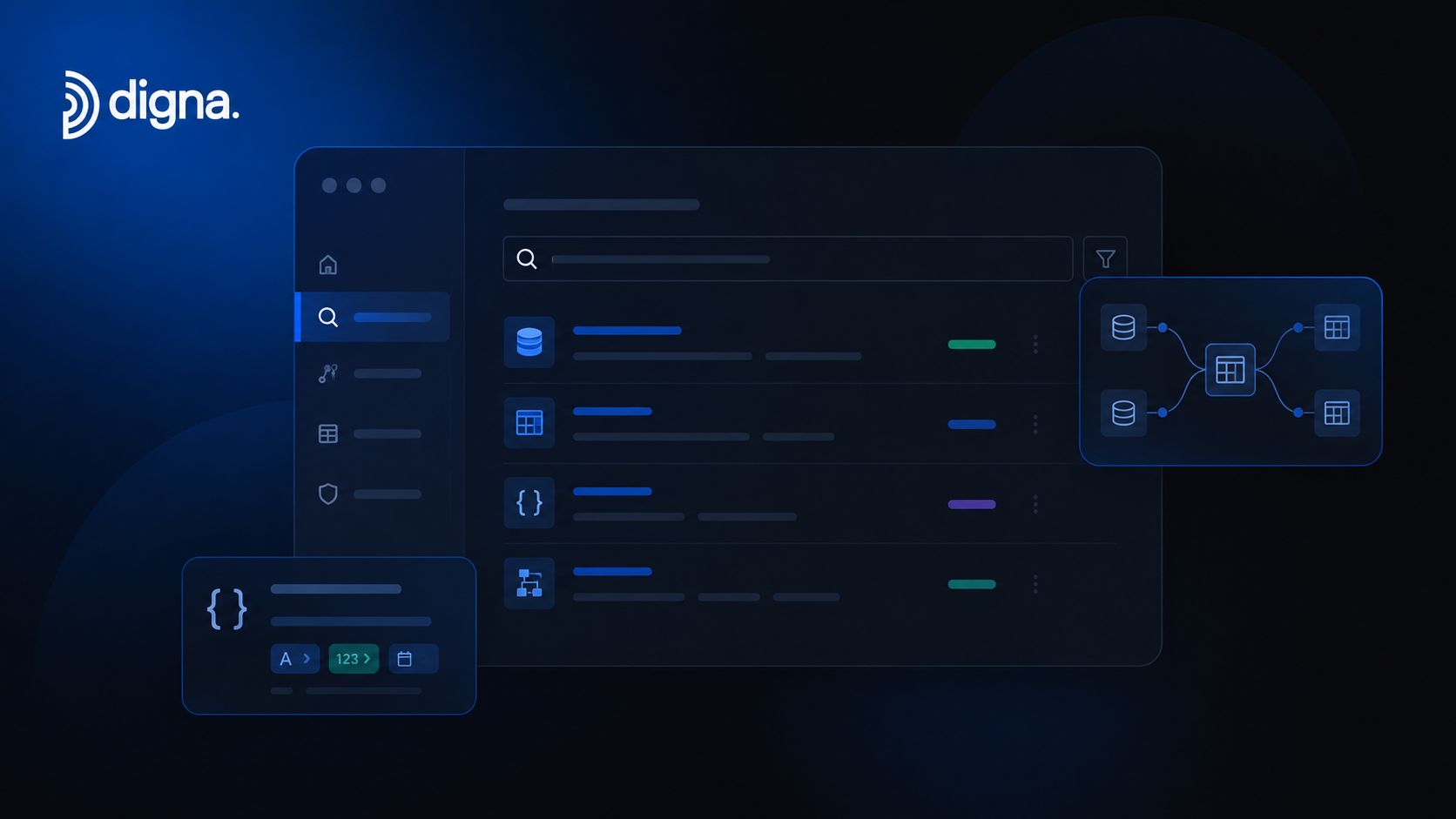
Automated metadata harvesting so the catalog discovers assets from platforms like Snowflake, BigQuery, Databricks, dbt, Tableau, and Power BI without manual spreadsheet maintenance.
Search that understands intent so users can search by business term, system name, owner, tag, or domain instead of memorizing table names.
Faceted filtering that lets people narrow by source, sensitivity, certification status, freshness, and team ownership.
Asset previews that show schema, sample metadata, descriptions, and related assets before someone requests access or starts analysis.
Governance and trust signals
Discovery alone isn't enough. Teams also need to decide whether a result is safe and appropriate to use.
A strong catalog should support:
Lineage visualization that shows upstream and downstream movement across pipelines, models, and reports.
Ownership and stewardship fields with a named person or team attached to each important asset.
Certification workflows so trusted datasets and metrics stand out from experimental or deprecated ones.
Policy context for regulated data, including tags and classifications that travel with the asset.
If users can find data but can't tell whether it's approved, current, or sensitive, the catalog has solved search and missed trust.
Collaboration that captures institutional knowledge
The most underrated feature set is collaboration. Comments, ratings, usage notes, and glossary links sound small, but they're how tribal knowledge becomes reusable.
That's especially relevant when teams want to keep context usable across formats and audiences. The same discipline behind repurposing content effectively applies here. Metadata should be structured once and useful in many places, from analyst workflows to governance reviews.
What doesn't work is a catalog that expects every description to be manually written from scratch and constantly curated by one central team. That model collapses under scale. The better pattern is automation first, human curation where judgment matters most.
Data Catalog vs Data Dictionary vs Data Lineage Tool
These terms get mixed together all the time. They overlap, but they aren't interchangeable.
A data dictionary usually defines fields and values. A lineage tool shows how data moves. A data catalog sits at a broader level. It brings together inventory, context, discovery, ownership, and governance around assets across the stack.
Data Tool Comparison
Tool | Primary Purpose | Scope | Key Difference from a Catalog |
|---|---|---|---|
Data catalog | Help users discover, understand, and govern data assets | Datasets, dashboards, pipelines, models, glossary terms, ownership, lineage, policy context | Broadest context layer across technical and business use |
Data dictionary | Define fields, columns, values, and business terms | Usually field-level or table-level definitions | Narrower reference tool focused on definitions |
Data lineage tool | Show where data came from and where it flows | Pipeline paths, transformations, dependencies | Focused on movement and impact, not full discovery and stewardship |
Data marketplace | Help users browse and request access to curated data products | Productized datasets and access workflows | Often built on catalog concepts but more focused on distribution and access |
Where teams usually get confused
Business stakeholders often use “data dictionary” when they really mean “place where I can find trusted reporting data.” Engineers sometimes use “lineage” when they really mean “system that helps me understand what this table is and who owns it.” Both are understandable. Both create implementation mistakes.
Here's the practical distinction:
Use a data dictionary when the main need is precise definitions of columns and terms.
Use a lineage tool when the main need is impact analysis and troubleshooting data movement.
Use a data catalog when the need spans discovery, business context, governance, ownership, and lineage together.
For teams working through adjacent concepts, this explanation of data provenance vs data lineage and the key differences helps sharpen the boundary between origin, movement, and broader metadata context.
Buying a lineage viewer and calling it a catalog usually leaves business users stranded. Buying a glossary and calling it a catalog usually leaves engineers unimpressed.
The distinction matters because the wrong tool creates the wrong expectations. If leadership expects self-service analytics, a table-definition repository won't get them there. If engineers need blast-radius analysis before a schema change, a business glossary won't solve that problem.
The Business and Technical Benefits Unpacked
The case for a catalog gets stronger when you stop talking about “metadata management” and start talking about wasted hours, duplicate work, audit pressure, and broken handoffs between teams.
The market signal is already clear. The global data catalog market is projected to reach $1.8 billion by 2027, with poor discoverability leading to an estimated 30% reduction in data team productivity. The same research says 85% of global companies have accelerated their adoption of data catalogs specifically to comply with data privacy laws such as GDPR and CCPA, according to data catalog market statistics.
What business teams gain
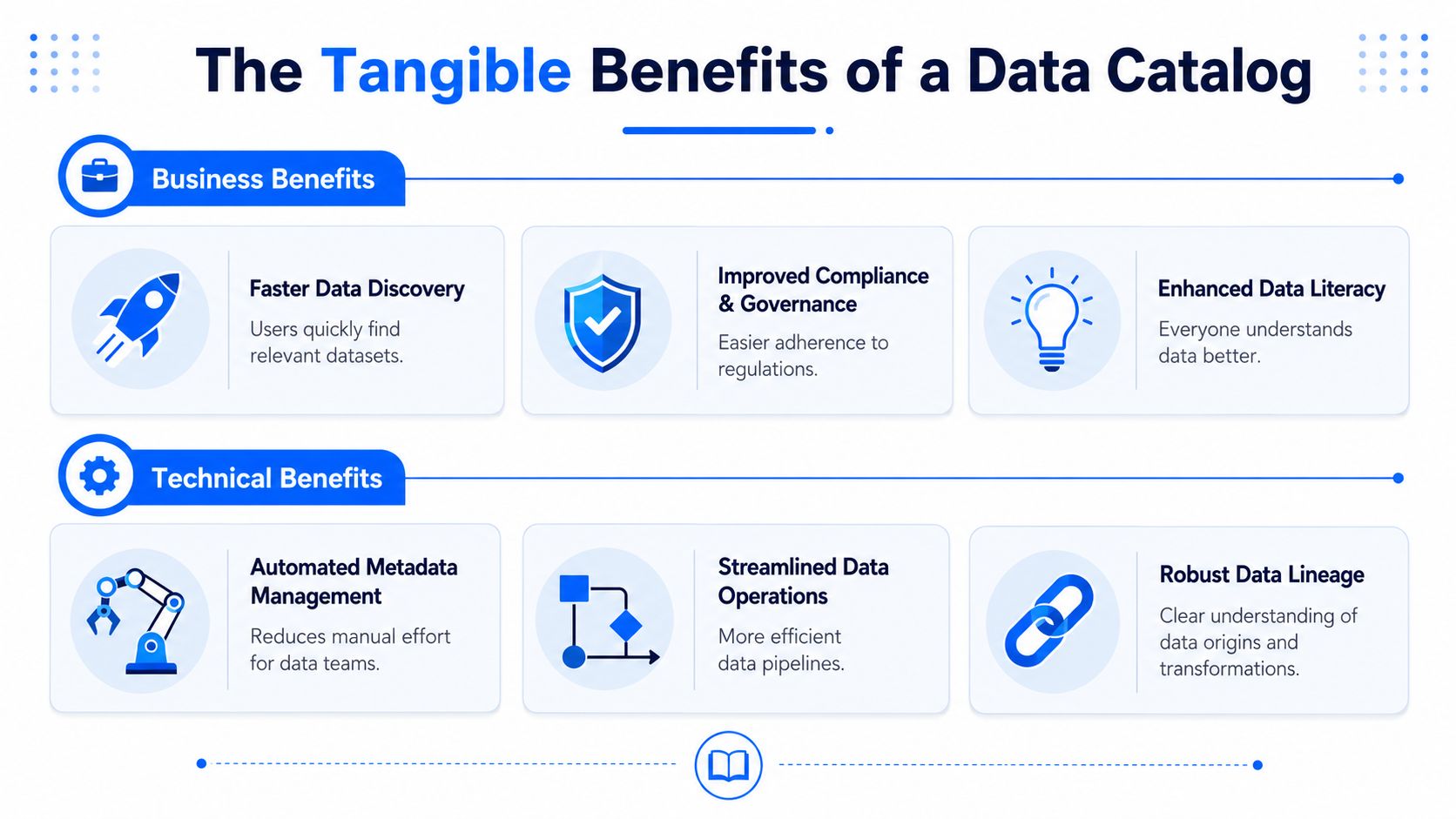
For business users, the biggest win is shorter distance between question and answer.
Faster access to trusted assets means analysts spend less time asking Slack channels which dashboard is current.
Better decision support comes from seeing definitions, ownership, and approved sources in one place.
Stronger compliance posture follows when privacy classifications and lineage aren't buried across separate systems.
Higher data literacy grows because business terms are connected to actual tables, dashboards, and metrics people use.
This is one reason catalogs are becoming part of broader conversations about addressing AI operational challenges. Once AI enters analytics workflows, ambiguity in metric definitions or source trust becomes much more expensive.
What technical teams gain
Engineers, analytics engineers, and governance leads care about different outcomes.
Less repetitive support work because common questions about ownership, lineage, and approved usage are answered in the catalog.
Safer changes because teams can see downstream dependencies before they alter schemas or pipelines.
Fewer redundant assets because similar tables, marts, and dashboards become visible instead of hidden in separate teams.
Cleaner onboarding because new team members can inspect the system of record instead of inheriting oral tradition.
There's a less obvious technical benefit too. A catalog creates a place where multiple tools can converge. Warehouse metadata, dbt models, BI dashboards, and governance tags stop living as isolated views of reality.
The strongest catalogs don't reduce complexity by pretending it isn't there. They reduce complexity by making it visible, navigable, and owned.
How Data Catalogs Drive Real-World Success
The value becomes obvious when you look at daily work instead of platform diagrams.
A business analyst preparing a quarterly review searches for “regional sales” in the catalog. Instead of opening five dashboards and asking finance which one is right, they find a certified dashboard, see the business definition for the revenue metric, and confirm which team owns it. That's not glamorous. It's just the difference between guessing and working from a known source.
A data engineer gets an alert that a dashboard is wrong after a pipeline change. They open lineage in the catalog and trace the path from the warehouse table to the transformation layer and then to the BI asset. The immediate goal isn't documentation. It's narrowing the blast radius and identifying which downstream assets need attention.
Different teams use the same system differently
A data scientist approaches the same catalog from another angle. They're looking for a dataset suitable for model training. They need business meaning, lineage, and governance context before they trust it. If the catalog only shows a schema, they still have to chase people for answers. If it shows ownership, related models, and usage context, they can move responsibly.
A governance lead uses the catalog during a privacy review. They need to know where sensitive fields live, who owns them, and which downstream reports or models consume them. That visibility changes an audit from a scavenger hunt into a controlled review process.
What successful teams do differently
The teams that get value from catalogs usually do three things well:
They assign ownership clearly so every important asset has a real human contact.
They certify selectively so the “trusted” label means something.
They keep the catalog close to delivery workflows by integrating it with transformation, BI, and governance tooling.
What fails is treating the catalog like a side repository. If engineers never see it during change analysis and analysts never use it during discovery, it becomes shelfware fast.
Supercharging Your Catalog with Data Quality and Observability
A catalog tells you what exists. It often tells you who owns it, where it came from, and what it should mean. But it doesn't always tell you whether the data is healthy right now.
That's the maturity gap many teams run into.

Inventory without health isn't enough
In operational terms, trust depends on more than documentation. Teams need signals about anomalies, timeliness, validation failures, and schema changes. If a catalog shows a table as “gold” but the latest load arrived late or a key column changed type, users need that context before they rely on it.
This matters even more for AI. A human analyst might notice something looks off. An automated agent may not. It will use whatever context the platform exposes.
Snowflake's 2025 research reveals that 74% of organizations planning to deploy production AI systems require catalogs that expose metadata in machine-consumable formats and include AI asset lineage, yet only 29% of current catalogs meet these criteria, according to Snowflake's research on machine-consumable metadata and AI asset lineage.
That gap is the central point. The catalog is no longer just a place for humans to search. It's becoming a context layer for machine decision-making.
What AI-ready catalogs need
For catalogs to support AI agents well, they need more than static metadata.
Fresh operational signals so agents can prefer current, stable assets over stale ones.
Quality indicators so downstream systems can distinguish approved inputs from questionable ones.
Lineage across AI assets including models, features, vector stores, and training inputs.
Machine-readable metadata exposed through APIs and semantic structures, not just UI pages.
That's where observability and quality systems add real value. Anomaly detection can identify suspicious changes by continuously monitoring data streams and isolating unusual behavior rather than relying only on static thresholds, as described in FirstEigen's explanation of anomaly detection. AI-powered approaches can also learn normal baselines over time and evaluate new data against those patterns in real time, which Plixer explains in its discussion of AI-powered anomaly detection baselines.
A useful way to frame it is simple:
A catalog answers “what is this?” Reliability tooling answers “can I trust it right now?”
Teams comparing these disciplines often benefit from a tighter distinction between data observability vs data quality. The two overlap, but they're not identical. Together, they create the kind of enriched metadata layer that both people and AI systems can act on with more confidence.
Frequently Asked Questions About Data Catalogs
Do small teams need a data catalog
If your environment has only a few well-understood datasets, maybe not yet. Once multiple teams create dashboards, transformations, and shared metrics, the need shows up quickly. The tipping point isn't company size. It's complexity and handoff friction.
Is a data catalog only for governance teams
No. Governance may sponsor it, but engineers, analysts, BI developers, and ML teams all use it differently. If only one function sees value, the implementation is probably too narrow.
Can a catalog replace documentation
No. It improves documentation by connecting it to live metadata and actual assets. It doesn't replace good definitions, usage notes, or architectural judgment.
What makes a catalog fail
Most failures come from stale metadata, weak ownership, and low workflow relevance. If the catalog isn't integrated with the warehouse, transformation layer, BI tools, and access processes, people stop checking it.
What should teams evaluate first
Start with coverage, freshness, lineage depth, ownership model, search quality, and how well the system exposes metadata to both humans and software.
If your team wants to move beyond static metadata and understand the live health of pipelines, tables, and critical business data, digna is worth a close look. It helps teams detect anomalies, validate records, monitor timeliness, and track schema changes in customer-controlled environments, which makes it a practical complement to any catalog strategy built around trust and AI readiness.