Stale Data Meaning: Prevent Analytics & AI Disasters
|
0
min. Lesezeit

Stale data means the data is still technically valid, but it's too old for the job you're asking it to do. It fails to reflect current reality because the ingestion process has stopped, slowed, or fallen behind, and that kind of silent aging can corrupt decisions without throwing obvious errors.
You usually notice the problem after the damage is done. A dashboard looks normal. A model still returns predictions. A report still reaches leadership on time. Then someone asks why the campaign targeted the wrong audience, why inventory looked available when it wasn't, or why an automated workflow acted on information that had already changed upstream.
That's why the stale data meaning matters far beyond a dictionary definition. Stale data isn't broken data. It's old data that still looks healthy. In practice, that makes it more dangerous than many obvious data quality failures. Teams often detect null spikes, schema breaks, or failed jobs quickly. They miss staleness because the table still exists, the query still runs, and the values still pass basic checks.
The fix also depends on diagnosing the problem correctly. Not every bad data incident is a freshness issue. Some records are corrupted. Some datasets are unused. Some pipelines are late. If you treat all of that as “outdated data,” you'll waste time applying the wrong remediation and leave the actual risk in place.
Table of Contents
The Hidden Risk in Your Last Report
A VP opens a segmentation dashboard on Monday morning and approves a campaign. The audience logic looks right. The chart loads. Nobody sees an error. Later, the team learns the customer data behind that dashboard hadn't been refreshed for days.
That's a standard stale data failure. The data wasn't malformed. It wasn't missing. It no longer matched the state of the business.
This is why stale data should be treated as a business risk first and a pipeline issue second. When a dataset stops updating, every downstream artifact inherits the same problem. Dashboards become historical snapshots pretending to be current. Reverse ETL jobs push yesterday's assumptions into operational systems. ML features age until predictions become less relevant.
Stale data is dangerous precisely because it still looks usable.
Newer teams often expect broken pipelines to fail loudly. In reality, many don't. A scheduled job can keep succeeding while upstream extraction has stalled. A warehouse table can remain queryable while replication lag keeps it behind reality. A cached layer can return structurally correct records that are no longer timely.
A few practical consequences show up quickly:
Leaders make time-sensitive calls on old context. Marketing, pricing, support, and operations all depend on timing, not just correctness.
Trust erodes unevenly. Users may not abandon the whole data stack. They start second-guessing whichever reports have burned them before.
Teams create manual workarounds. Once trust drops, people export CSVs, maintain side spreadsheets, or ask engineering for one-off validations.
That last step is where cost grows. Engineers stop improving systems and start proving whether the latest number is current enough to use. Once that happens, stale data is no longer an isolated incident. It's an operating model problem.
What Is Stale Data Really
At a technical level, stale data is information whose age exceeds the maximum delay that its intended use can tolerate. Tacnode defines it as data whose age has passed the acceptable threshold for operational usage, often caused by batch pipeline latency, cache synchronization lag, or replication delays, and notes that in AI systems it can cause silent data drift without standard error alerts (Tacnode's explanation of stale data).
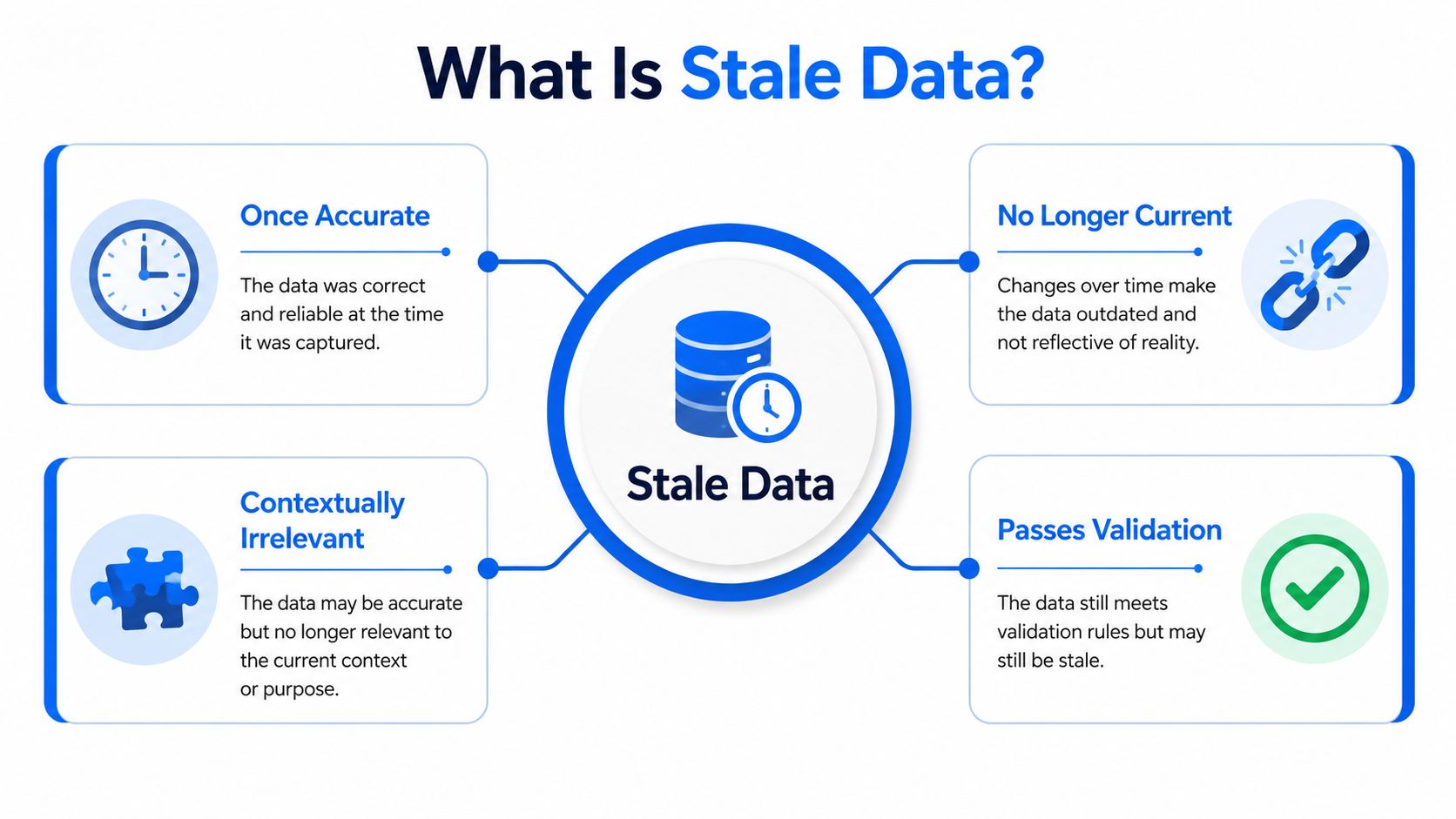
That definition matters because it separates validity from timeliness. A row can pass type checks, uniqueness checks, and business-rule validation, yet still be wrong for the decision in front of you because the world changed after ingestion.
Why stale data is hard to spot
Organizations often first learn the stale data meaning through failure. A report “works” until someone reconciles it against a source system and sees the timestamp gap. That's because stale data usually doesn't violate the rules you already monitor.
A table with old customer statuses still has valid IDs. Old balances still look like balances. Historical device events still deserialize correctly. If your checks focus only on schema, nulls, ranges, or row counts, stale data can slip through untouched.
A better mental model is this:
The record was once accurate
The record still looks structurally correct
The record no longer reflects the current state needed for action
If you want a broader framework for how freshness fits into data reliability, this guide on data freshness and business decisions is a useful companion.
Stale vs rotten vs dark
This distinction is where many teams go wrong. Proofpoint explicitly separates stale data from rotten data and dark data, defining stale data as outdated, unused, or irrelevant; rotten data as inaccurate or corrupted; and dark data as unanalyzed information sitting in systems without being used (Proofpoint's stale, rotten, and dark data definitions).
Those categories need different responses.
Data condition | What it means | Typical symptom | Right response |
|---|---|---|---|
Stale data | Outdated but still valid | Values look fine, but timing is off | Refresh pipeline, enforce freshness checks |
Rotten data | Inaccurate or corrupted | Invalid values, broken logic, record-level errors | Validate records, fix transformations, repair source quality |
Dark data | Stored but not analyzed | Data accumulates with no owner or usage | Govern access, classify it, archive or activate it |
Practical rule: If a timestamp refresh would solve the issue, it's probably stale data. If the values themselves are wrong, it isn't.
This matters even more in AI and ML systems. A stale feature store may feed a model inputs that were once correct but are no longer current. A rotten feature set creates a different failure mode because the values are invalid at inference time. A dark dataset creates another problem entirely because the organization stores information without using or governing it well.
Treating all three as one category leads to generic fixes such as “monitor timestamps everywhere.” That helps with staleness. It doesn't repair corrupted records. It doesn't tell you whether unused data should be retained, analyzed, or deleted. Precision in diagnosis is what makes remediation effective.
Stale Data vs Latency vs Data Drift
These terms get mixed together in incident reviews, but they describe different failure modes. If you blur them, root-cause analysis gets messy and teams start fixing symptoms instead of systems.
A practical comparison
Attribute | Stale Data | Data Latency | Data Drift |
|---|---|---|---|
Core problem | Data is too old for the use case | Data arrives later than expected | Data patterns change over time |
Main question | Is this dataset still current enough to use? | How long does it take an event to appear downstream? | Has the underlying behavior changed? |
Typical cause | Broken updates, delayed refresh, neglected pipelines | Slow ingestion, queued processing, network or system delay | Real-world behavior shifts, changing populations, evolving inputs |
What users see | Reports look normal but reflect past reality | Dashboards lag behind live events | Model outputs weaken or become less relevant |
Best first check | Last updated timestamp | Event-to-availability time | Distribution and feature behavior over time |
Latency is about transport delay. Staleness is about usability relative to a threshold. Drift is about change in the data-generating process.
A good example is inventory. If a sale happens and the update appears in the warehouse later than expected, that's latency. If the warehouse table hasn't updated for long enough that stock numbers are no longer actionable, that's stale data. If customer demand patterns shift and your demand forecast no longer matches reality, that's data drift.
Why teams confuse them
The confusion happens because these issues can chain together.
Batch processing introduces latency by design. Enough latency can produce stale data for a time-sensitive workflow. Then stale model inputs can contribute to silent performance degradation that looks like drift from the business side.
That sequence is especially common in ML systems. Teams often monitor whether the model is “up” and whether inference requests return successfully. They don't always monitor whether the feature values reflect the latest state the model needs. The system keeps operating, but not on current context.
A simple way to separate them during triage is to ask three questions in order:
When did the source event happen?
When did the downstream system receive or expose it?
Even if it arrived successfully, is it still fresh enough for the decision?
Those questions split the problem cleanly. First timing of movement. Then age at use. Then behavior change over time.
The Business Impact of Stale Data
A report can be technically correct and still be wrong for the decision in front of you.
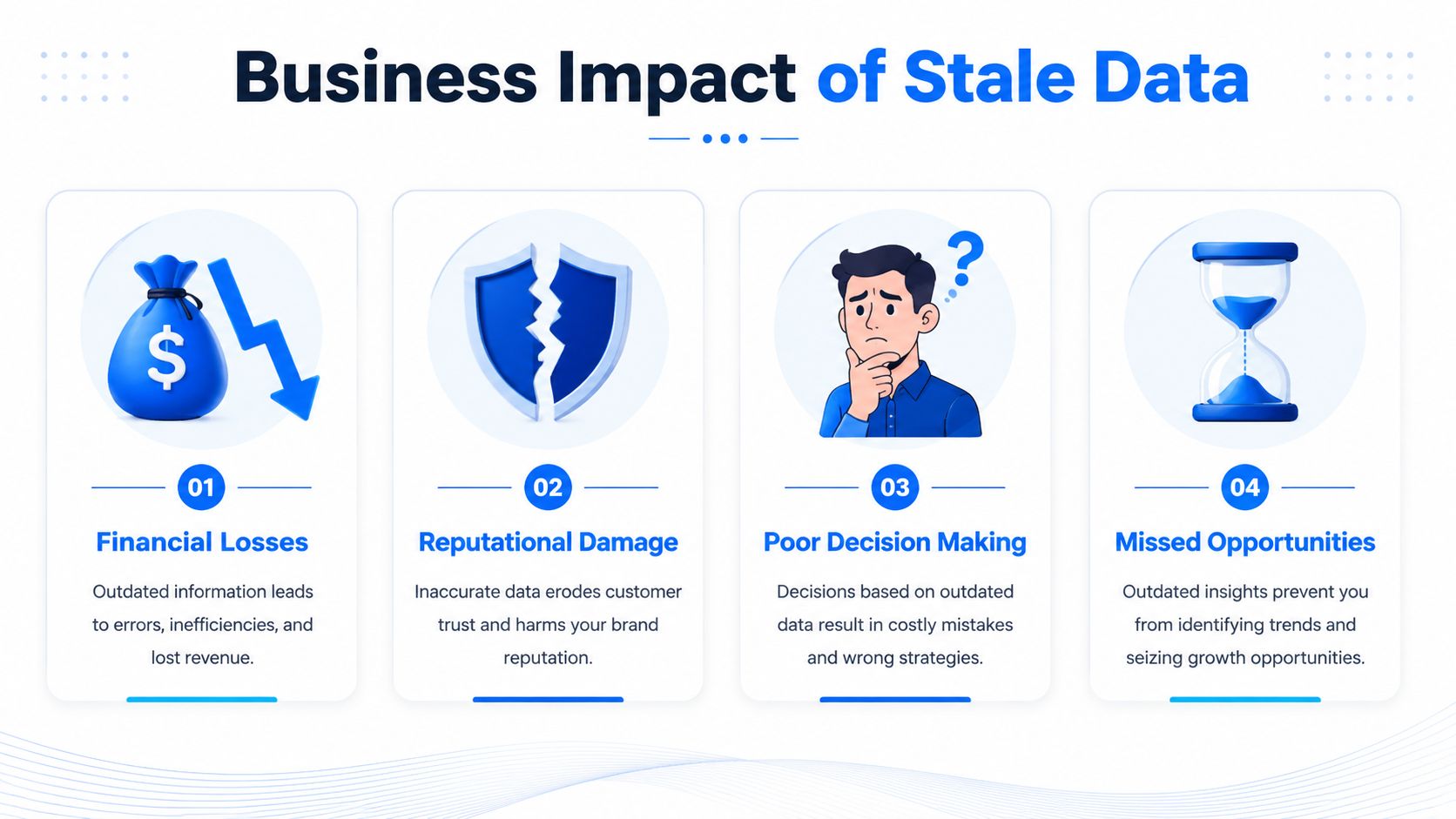
That is how stale data creates business damage. The numbers reconcile. The dashboard loads. The model returns a prediction. But the underlying state has already changed, so teams act on a version of the business that no longer exists.
Where the damage shows up first
The first impact is usually operational. Sales works the wrong accounts because account status changed after the last sync. Support agents respond without the latest product usage or billing context. Finance closes the week using reports that reflect an earlier state of orders, refunds, or cash movement. Each team makes a reasonable decision from its local view, but the shared picture is out of date.
The cost is not just one bad choice. It is rework.
Teams spend time reconciling systems, rerunning analyses, and explaining why actions based on "current" data had to be reversed. Once that happens a few times, trust drops fast. Business users stop treating dashboards as systems of action and start treating them as rough guidance. Analysts get pulled into manual validation, side spreadsheets return, and decision cycles slow down.
The effect changes by domain. In retail and marketing, stale segmentation or inventory data leads to mistargeted campaigns, poor promotions, and avoidable stock issues. In healthcare, stale operational or clinical context can push staff toward unsafe prioritization. In finance, rules engines and downstream automations keep moving unless someone explicitly stops them, so old inputs can trigger the wrong hold, approval, or escalation.
This is also where the distinction between stale, rotten, and dark data matters. Stale data may still be structurally valid and relevant, but it is too old for the decision. Rotten data is low-quality data that is wrong, corrupted, duplicated, or incomplete. Dark data is data the organization stores but does not actively use or govern. Those categories need different responses. Stale data needs freshness controls and SLAs. Rotten data needs quality remediation. Dark data needs inventory, ownership, and retention decisions. If a team treats all three as the same problem, it usually picks the wrong fix and keeps the business risk in place.
A useful way to frame the issue is data timeliness. The acceptable age of a dataset depends on the decision it supports, not on whether the pipeline finished successfully. This practical guide to data timeliness in operational systems is a good reference if your team needs to define those thresholds more clearly.
A short explainer is worth watching if you want a simple visual framing before building controls:
Why AI raises the stakes
IBM notes that freshness SLAs are particularly important in automated decision systems and real-time data environments where even modest lag can degrade outcomes, and also highlights that agentic AI systems create new failure modes because they can trigger automated actions based on stale data, which means SLAs must be tied to action latency, not only data age (IBM on stale data and freshness SLAs).
In practice, AI systems are less forgiving than human workflows. A dashboard user may notice that yesterday's numbers look off and ask questions before acting. A recommendation service, feature store consumer, or agentic workflow usually does not pause for that check. It consumes what is available and proceeds as if the context is current.
That changes the failure mode from bad insight to bad action. A pricing model can use expired demand signals. A fraud workflow can score a transaction against an old account state. A customer support copilot can generate advice from stale subscription or product telemetry. The system appears healthy because requests succeed, but the output quality drops in ways that are expensive and hard to trace.
Freshness policy should match business consequence. A weekly planning dataset can tolerate more age than a feature table used for real-time decisions. Treating them the same is how stale data turns from a reporting nuisance into an operational risk.
How to Detect and Monitor Stale Data
Detection starts with one basic idea. You need to know how old the data is right now, not when the pipeline was last believed to be healthy.
DQOps describes the primary detection method clearly: monitor freshness by calculating the time elapsed since the last update, typically using a date or timestamp column, and surface those freshness metrics in dashboards so teams can see which tables have the oldest data (DQOps on detecting stale data with timestamps and dashboards).
Start with freshness checks
If you're building this from scratch, start with a shortlist of critical datasets and ask a simple question for each one: what timestamp best represents the latest trustworthy update?
For some tables that's an ingestion timestamp. For others it's an event timestamp or a business-effective date. Pick the field that reflects actual currency for the use case, not just load mechanics.
Then implement a few concrete checks:
Track max timestamp age. Compare the latest record time with the current time.
Separate source freshness from warehouse freshness. A successful load doesn't mean upstream data was current.
Visualize the oldest tables first. Teams need one view that makes neglected datasets obvious.
If you're thinking about freshness as part of a broader reliability practice, this page on data timeliness monitoring shows how teams frame timeliness operationally.
Add monitoring that reflects actual operations
Timestamp checks catch obvious stalls. Good monitoring goes further and reflects how the pipeline normally behaves.
A practical setup usually includes:
Expected arrival windows
If a table usually updates on a schedule, monitor whether the update arrived within its normal window. This catches late but not yet fully failed jobs.Volume and pattern checks
A table may still update but with suspiciously low volume, partial partitions, or missing slices. That often signals the start of a freshness problem.Schema change awareness
Upstream column changes, renamed fields, or type changes often break refresh logic before anyone notices the downstream age increasing.Impact-aware alerting
Alert routing should reflect who owns the issue and which downstream consumers are affected. A freshness alert with no ownership path just creates noise.
Don't monitor freshness as a property of tables alone. Monitor it as a property of decisions that depend on those tables.
That framing changes what “good enough” means. A dimension table used for slow-moving reporting may tolerate a relaxed threshold. A feature table feeding automated actions probably can't.
Preventing Stale Data with Modern Observability
A stale data incident usually starts long before anyone calls it an incident. The dashboard still loads. The pipeline still shows green. The model still scores. But one upstream feed stopped six hours ago, a replication job is lagging, or a schema change caused part of the refresh to fail. By the time a business user notices, the team is already working from data that looks valid and is not.
Prevention means designing for those failure modes instead of treating freshness as a one-off check.
What prevention looks like in practice
The best controls are operational. They define who responds, what "fresh enough" means, and how the team detects trouble before stale data reaches a decision point.
Assign explicit ownership. Every business-critical dataset needs a named owner for freshness. Without that, stale data sits in the gap between platform, analytics, and application teams.
Set freshness requirements by decision, not by table. A finance snapshot used for monthly close has a different tolerance than a feature table feeding automated recommendations. This is also where the stale versus rotten versus dark distinction matters. Stale data may still be usable for some low-risk reporting. Rotten data is wrong or corrupted and needs a different response. Dark data may be sitting unused and should be governed or retired rather than refreshed.
Use timestamping and versioning. Every load should leave evidence of when it ran, what source snapshot it used, and whether downstream tables were rebuilt from the right inputs. That makes rollback, incident review, and root-cause analysis much faster.
Reduce manual verification. Spot checks help during debugging, but they do not scale across dozens of pipelines, replicated stores, and model inputs.
Teams also need to choose where to spend effort. Streaming every source is not always justified. More frequent refreshes increase infrastructure cost, load on upstream systems, and alert volume. The right target is the cheapest setup that keeps data within the tolerance of the business process it supports.
Where observability platforms help
Observability works best when it follows the full path from source to consumer. A job scheduler can tell you that a task completed. It cannot tell you whether the source data was already stale, whether only part of a partition arrived, or whether a downstream feature table is now outside its service level.
A useful guide to data observability for modern data management explains why teams need pipeline-level visibility instead of isolated checks. In practice, that means monitoring expected arrival windows, row-count and partition anomalies, schema changes, lineage, and downstream dependencies in one place.

That matters even more for AI and ML systems. A reporting dashboard with stale data may lead to a bad meeting. A model trained or scored on stale features can keep making bad decisions until someone intervenes. The fix is rarely "refresh everything faster." It is setting freshness expectations for each feature set, watching for upstream changes that break those expectations, and stopping automated actions when the data is outside tolerance.
For teams evaluating platforms, digna is one example that combines timeliness monitoring, anomaly detection, record-level validation, and schema tracking while running analyses inside the customer environment. That mix is useful because stale data problems often appear alongside other signals, such as a delayed load, a type change, and an unexpected volume drop from the same upstream issue.
The same discipline shows up outside internal analytics. In commerce environments, product, inventory, and customer data often moves across apps, caches, and exports before anyone uses it. These eCommerce data accuracy insights are a good reminder that prevention depends on keeping operational data current enough for the action it drives, not just keeping pipelines green.
Universal freshness thresholds fail because business processes do not share the same tolerance for delay. Effective prevention comes from observability tied to usage, ownership tied to response, and controls that distinguish stale data from the other data quality problems that need a different remedy.
Building Lasting Trust in Your Data
The real stale data meaning isn't “old data.” It's data that has become unfit for a specific decision while still looking usable. That's why it causes more damage than many obvious failures.
Teams that manage this well do three things consistently. They distinguish stale data from rotten and dark data. They monitor freshness as an operational requirement, not an occasional audit. And they tie remediation to business impact, especially where models and automated workflows act faster than humans can inspect.
That discipline matters outside analytics too. If you work with commerce or customer records, these eCommerce data accuracy insights offer a useful perspective on why clean, current information affects day-to-day execution as much as executive reporting.
Trust in data isn't created by one dashboard or one successful pipeline run. It comes from repeatable evidence that the data is current enough, accurate enough, and governed well enough for the action it drives.
If stale reports, delayed loads, or silent schema changes keep forcing your team into reactive firefighting, digna is worth evaluating. It focuses on timeliness, anomalies, validation, and schema tracking so data teams can catch freshness issues before they reach dashboards, models, and operational decisions.