SQL Server JDBC Connector: Setup and Configuration Guide
|
8
min read
A SQL Server connection can look healthy for months, then a routine patch, JVM upgrade, or dependency refresh turns it brittle overnight. The worst cases are the ones that don't fail loudly, they limp along with certificate warnings, pooled sessions that hang, or data type behavior that changes just enough to break downstream logic. That's why the SQL Server JDBC connector should be treated like a managed dependency, not a one-time install.
Teams usually start with a connection string and move on. Production tends to expose the hidden work, driver version alignment, Java runtime compatibility, TLS validation, authentication mode choice, pool tuning, and support lifecycle planning. Microsoft's own driver history shows a long maintenance arc, with the connector introduced in 2000 and open-sourced in 2016, then shipped through releases such as 1.0 in January 2006, 2.0 in March 2009, 3.0 in April 2010, 4.0 on March 6, 2017, and later versions including 4.1, 6.0, 7.0, and 8.4 reaching their own support milestones over time Microsoft JDBC driver release notes. That timeline says a lot, the connector evolves with the platform, and your production posture has to evolve with it.
Table of Contents
Why JDBC Connector Configuration Demands Attention
The hidden cost of “it connects”
Choosing the Right Driver Version and Java Runtime
Pin the artifact to the runtime
Know when jTDS stops being enough
Building the Connection URL Correctly
Build from the network target outward
Prefer DataSource properties for repeatable deployments
Selecting Authentication Modes for Enterprise Environments
Match the mode to the network and identity model
Treat token refresh as part of the design
Configuring TLS Encryption and Certificate Validation
Don't confuse encryption with validation
Hostnames matter more than teams expect
Tuning Connection Pooling and Retry Behavior
Separate connection failure from query failure
Tune for the workload, not for the template
Supporting Modern SQL Server Data Types and Features
Verify feature support before you upgrade the server
Assume semantics can change even when APIs do not
Example Configurations for Data Ingestion and In-Database Execution
Data ingestion profile
In-database execution profile
Common Production Mistakes and How to Fix Them
The usual incident triggers
Fixes that actually stick
Quick Reference for Essential Connection Properties
Why JDBC Connector Configuration Demands Attention
A familiar failure starts with a deployment that looked fine yesterday. The pipeline connects, inserts a few rows, and then a SQL Server patch lands. The next morning, the job begins throwing handshake errors on only some hosts, or worse, it keeps running while the server refuses the connection style the client fell back to.
That kind of breakage is common because JDBC misconfiguration often sits below the level where engineers notice it immediately. A REST API usually fails at the boundary. A database connector can instead create subtle operational damage, stale pooled sessions, duplicate retries, certificate bypasses, or data behavior that changes only under load. Microsoft's driver lifecycle makes this more important, not less, because older major versions move out of mainstream support while newer versions keep adding platform-aware behavior release notes and support matrix.
The hidden cost of “it connects”
A working connection doesn't mean a safe one. The Microsoft JDBC driver is a Type 4 JDBC driver, so it talks directly to SQL Server's TDS protocol in pure Java, without native libraries, and Microsoft states that it supports Azure SQL Database, SQL database in Fabric, Azure SQL Managed Instance, and all supported SQL Server versions and editions, including Express Editions driver overview. That broad compatibility is useful, but it also makes misconfiguration easy to miss until a specific runtime, certificate chain, or server feature is exercised.
Practical rule: if a JDBC connector has never been tested against the exact JVM, driver build, and SQL Server patch level in production, it isn't really tested.
The shift is mental. Stop thinking of the connector as plumbing and start thinking of it as a versioned runtime dependency with security and lifecycle boundaries. That framing keeps you from assuming that a property default, a Java upgrade, or a SQL Server patch can be ignored just because the app still starts.
Choosing the Right Driver Version and Java Runtime
Driver choice determines runtime stability and support continuity. Microsoft publishes multiple connector lines at the same time, so the right pick depends on your Java runtime, the SQL Server features you use, and how much upgrade pressure you can absorb without creating outages. The latest GA driver is 13.4, released on March 13, 2026, and Microsoft says it supports Java 8, 11, 17, 21, and 25 while following a fixed lifecycle that requires the latest minor version to be installed within 12 months of release to keep full support release notes and support matrix. That support rule turns delayed upgrades into a real operational risk.
Pin the artifact to the runtime
Microsoft ships separate JAR variants, and jre8 and jre11 need to match the JVM line in use. Match the artifact to your JVM line to avoid classpath and runtime debugging under pressure. The 13.4 release keeps the compatibility story current and states its Java support plainly, which matters in enterprise estates where the application stack and the runtime platform do not move together 13.4 GA notes.
Pin the exact driver version in Maven or Gradle instead of letting transitive dependencies drift. In air-gapped environments, copy the JAR as part of the deployment package and treat it as a managed dependency, not as a file that happens to be on disk. Check application server classpaths carefully too, because older bundled drivers can shadow the version you meant to run.
Driver Version | Java Runtime | SQL Server Versions | Key Features | Support Status |
|---|---|---|---|---|
13.4 | 8, 11, 17, 21, 25 | Modern SQL Server and Azure SQL targets | VECTOR and JSON metadata handling, security updates, Java 21 compatibility | Latest GA, support depends on minor-version freshness |
12.x | 8, 11, 17 | Broad SQL Server compatibility | Stable enterprise baseline | Use only if your runtime or platform blocks newer lines |
11.x | 8, 11 | Legacy enterprise estates | Older feature set | Often acceptable for brownfield systems, but not ideal for new builds |
10.x | 8, 11 | Legacy compatibility | Pre-default-change behavior for encryption | Watch for TLS default differences |
9.x | 8 | Older estates | Basic connectivity | Keep only when platform constraints force it |
Know when jTDS stops being enough
jTDS still shows up in older estates, usually because someone copied a working configuration years ago and nobody revisited it. The issue is feature drift. If your environment needs modern authentication paths, current TLS handling, or newer SQL Server semantics, jTDS becomes a migration liability.
Use the Microsoft driver when the workload touches current SQL Server features, newer security expectations, or Azure-aligned authentication. If you keep an older connector in place, document the reason and set an exit plan. Unowned technical debt becomes a production incident at the worst possible time.
Building the Connection URL Correctly
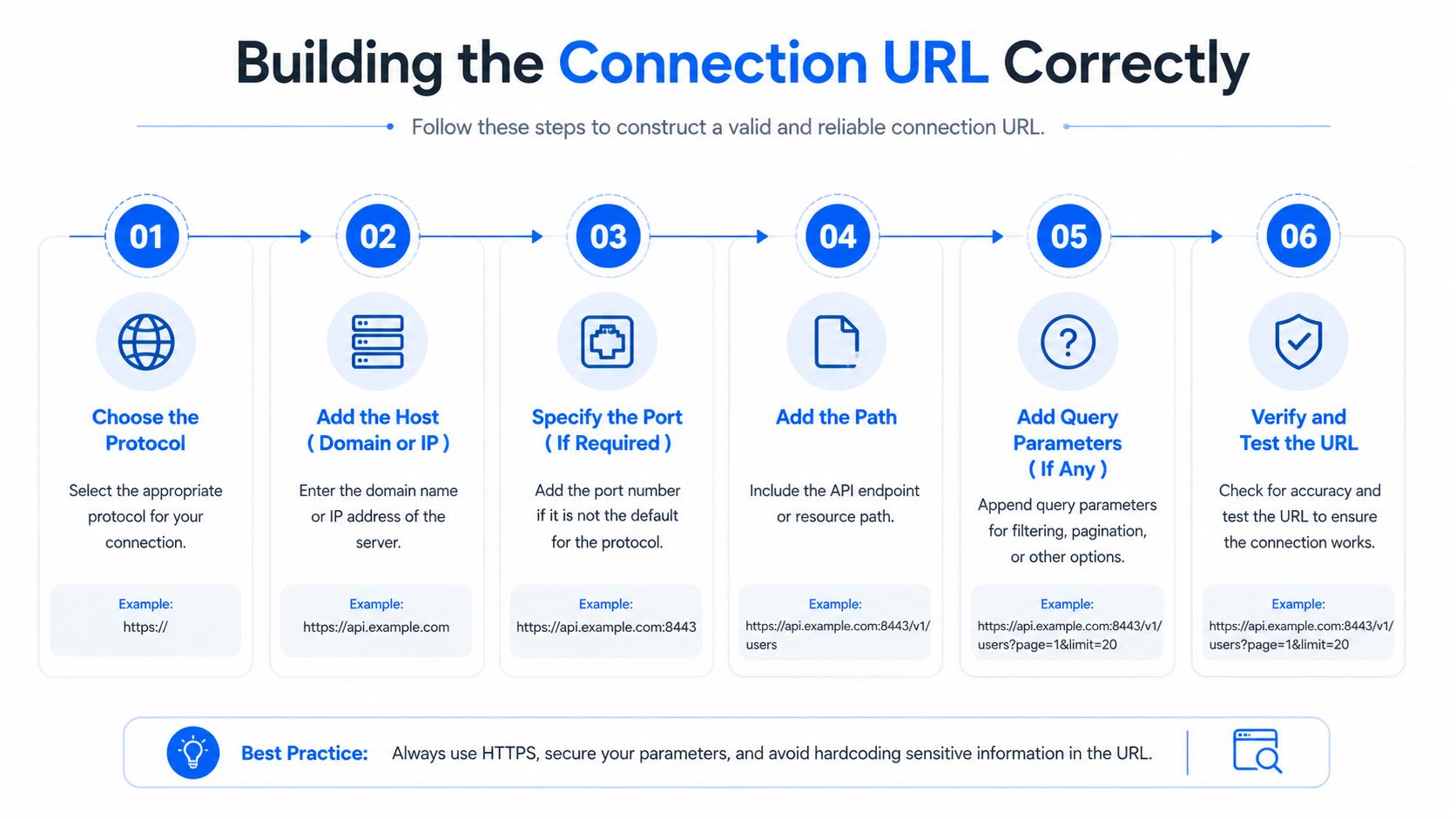
A SQL Server JDBC connection URL stays manageable only if you build it in the right order. Start with the host, instance, and port, then add the database and the properties that affect behavior. The standard shape is jdbc:sqlserver://[serverName[\instanceName][:portNumber]][;property=value[;property=value]], and Microsoft allows those properties in the URL, in a Properties object passed to DriverManager.getConnection, or through SQLServerDataSource setters connection URL documentation. The syntax is strict, semicolon-delimited, and duplicate properties are rejected.
For ingestion pipelines, the connection string is one part of a larger operational path. digna's data ingestion pipeline guide is a useful reminder that connector settings have to survive handoff between environments, jobs, and deployment tooling.
Build from the network target outward
Start with the endpoint, then the instance or port, then the database, then the properties. That sequence keeps a simple host or port mistake from getting buried inside a long string of options.
For property behavior, the practical details matter:
applicationNamedefaults toMicrosoft JDBC Driver for SQL Serverand is limited to 128 characters, so set it explicitly when you want server-side traces to be useful connection properties.databaseNamealso has a 128-character limit and otherwise falls back to the server's default database connection properties.connectRetryCountdefaults to 1 and can range from 0 to 255 connection properties.connectRetryIntervaldefaults to 10 seconds and can range from 1 to 60 seconds connection properties.
Put durable settings in code or infrastructure-as-code, not in one-off string edits that drift between environments.
Prefer DataSource properties for repeatable deployments
Use DataSource properties for pooled deployments. Setter-based configuration is auditable and resists value override. It is also easier to diff when the same application definition is reused across multiple runtime paths, which is common in frameworks like HikariCP.
Selecting Authentication Modes for Enterprise Environments
Enterprise SQL Server connectivity rarely relies on one authentication model. Teams use SQL authentication for simplicity, Windows-integrated authentication for domain trust, Entra ID flows for cloud alignment, and managed identity where the platform supports it. The right choice depends less on preference and more on rotation policy, federation boundaries, and how much friction your security team will tolerate.
Match the mode to the network and identity model
SQL authentication is straightforward, but it shifts credential handling back onto the application. That's fine for isolated workloads and short-lived proofs of concept, but it's rarely the cleanest fit for enterprise governance. Integrated authentication tends to fit Windows-domain environments better, while Entra ID is the natural choice when the org already uses Microsoft identity controls and token-based access patterns.
Kerberos can be strong in managed enterprise networks, but it depends on correct SPN and ticket behavior. If SPNs are wrong, teams often see NTLM fallback or intermittent connection trouble that only appears when the pool refreshes sessions. Token-based approaches solve a different class of problem, but they introduce refresh and library dependencies that have to be planned into long-running jobs.
Authentication Mode | Required Properties | Best For | Common Pitfalls | Credential Rotation |
|---|---|---|---|---|
SQL authentication | username, password | Simple application accounts, legacy systems | Password sprawl, manual rotation burden | Manual, app-managed |
Windows integrated authentication | integrated auth settings, Kerberos-related configuration | Domain-joined enterprise environments | SPN issues, ticket expiry, fallback surprises | Managed by identity infrastructure |
Entra ID integrated |
| Microsoft-centric identity estates | Library dependency shifts, token handling gaps | Centralized identity rotation |
Managed identity | cloud identity wiring | Azure-hosted workloads with platform identity | Scope and environment mismatch | Platform-managed |
Treat token refresh as part of the design
Long-running ingestion jobs fail in ugly ways when auth tokens expire mid-pool. That's not a connector bug as much as a lifecycle mismatch between the identity method and the job duration. The safest design is the one where the credential lifecycle is visible to the operator, not hidden inside a connection pool that reuses stale sessions.
A good decision question is simple. Can your operations team explain how credentials rotate, how sessions renew, and what happens when one token expires while another thread is borrowing a connection? If not, the mode isn't ready for production.
Configuring TLS Encryption and Certificate Validation
TLS misconfiguration is the most common source of silent JDBC failures in production. Microsoft documents the connection security settings around encrypt, trustServerCertificate, trustStore, trustStorePassword, and hostNameInCertificate, and it explicitly recommends hostNameInCertificate for certificate validation TLS support. Microsoft also states that when encrypt=true and trustServerCertificate=true, the driver does not validate the SQL Server TLS certificate, while encrypt=true and trustServerCertificate=false does validate it SSL encryption behavior.
Don't confuse encryption with validation
Encryption and validation address different risks. An encrypted connection that trusts any certificate protects the channel but not server identity. That is fine in a lab, but it is a poor production posture for a database path.
Microsoft documents a behavioral shift in driver 10.1+, where encrypt defaults to true. Teams that upgrade without rechecking their truststore and hostname settings get surprised when a previously permissive connection starts failing. If the server is not configured for encryption, Microsoft says encrypt=true with trustServerCertificate=false will fail, so certificate and hostname management becomes part of production readiness TLS support.
The production patterns are straightforward:
Development with self-signed certificates, use encryption only if you accept validation failure during testing.
Production with internal CA certificates, set
encrypt=true,trustServerCertificate=false, and configure the truststore correctly.Azure SQL, use encrypted connections and validate the certificate path the platform expects.
Hostnames matter more than teams expect
hostNameInCertificate fixes the cases where the server certificate name does not line up with the client connection target. Microsoft recommends the property for exactly that mismatch, and it turns an opaque TLS error into a clear configuration change TLS support.
FIPS-enabled JVMs add another layer of risk. Provider ordering can break the handshake if the JVM resolves TLS primitives in an unexpected sequence. Hardening changes like that need production-like testing, with the same security posture you will run in production.

Tuning Connection Pooling and Retry Behavior
Default pool settings are usually too polite for data engineering workloads. They assume short requests, modest concurrency, and a database that's always ready to answer immediately. That doesn't match ETL bursts, failover events, or analytical queries that hold sessions longer than a web request cycle.
Separate connection failure from query failure
loginTimeout and socketTimeout solve different problems, so they shouldn't be treated as one knob. A connection can fail to open quickly, or it can open and then hang during network or query activity. If both timeouts are left vague, the pool keeps waiting while threads pile up behind dead connections.
Microsoft's built-in retry settings are specific enough to use deliberately. connectRetryCount defaults to 1, and connectRetryInterval defaults to 10 seconds connection properties. Those defaults are fine as a starting point, but they're not a substitute for pool-level validation and failure policy.
Property | OLTP Queries | Bulk Ingestion | Analytical Queries | Default Value |
|---|---|---|---|---|
loginTimeout | Short | Moderate | Moderate | Not specified in the verified data |
socketTimeout | Short | Longer | Longer | Not specified in the verified data |
queryTimeout | Short | Moderate | Longer | Not specified in the verified data |
connectRetryCount | Low to moderate | Moderate | Moderate | 1 |
connectRetryInterval | Short | Moderate | Moderate | 10 seconds |
Tune for the workload, not for the template
OLTP workloads need fast failure and quick borrower turnover. Bulk ingestion needs patience during network and server pressure. Analytical queries sit somewhere in between, they need enough runway to finish without exhausting the pool, but not so much that one bad request pins resources indefinitely.
For reliability work, digna's database reliability engineering guide is a relevant companion reference because connector behavior and database resilience are inseparable in production. A pool that retries too aggressively can make an outage noisier, while a pool that fails too fast can amplify transient blips into user-visible incidents.
Practical rule: size the pool for actual concurrency, not for the maximum number of threads the app server can spawn.
Validation strategy matters too. testOnBorrow catches bad sessions earlier, while testWhileIdle spreads the validation cost over time. Choose the approach that matches your failover tolerance and your tolerance for borrowing a stale connection during a brief SQL Server outage.
Supporting Modern SQL Server Data Types and Features
Modern SQL Server features outpace most JDBC documentation. The connector is not just a transport layer anymore, it determines whether your application can preserve newer server semantics, security behavior, and metadata shape without surprises.
Microsoft's 13.4 release adds Java 21 compatibility and support improvements for newer SQL Server capabilities such as VECTOR and JSON metadata handling, along with security fixes for multiple CVEs and no breaking API changes 13.4 GA notes. That matters in production because a driver can look stable while still missing the pieces needed to interpret new server behavior correctly.
Verify feature support before you upgrade the server
Teams often upgrade SQL Server first and discover the driver cannot express the new behavior cleanly. The result is usually truncated values, conversion errors, or metadata calls that do not match the shape of newer types. Microsoft's 13.2 and 13.4 notes show steady expansion in native support for JSON and VECTOR data types, plus improvements around bulk copy and metadata handling 13.2 release, 13.4 GA notes.
Treat driver version as part of the feature gate. If the application depends on column encryption, token-based identity, or read-scale routing, verify those settings against the exact connector build before you roll out the server change. Java runtime alignment matters too, since 13.4 is the release that calls out Java 21 compatibility. For workloads where query shape and metadata access interact closely, digna's T-SQL query optimization guide is a useful companion.
SQL Server Feature | Minimum JDBC Driver Version | Required Connection Property | Failure Symptom if Unsupported |
|---|---|---|---|
JSON data type support | 13.2 | Feature-aware configuration | Conversion or metadata mismatches |
VECTOR data type support | 13.2 | Feature-aware configuration | Missing or incorrect native handling |
Java 21 compatibility | 13.4 | Java runtime alignment | Runtime incompatibility |
TLS certificate SAN IP validation | 13.4 | TLS configuration | Validation failure when connecting by IP over TLS |
Entra integrated authentication modernization | 13.4 |
| Identity flow depends on newer authentication components |
Assume semantics can change even when APIs do not
A driver can still load and your code can still compile while behavior shifts under the surface. That shows up most often when a workload mixes metadata calls, security enforcement, and evolving data types.
A driver audit before a server rollout costs less than an incident after the rollout. That is where the time belongs.
Example Configurations for Data Ingestion and In-Database Execution
Batch ingestion and analytical execution require opposite timeout and retry strategies. Using one profile for the other produces silent performance degradation. Ingestion jobs need room for transient pressure and a driver setup that keeps batch movement moving. Analytic execution needs faster failure on blocked sessions, tighter validation, and clear job identity so server traces stay readable.
Data ingestion profile
A bulk-oriented job needs a socket window long enough to survive temporary pressure, plus settings that let the driver move batches efficiently. Treat driver version as part of the ingestion design, not background noise, because bulk-copy behavior changes with the connector build and can alter how stable an ETL run feels.
A practical ingestion setup often looks like this, with non-default values chosen to keep ETL stable:
URL:
jdbc:sqlserver://warehouse-host;databaseName=staging;encrypt=true;trustServerCertificate=false;applicationName=ETL LoaderProperties:
connectRetryCount=2,connectRetryInterval=10,socketTimeoutset for longer batch windows, and bulk-copy options enabled where the workload benefitsRationale: keep the pool from failing on brief turbulence while still validating the server certificate properly
For teams building an end-to-end movement layer, a reference on building ETL data pipelines is a useful companion to the connector profile itself. It helps keep the pipeline design, retry behavior, and handoff points aligned instead of treating the JDBC settings in isolation.
In-database execution profile
Analytical execution needs the opposite bias. The driver should fail fast on dead or blocked sessions, and the application should identify itself clearly so server-side tracing can tie activity back to the job. For a reporting or transformation workload, that usually means tightening timeouts, keeping encryption strict, and avoiding parameter-handling choices that distort query plans.
digna is one option for in-database data quality and observability work when teams want checks to run inside their own environment instead of moving data out for inspection. That matters in SQL Server estates where the connector path, the transformations, and the monitoring layer need to stay close to the data source.
Connection Property | Data Ingestion Value | In-Database Execution Value | Rationale |
|---|---|---|---|
applicationName | ETL Loader | Analytics Runner | Makes server logs readable |
connectRetryCount | Moderate | Low | Ingestion tolerates transient retries better |
socketTimeout | Longer | Shorter | Ingestion needs more runway |
trustServerCertificate | false | false | Production validation stays intact |
encrypt | true | true | Keep the transport protected |
sendStringParametersAsUnicode | Workload-specific | Workload-specific | Avoid implicit conversion surprises |
The two settings that get copied badly are sendStringParametersAsUnicode and selectMethod. If you lift one workload profile into another without revisiting those, you can damage plan quality or slow batch behavior in ways that are hard to trace back to the connector.
Common Production Mistakes and How to Fix Them
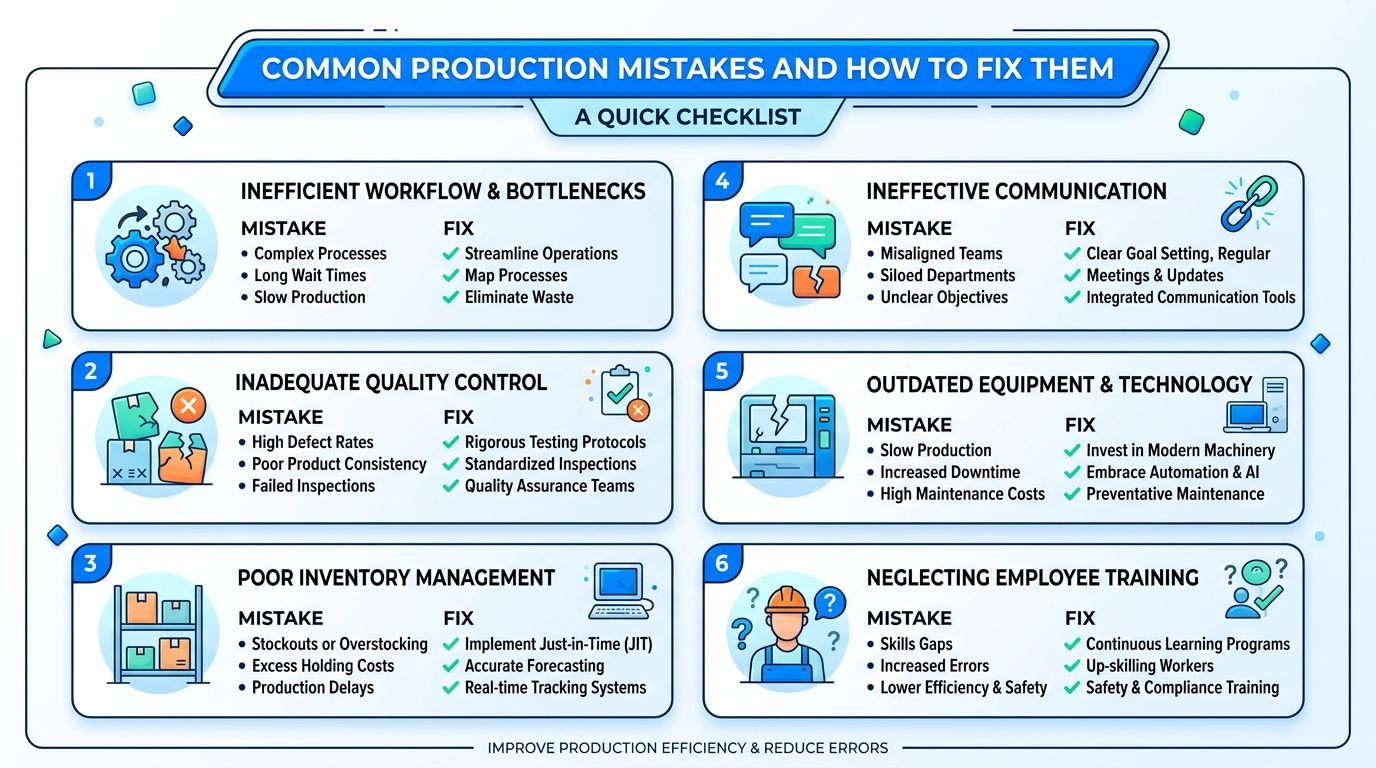
The same mistakes show up again and again in SQL Server JDBC incidents. They're boring, which is exactly why they survive code review. Most of them come from assuming that if the connection opens, the configuration must be fine.
The usual incident triggers
Leaving encrypt=false in an environment that expects modern TLS is a direct path to failure once server policy tightens. Failing to set loginTimeout and socketTimeout independently lets one stuck session consume a pool slot for far too long. Using jTDS for newer SQL Server behavior creates a long tail of feature mismatches. Not pinning the driver version lets a dependency refresh alter behavior without a deliberate rollout.
Microsoft's defaults for some properties also make debugging harder if you never override them. applicationName defaults to Microsoft JDBC Driver for SQL Server, and that's not specific enough when you're tracing one pipeline among many connection properties. A clear name makes the difference between guessing and knowing.
The Unicode parameter trap is worth calling out separately. When sendStringParametersAsUnicode=true forces implicit conversion against varchar columns, index seek performance can suffer because the server has to reconcile parameter and column types. That's not a connector crash, but it absolutely is a production problem.
Fixes that actually stick
Use a deployment checklist, not tribal memory. Confirm the driver version, the Java runtime, the TLS policy, the authentication mode, and the pool settings before rollout. Then verify the exact error path you expect when the server is unavailable, the certificate is invalid, or the query runs longer than the pool should allow.
For operational control, digna's database monitoring and auditing techniques guide fits well with JDBC incident review because the connector rarely fails in isolation. It fails as part of a broader pipeline, and you need logs, timing, and validation evidence to tell which layer broke first.
Quick Reference for Essential Connection Properties
This is the cheat sheet to keep nearby during code review and incident response. The right defaults depend on your environment, but the point is to know which knobs matter most and which ones changed behavior across driver generations.
Property | Default | Recommended Range | When to Override |
|---|---|---|---|
encrypt | true in driver 10.1+ | Always on for production | Override only in controlled non-production tests |
trustServerCertificate | false when validation is enforced, but behavior depends on pairings | Keep false in production | Use only when you intentionally accept no certificate validation |
hostNameInCertificate | Not specified | Set explicitly when certificate names need alignment | Override whenever hostname validation would otherwise fail |
applicationName | Microsoft JDBC Driver for SQL Server | Set a descriptive app-specific name | Override for every production workload |
databaseName | Server default database | Set explicitly per workload | Override whenever the target database matters |
connectRetryCount | 1 | Small positive integer based on tolerance | Override for transient-network-sensitive workloads |
connectRetryInterval | 10 seconds | Keep in a modest range | Override when retry backoff must match SLOs |
loginTimeout | Not specified in the verified data | Set explicitly | Override whenever pool acquisition can't hang indefinitely |
socketTimeout | Not specified in the verified data | Set explicitly | Override for all production workloads |
responseBuffering | Not specified in the verified data | Tune per workload | Override when memory and fetch behavior need control |
selectMethod | Not specified in the verified data | Set only when you know why | Override when legacy fetch behavior is required |
packetSize | Not specified in the verified data | Tune cautiously | Override for bulk or latency-sensitive paths |
The main takeaway is simple. Treat the SQL Server JDBC connector as a governed runtime dependency, not a boilerplate string. If you need help hardening driver versions, TLS posture, and connector behavior inside a real data platform, visit digna and evaluate how an in-environment observability layer can fit alongside your SQL Server workloads.
See how digna does this in practice: data quality for SQL Server.
Frequently asked questions
What kind of driver is the Microsoft SQL Server JDBC connector?
A Type 4 JDBC driver, so it talks directly to SQL Server's TDS protocol in pure Java without native libraries. Microsoft states it supports Azure SQL Database, SQL database in Fabric, Azure SQL Managed Instance and all supported SQL Server versions and editions, including Express.
Which driver version and Java runtime should you use?
The latest GA driver is 13.4, released on 13 March 2026, supporting Java 8, 11, 17, 21 and 25. The lifecycle requires the latest minor version to be installed within 12 months of release to keep full support, so pin the artifact deliberately.
Why do jre8 and jre11 JARs matter?
Because Microsoft ships separate JAR variants and they need to match the JVM line in use. That matters most in enterprise estates where the application stack and the runtime platform do not move together, which is exactly where a mismatched artifact survives unnoticed.
Why does a connection that worked for months suddenly break?
Because JDBC misconfiguration usually sits below the level where engineers notice it. A routine patch, JVM upgrade or dependency refresh changes one layer, and a working connection is not the same as a safe one.
When is a JDBC connector actually tested?
Only when it has been tested against the exact JVM, driver build and SQL Server patch level used in production. Anything else validates a different system than the one that will fail, which is why "it connects" is a weak acceptance criterion.


