Snowflake Historical Data: Time Travel, Fail-Safe
|
9
minute de lecture

At 3 AM, an automated job truncates a customer table instead of loading its next partition. By the time the team arrives, dashboards are blank, downstream models are failing, and nobody can agree whether the damage started with the load, the transformation, or a cleanup script. Snowflake historical data can turn that incident into a controlled recovery, but only when the team knows which history still exists, which objects are protected, and whether the available copy is queryable or recovery-only.
The most dangerous assumption is that every Snowflake table automatically has the advertised 90-day Time Travel window. Permanent objects can be configured for that duration in the right edition, but temporary and transient objects have much narrower limits. Historical data is therefore more than a SQL feature. It's a design decision involving recovery, observability, audit evidence, storage, and object lifecycle.
Table of Contents
When Historical Data Saves Your Production Environment
At 2 AM, a failed load replaces valid customer records with nulls. The on-call engineer stops the writer, checks whether the table still has usable history, and captures the incident before another retry changes the evidence. A historical query can show the last known-good state, while a clone gives the team a separate recovery surface. Production stays available while the failure is investigated.
That outcome depends on preparation. Snowflake Time Travel preserves earlier table states and supports historical SELECT, cloning, and UNDROP operations within the configured retention window. The standard period is 1 day, while permanent databases, schemas, and tables can be configured from 0 up to 90 days, according to Snowflake's Time Travel documentation. The advertised 90-day period applies only where the object type, edition, and settings allow it.

The incident pattern teams underestimate
A permanent production table may retain the needed state while the transient staging table that supplied it has already lost its usable history. That gap limits the investigation. The team might recover what the target looked like without being able to prove which upstream change introduced the bad values.
Capture the incident timeline with a runnable query before restoring anything:
The account usage view has latency, so pair it with orchestration logs and task history when the incident is still active. Record affected objects, observed symptoms, and the query IDs that changed production.
Operational rule: Treat retention as an object-level control, not as a platform-wide promise.
Use a conservative recovery sequence:
Stop the writer: Pause the failing task, pipeline, or deployment.
Inspect before restoring: Compare historical and current rows, keys, null behavior, and business totals.
Recover into isolation: Create a clone or separate table while the failure mechanism remains uncertain.
Validate the replacement: Test dependencies and permissions before promotion.
Teams building a broader reliability practice can connect this workflow with database reliability engineering. Historical data then supports observability and audit review, not just emergency recovery. Retention should be reviewed with ownership, lineage, monitoring, and recovery objectives.
Snowflake's growth has also produced more mixed object lifecycles. As deployments expand, teams inherit permanent, transient, and temporary datasets with different recovery behavior. The practical question is not whether Snowflake offers 90 days. It is which objects retain evidence long enough to recover and explain a production failure.
Querying Past States with Time Travel
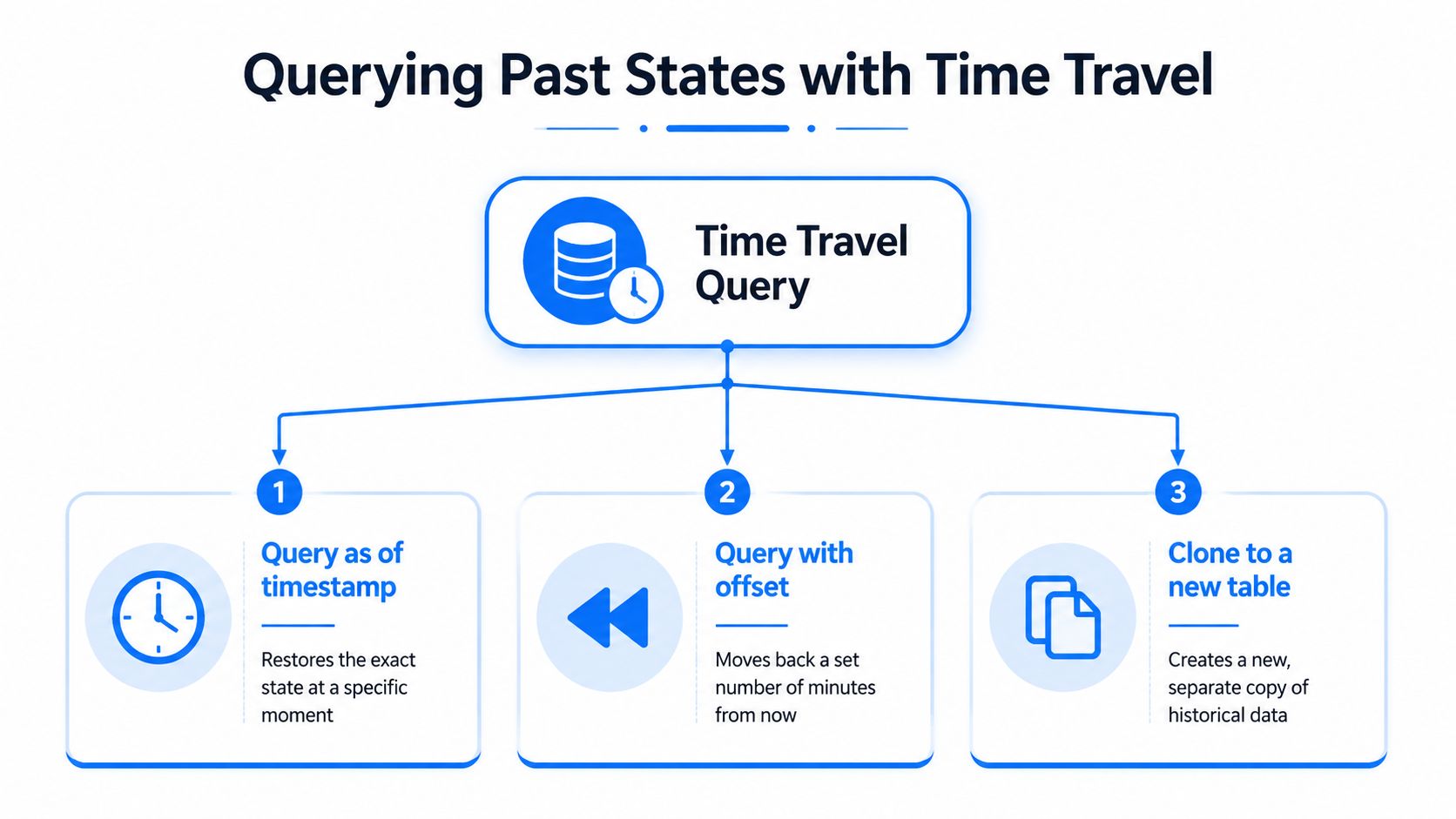
Time Travel works best when the engineer separates three jobs: inspect a prior state, identify the exact change boundary, and create an isolated copy. The syntax supports each approach, but the choice affects how precisely you can reproduce the incident.
Use timestamps for a known incident window
If monitoring shows that a destructive load began at a known time, query the table as it existed before that event:
AT is useful when the incident timeline comes from orchestration logs, deployment records, or query history. It asks Snowflake for the object state at a specific point, which makes it appropriate for comparing a known-good version with the current table.
You can also clone that historical state:
The clone gives the team a working investigation surface without overwriting the source. Before relying on the result, verify that the requested timestamp falls within the object's current retention window.
Use offsets for relative investigation
When the incident occurred recently but the exact timestamp is less important, OFFSET moves backward by a number of seconds:
This is convenient during an active incident because it expresses a relative point in time. It's less suitable for a formal audit record unless you also capture the execution time and the resolved timestamp, since “one hour ago” can become ambiguous after the fact.
Use transaction boundaries when the change is identifiable
If query history or deployment tooling gives you a transaction identifier, BEFORE lets you inspect the table state before that transaction:
The exact identifier must be available in your operational records. Don't guess it. A timestamp query is usually safer when the team has only an approximate incident time.
Retention validation belongs before recovery SQL, not after a failed query:
Inspect the returned retention_time, then confirm the table's edition and object type. Snowflake documents a standard 1-day retention period and configurable retention from 0 to 90 days for permanent databases, schemas, and tables in the relevant editions, as described in its data availability guidance.
Time Travel also isn't a conventional backup archive. It preserves queryable historical states for a defined period, but it doesn't automatically satisfy long-term retention, immutable-copy, or independent-account recovery requirements. Use it for fast operational investigation and point-in-time recovery, then assess whether another protection layer is needed.
Understanding Retention Limits and Object Types
The 90-day figure applies to a capability, not every object in an account. Permanent objects can have a configurable Time Travel period from 0 to 90 days, while temporary and transient objects are limited to 0 or 1 day, according to Snowflake's storage cost and retention documentation. That staging table your pipeline recreated during a deployment may not have the same protection as the production table it feeds.
Snowflake historical data retention by object type
Object Type | Time Travel (Standard) | Time Travel (Enterprise+) | Fail-safe |
|---|---|---|---|
Permanent database, schema, or table | 1 day by default | 0 to 90 days | 7 days after Time Travel for permanent objects |
Transient table | 0 or 1 day | 0 or 1 day | Not available |
Temporary table | 0 or 1 day | 0 or 1 day | Not available |
The table reflects the documented retention model. Fail-safe is not a user-queryable extension of Time Travel. After historical data expires, permanent objects may enter a 7-day Fail-safe period, but that data is intended for recovery support rather than normal SELECT analysis. Treating Fail-safe as an audit query layer creates false confidence during an incident.
Audit the settings before a failure
Start with the object itself:
Review retention_time, object kind, and the edition that governs the account. Then classify tables by role. Permanent business tables usually deserve a different policy from disposable landing tables, but that distinction must be explicit and documented.
Storage is the trade-off. Longer retention means Snowflake maintains more historical data, so teams should estimate the impact for high-churn tables instead of enabling maximum retention everywhere. Snowflake's documented historical-data maintenance windows span 7 to 97 days for permanent objects in Enterprise Edition, compared with 0 to 1 day for transient objects, which makes object classification central to cost planning and recovery design.
Practical rule: A retention policy should answer three questions: what must be recoverable, what must be auditable, and what can be recreated from an authoritative source.
Regulatory requirements add another constraint. A business may need to retain evidence for a period that doesn't align with Time Travel, or it may need a documented deletion schedule rather than indefinite preservation. For that policy work, GDPR retention schedule advice offers useful context on aligning retention with purpose, legal requirements, and controlled disposal.
Teams designing long-lived datasets should also separate archiving from incident recovery. The guidance on mastering data archiving is relevant because an archive should be intentional, governed, and discoverable. Time Travel protects a changing object for a limited window. It doesn't replace an archive catalogue or a retention owner.
Recovering Dropped Objects with Cloning and UNDROP
A dropped table creates a different recovery problem from a bad update. The object itself may disappear from the active namespace, so the engineer must decide whether to restore the original object or create an independent copy for investigation.
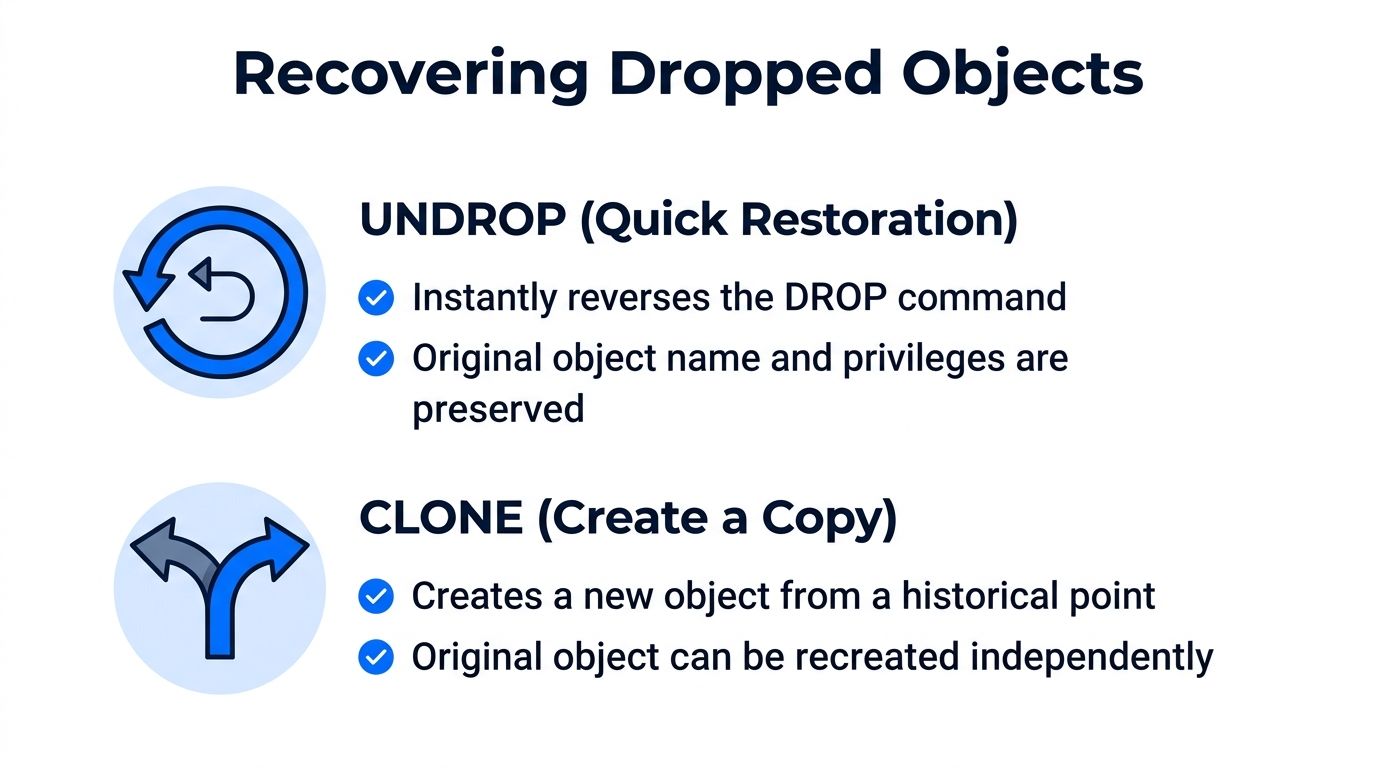
UNDROP is the direct route when the object was dropped within its available recovery period:
For a dropped schema or database, use the corresponding object-level command:
The command is attractive during an outage because it reverses the drop rather than requiring a data movement workflow. Still, restoration shouldn't be treated as proof that the object is correct. Check object existence, grants, dependencies, and the application's expected schema before reconnecting consumers.
Clone first when the failure is unclear
A clone is safer when the team needs to inspect a historical version without changing the production recovery path:
This approach preserves the source while engineers compare records, test transformations, and identify the statement that caused the damage. It also supports a controlled promotion process: validate the clone, document the evidence, then decide whether to replace or repair the production object.
Object names can complicate UNDROP. If a new object has already taken the original name, the recovery operation may require renaming or removing the conflicting object first. Don't improvise that step in production. Record the current object metadata, preserve the conflicting object if it might contain evidence, and use a designated recovery schema where possible.
Validate before promotion
A recovery checklist should include:
Confirm the failure boundary: Establish whether the drop, update, or replacement affected one table, a schema, or a database.
Check retention eligibility: Verify that the object's historical state is still available and queryable.
Create an isolated copy: Prefer a clone when investigation or comparison is still needed.
Compare critical values: Check keys, row-level exceptions, aggregates, and downstream expectations.
Review permissions: Confirm that ownership and grants match the intended access model.
Promote deliberately: Change consumers only after the recovered object passes validation.
Snowflake's micro-partition architecture means a clone isn't a manually assembled backup. Historical states remain tied to the platform's retention and storage behavior, so the recovery plan still needs an independent strategy for data that must survive beyond that lifecycle.
Teams formalizing these procedures can use data warehouse best practices as a broader operating reference. The practical objective is repeatability. At 2 AM, an engineer should follow a known decision path rather than search through undocumented assumptions about object names and retention.
Using Historical Data for Observability and Audits
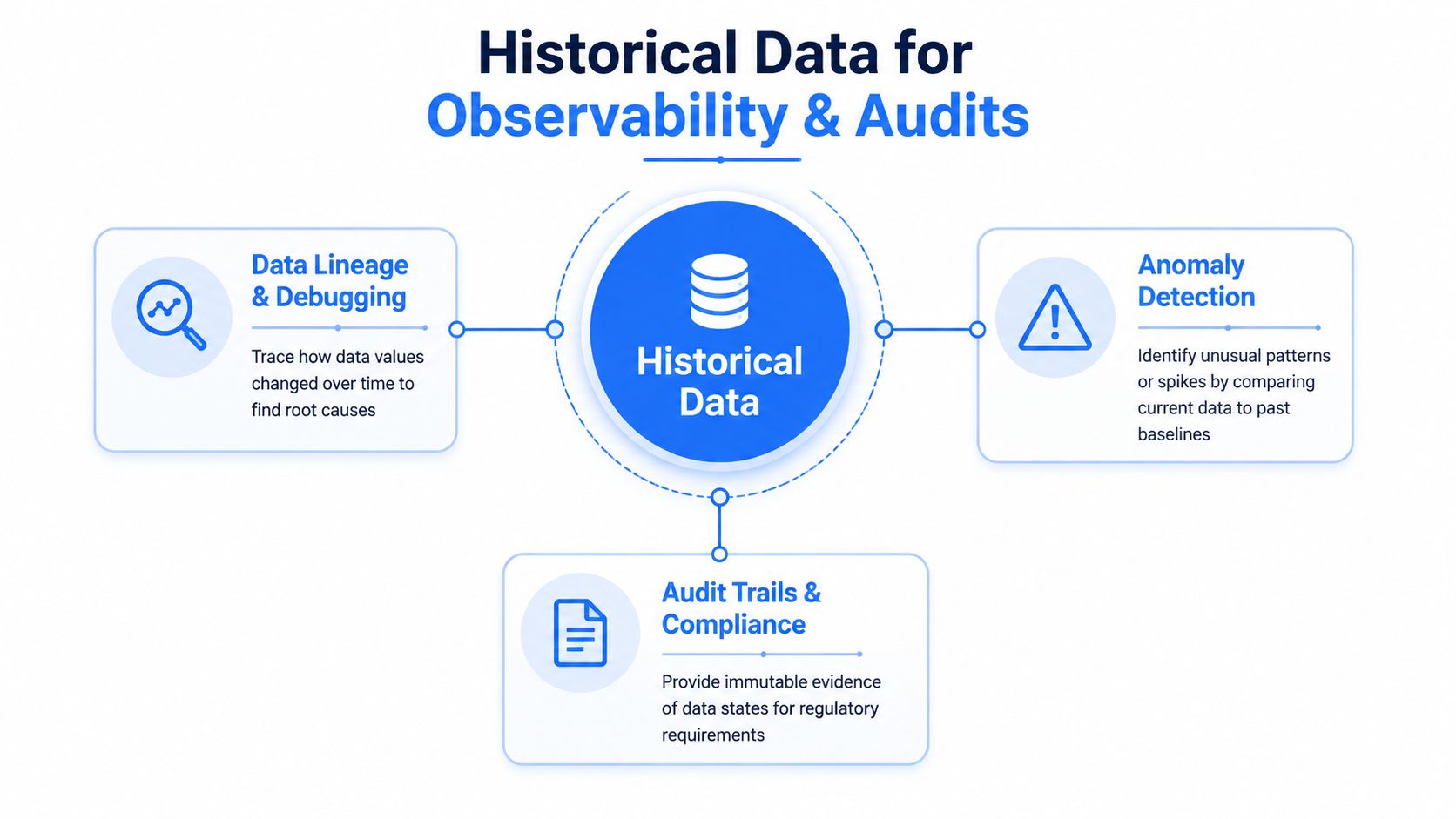
A historical table state answers, “What did this object contain then?” Observability asks a broader question, “How did the data behave over time, and when did that behavior become abnormal?” Those questions work together, but they aren't interchangeable.
A useful investigation starts with an observed symptom. A metric drops, a load arrives late, a column changes type, or a business total moves outside its normal pattern. Time Travel can inspect the underlying table at a relevant point, while an observability record can show whether the change was isolated, recurring, or part of a wider pipeline problem.
Combine point-in-time evidence with continuous signals
The workflow is straightforward:
Detect: A monitor flags abnormal volume, timeliness, schema, or business behavior.
Locate: Engineers identify the affected table, task, statement, and approximate change window.
Compare: A Time Travel query contrasts the current state with a historical state.
Explain: Lineage and pipeline logs connect the data change to an upstream action.
Preserve: The team stores the incident context and validation results in an audit-friendly record.
Snowflake exposes clustering information through CLUSTERING_INFORMATION, including average_overlaps, average_depth, and partition_depth_histogram. Those metrics can help engineers determine whether poor pruning contributes to slow historical analysis, but reclustering has a cost. A sound workflow compares partitions scanned with total partitions, baselines representative query runtime, and reviews credit consumption in AUTOMATIC_CLUSTERING_HISTORY before keeping a clustering key.
The query-history surface also has its own retention boundaries. The Account Usage QUERY_HISTORY view retains records for 1 year, or 365 days, while corresponding Information Schema views and table functions have shorter retention periods ranging from 7 days to 6 months, as summarized in this Snowflake Time Travel and query-history overview. That difference matters during audits. A table may retain historical rows while the operational evidence explaining the change has already aged out.
A platform such as data observability can complement Time Travel by preserving metric history, learning expected behavior, tracking timeliness, validating records, and detecting schema changes. The architecture should keep evidence in the customer environment and distinguish raw historical states from derived monitoring signals. That separation gives auditors both the underlying data context and the operational story around it.
When to Use Time Travel Versus External Backups
Time Travel is the right tool for fast, local recovery from recent mistakes. It's usually a poor substitute for a long-term backup policy, especially when the business needs history beyond the configured window, independent recovery, or evidence that users can't alter through normal warehouse operations.
Decision factor | Time Travel | External backup |
|---|---|---|
Primary purpose | Operational recovery and analysis | Disaster recovery and long-term retention |
Recovery target | A table, schema, or database state | A separately maintained copy or broader environment |
Historical precision | Point-in-time state within retention | Depends on snapshot or export schedule |
Operational speed | Fast for eligible objects | May require restore, transfer, and validation work |
Main limitation | Retention, object type, and platform dependency | Storage, orchestration, testing, and management overhead |
Use Time Travel when the incident is recent, the affected object is eligible, and the recovery scope is narrow. A clone is often enough for investigation, while UNDROP suits a clear accidental deletion that needs rapid restoration.
Choose another protection layer when the requirement extends beyond Snowflake's retention model. That includes long-term regulatory retention, immutable evidence, cross-environment recovery, or protection against account-level operational mistakes. Permanent objects may receive 7 days of Fail-safe after Time Travel expires, but transient and temporary objects don't receive that protection, and Fail-safe isn't queryable by users. The recovery plan must account for those boundaries rather than treating them as equivalent to an external copy.
Make the decision against business requirements
Ask the owner of each critical dataset:
How far back must recovery reach?
Does the copy need to be independently controlled?
Can the business tolerate reconstruction from source systems?
Must auditors inspect historical records directly?
What recovery speed is required for customer-facing workflows?
Native replication, managed exports, and third-party backup tools can each fill different gaps. The correct design might combine short-window Time Travel for immediate repair with a separately governed archive for longer retention. The cost isn't only storage. It includes operational testing, access controls, cataloguing, and the time required to prove that a recovery copy works.
Teams refining the wider continuity plan can consult this practical guide to DR for modern teams. For the Snowflake side of the design, data availability best practices help frame availability as an operating discipline rather than a single recovery command.
digna helps data teams monitor Snowflake data behavior through anomaly detection, timeliness monitoring, record validation, schema tracking, and historical analysis while keeping execution inside the customer's environment. Visit digna to connect retention and recovery planning with continuous observability before the next production incident.