Your 2026 Cloud Migration Checklist for Data Platforms
|
7
min read

You're staring at a migration plan that looks clean on paper, but your real risk isn't the cloud landing zone, it's the data platform nobody wants to slow down long enough to inspect. Dashboards still need to run, analysts still expect trustable numbers, and the business still wants the move to feel invisible. That's why a serious cloud migration checklist has to start with data health, dependency control, and proof, not just servers, networks, and cutover windows. A cloud move that ignores observability usually arrives with late pipelines, inconsistent records, and expensive cleanup work that could've been prevented with better baselines and tighter validation. A practical checklist gives you the structure to move workloads in waves, test what matters, and prove that the cloud version is better than the one you left behind.
Table of Contents
1. Phase 1 Define Your Pre-Migration Strategy and Business Case
2. Phase 2 Map Your Risk Security and Compliance Requirements
2. Phase 2 Map Your Risk Security and Compliance Requirements
3. Phase 3 Establish a Pre-Migration Data Quality and Observability Baseline
4. Phase 4 Design Future-Proof Pipelines and In-Database Execution
5. Phase 5 Conduct Rigorous Parallel Runs for Testing and Validation
6. Phase 6 Finalize the Cutover Plan and Prepare for Rollback
7. Phase 7 Activate Post-Migration Monitoring and Optimization
From Checklist to Confidence Owning Your Cloud Data Platform
1. Phase 1 Define Your Pre-Migration Strategy and Business Case
A cloud migration goes off the rails fast when teams start with tools instead of outcomes. Start with a complete workload inventory, dependency mapping, and a migration strategy for each workload, such as rehost, replatform, or rebuild. Microsoft's Azure guidance is direct about mapping databases and inbound and outbound dependencies before sequencing the work, because those links determine what can move safely and what can't. The DCPulse guide to cloud compliance is also useful here because strategy and compliance decisions are tied together before a single platform change is made.
A good business case is more than a cost story. It should name which data products, pipelines, and user groups are in scope, and it should say what success looks like in terms the business will recognize. If a finance team needs faster month-end reporting, that belongs in the business case. If a healthcare analytics group needs cleaner handoffs across governed datasets, that belongs there too. Without that clarity, people argue about architecture while production keeps drifting.
Practical rule: if a workload has unclear ownership, unresolved dependencies, or no agreed success metric, it's not ready to migrate.
Use a simple decision frame for each workload, then lock it down before engineering starts. I look for three things first, business value, data sensitivity, and the cost of failure. A low-risk reporting mart can move on a different path than a regulated data platform with shared downstream consumers, and pretending they are the same is how migration plans get overconfident. If the workload carries sensitive records, tie the business case to governance and control requirements up front, because those constraints affect architecture, sequencing, and review.
2. Phase 2 Map Your Risk Security and Compliance Requirements
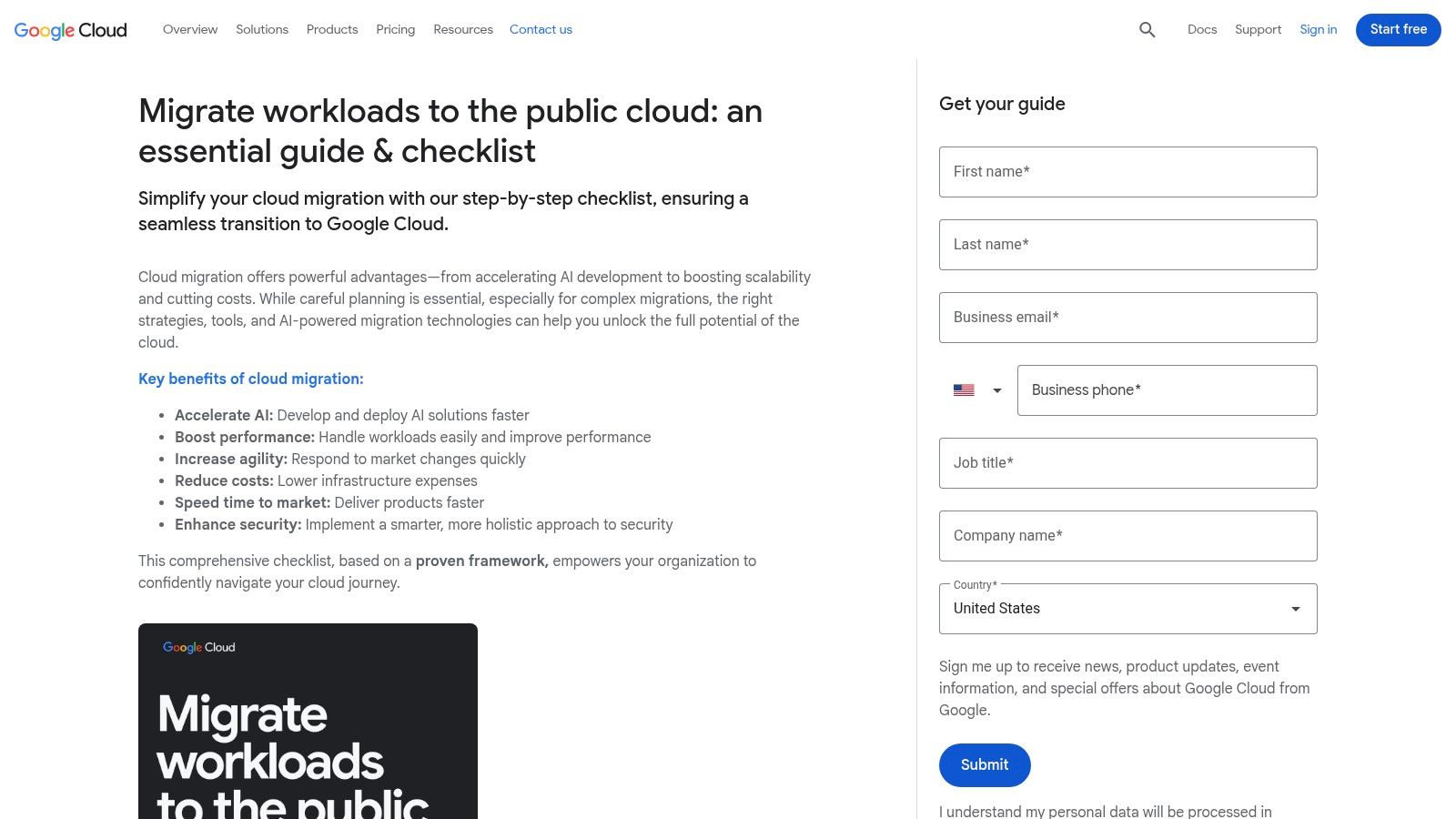
A migration plan is incomplete until the security and compliance constraints are mapped to the actual data flows. Google's checklist says to capture security and compliance requirements early, and Microsoft's Azure guidance says to identify all databases and map the inbound and outbound connections that affect sequencing. That matters because a control that looks acceptable in a slide deck can fail once you find a dependency on a legacy service account, a shared network path, or a data residency rule that was never written down. For a closer look at how these controls get translated into operating rules, see the DCPulse guide to cloud compliance. Google's migration workloads checklist makes that dependency work explicit, which is why it is still a solid planning anchor.
The practical job is to turn governance into target-state controls that engineers can implement. That means defining encryption in transit and at rest, identity boundaries, role ownership, and the rules the target cloud must satisfy for regulated data. In finance, healthcare, telecom, and public sector environments, the plan often has to preserve auditability as well as availability. If the compliance model changes during the move, the team spends more time proving control than moving data.
Security review also needs to include data validation during migration, because a clean control framework does not help if the data changes shape, loses records, or arrives with silent quality issues. The best practices for data validation during migrations should be part of the control checklist, not an afterthought. That is where in-database checks, reconciliation rules, and anomaly detection matter, since they let teams catch bad transfers before downstream users see them.
2. Phase 2 Map Your Risk Security and Compliance Requirements
Cloud security starts before the first workload lands. Google's checklist says to capture security and compliance requirements early, and Microsoft's Azure guidance says to identify all databases and map the connections that influence sequencing. That matters because security controls that look fine in a slide deck can break the migration order once you discover a dependency on a legacy service account, a shared network path, or a data residency constraint that wasn't documented. Google's migration checklist makes that dependency work explicit, which is why it's one of the better enterprise planning anchors.
The practical task is to translate governance into target-state controls. That includes encryption in transit and at rest, identity boundaries, role ownership, and the rules your target cloud has to satisfy for regulated data. In finance, healthcare, telecom, and public sector environments, that often means the migration plan has to preserve auditability as well as availability. If the compliance model changes during the move, you'll spend more time proving control than moving data.
A responsibility matrix helps here, because ambiguity is where incidents grow. The cloud provider may secure the platform, but your team still owns the data, access patterns, and internal control design. Don't assume a managed service means managed risk. It usually means the risk shifted shape.
Practical rule: if you can't explain who owns access review, encryption policy, residency decisions, and incident response for each workload, the workload isn't ready.
Some teams try to shortcut this phase by copying the old environment's permissions into the cloud and calling it done. That usually backfires. The better move is to classify each dataset, confirm where it can live, and align access to the minimum set of users and services that need it. That's slower up front, but it prevents the kind of rework that derails post-cutover audits.
Learn how digna approaches governance and compliance-friendly data validation during migrations.
3. Phase 3 Establish a Pre-Migration Data Quality and Observability Baseline
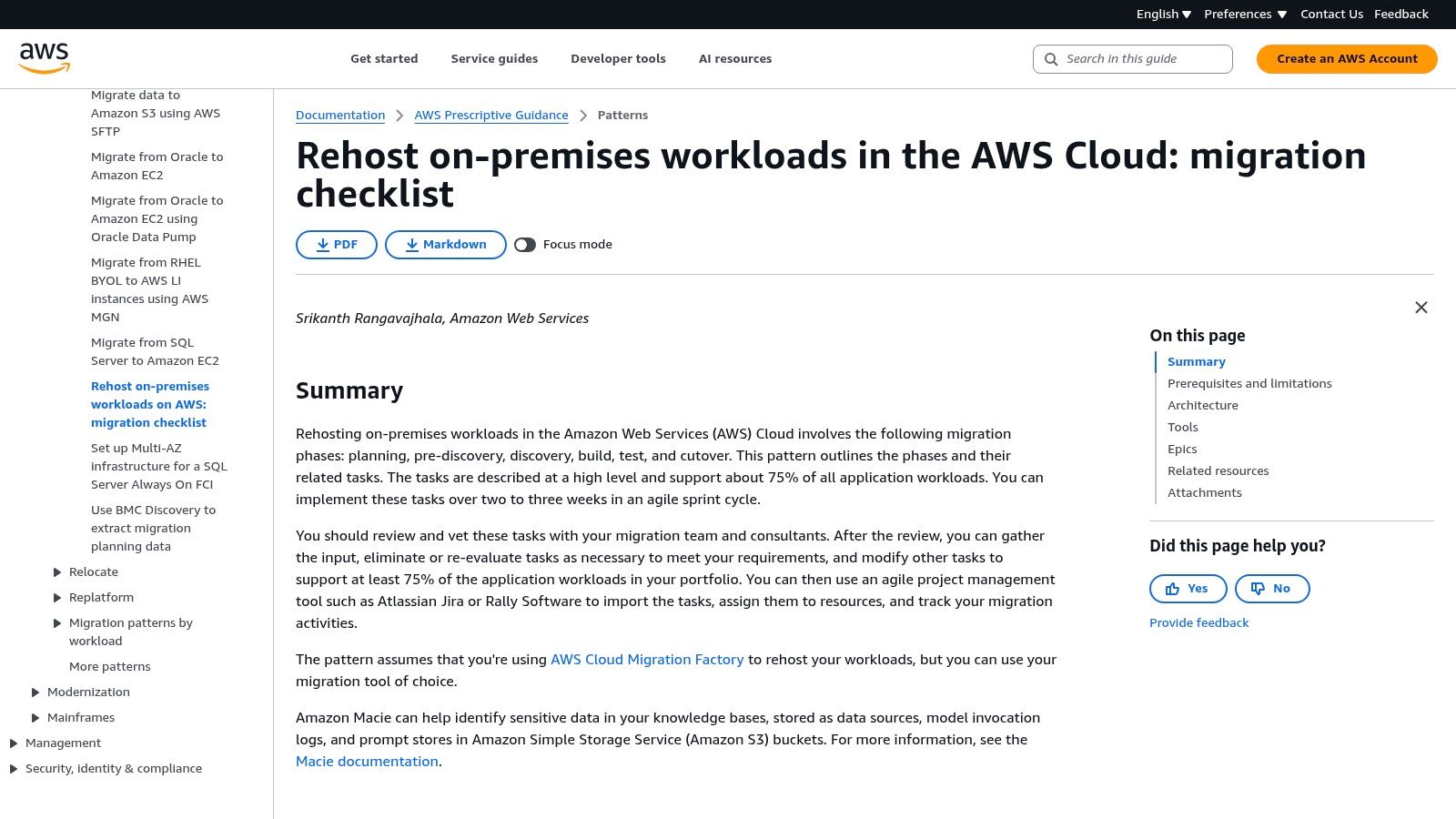
A migration without a baseline is just a guess with a budget. One practical checklist recommendation says to capture 30 days of pre-migration performance data, including CPU utilization, memory usage, IOPS, network throughput, and latency, so the team has a real operating reference after cutover. It also recommends setting success metrics before the work starts, including a 20%–30% reduction in run-rate costs, and planning 8–12 months per complex wave in larger organizations to cover discovery, pilots, migration, hypercare, and optimization. Obsium's cloud migration checklist puts the point plainly, teams fail when they size infrastructure from assumptions instead of evidence.
For data platforms, the baseline can't stop at infrastructure metrics. You need to know what healthy data looks like before the move. That means tracking schema drift, freshness, duplicate patterns, null spikes, and volume trends across the tables that drive reporting or downstream models. If a warehouse job starts arriving late or a source schema shifts during the migration window, you want evidence that the issue is new, not a pre-existing flaw being blamed on the cloud. A platform like digna is built around that kind of baseline learning, but the larger point is simpler, learn the source system before you judge the target.
A useful baseline usually has three layers. First, it captures the system signals that show whether the platform is stable. Second, it captures the data signals that show whether business records are intact. Third, it captures owner sign-off so no one can claim later that a defect was expected. That combination gives you a clean before-and-after comparison instead of a pile of screenshots and opinions.
If the source system can't explain its own normal behavior, the cloud won't save you.
This phase is where analytics teams save themselves from a lot of embarrassment. A dashboard can look fine while the underlying feed is stale, incomplete, or structurally changed. That's why a real cloud migration checklist has to treat observability as a baseline discipline, not a post-migration luxury.
4. Phase 4 Design Future-Proof Pipelines and In-Database Execution
A lift-and-shift of old ETL logic usually preserves old bottlenecks. The cloud warehouse is faster, but the pipeline still drags data out into a separate validation layer, pushes it back, and burns time and cost in the middle. That's why cloud-native ELT redesign matters. The goal isn't to preserve every legacy step. The goal is to use the new platform's strengths, especially when validation and monitoring can run where the data already lives.
That's also where in-database execution earns its place. Instead of exporting records to another engine just to check them, teams can push validation and observability logic into the warehouse or lakehouse itself. digna's architecture is built around that model, and the operational logic makes sense. Less movement means less latency, fewer exposure points, and less friction for large datasets. For teams working in private cloud or on-prem environments, that's often the difference between practical governance and brittle copy-out workflows. digna's in-database execution approach reflects that trade-off directly.
The key question is whether the pipeline design supports the way the business uses the data. If analysts depend on timely refreshes, then late-stage validation has to be fast enough to protect freshness. If compliance feeds depend on record-level integrity, then validation has to live close to the data and the rules. If the data platform powers BI and AI together, then the pipeline has to deal with both schema stability and anomaly detection.
Here's the part many migrations miss. Redesigning the pipeline is not the same as rewriting everything. You can often keep the business logic while changing where it runs and how it's checked. That's a better use of engineering effort than copying an entire ETL estate into the cloud and hoping performance sorts itself out.
Move validation closer to the data: Use the warehouse's compute for checks that don't need an external engine.
Reduce cross-system hops: Every hop adds delay, cost, and another place for failure.
Keep the rules visible: Pipeline checks should be understandable to data engineers and auditors.
Align checks to business timing: Freshness and timeliness matter as much as accuracy in many reporting flows.
If the target platform is modern and the validation layer is still acting like a warehouse from ten years ago, the migration isn't finished. It's only been relocated.
5. Phase 5 Conduct Rigorous Parallel Runs for Testing and Validation
Parallel runs replace assumptions with evidence. A strong migration playbook recommends a baseline/benchmark phase before cutover, then comparing post-migration results against those pre-migration values to see whether performance, reliability, or delivery speed improved. It also recommends starting with low-risk workloads, then moving to important workloads with defined RTO/RPO, and only later core services. The Spiceworks cloud migration playbook fits the operational reality of cloud migration, because the safest place to find failure is not the most critical workload.
A parallel run should test more than row counts. That is the common trap. If counts match but a transformation changes business meaning, the migration still failed. A credible validation cycle includes reconciliation, business logic checks, performance testing under load, and user acceptance testing with the people who consume the data. That matters even more for BI and analytics teams, where a report can be technically “up” and still be wrong enough to drive bad decisions.
Practical rule: counts prove presence, not correctness.
Use different validation modes for different risks. Quantitative checks catch missing rows and broken aggregates. Qualitative rules catch whether the business logic still means what it used to mean. Timeliness checks catch whether the data arrives when the business expects it. Schema checks catch silent changes that downstream jobs may not surface right away. If you are migrating a finance mart, a late load can matter more than a pretty query plan. If you are migrating a healthcare feed, a stale or malformed field can matter more than raw throughput.
A useful parallel run also gives operators a dry run for failure handling. They learn how alerting behaves, which team gets paged, and how long it takes to isolate a bad batch. That experience is hard to simulate on paper, and it pays off when the cutover starts. Teams that treat testing as a working rehearsal, not a checkbox, usually see fewer production incidents because the response path has already been practiced.
6. Phase 6 Finalize the Cutover Plan and Prepare for Rollback
Cutover should feel boring. If it feels exciting, the plan probably isn't tight enough. The best runbooks read like operational scripts, with owners, timestamps, decision gates, and communication steps laid out before anyone touches production. Google's migration guidance and Microsoft's dependency mapping both point toward the same operational truth, sequencing matters because hidden connections determine whether a cutover becomes a controlled event or a scramble. Google's migration checklist gives you the foundation, but the discipline comes from execution.
A rollback plan is not a backup slide. It has to be tested, specific, and tied to exact trigger conditions. If a critical feed fails validation, if a downstream dashboard breaks, or if a dependency behaves differently than the parallel run showed, the team needs to know what happens next. That decision shouldn't be debated while production is already unstable. It should be pre-approved.
The most reliable cutovers usually have three things in common. They keep the legacy path warm long enough to reverse if needed. They assign one owner per task, not one owner per area. They communicate the user impact in plain language, because the business cares less about the packet path than whether its reports will land on time.
A rollback plan is insurance, but only if people know when to use it.
This is also the point where teams need to resist vanity. A clean-looking cutover isn't the same as a safe one. The cleanest migration move is often the one with the most boring contingency plan attached to it. That's what protects uptime, trust, and the internal reputation of the data platform team.
7. Phase 7 Activate Post-Migration Monitoring and Optimization
The migration doesn't end at go-live. The cloud gives you more options, but it also gives you more ways to drift if nobody watches the data. Recent checklist guidance from the migration assessment space recommends keeping close watch on utilization, dependency health, and whether the remediation backlog is too large to support an immediate move, which reflects a broader point, post-cutover control matters as much as pre-cutover readiness. Cloud Consulting Firms' cloud migration assessment checklist makes that caution explicit, and it's especially relevant for regulated or heavily interconnected environments.
In practical terms, data observability pays for itself. The platform should track freshness, arrival timing, anomaly patterns, and schema changes so silent failures surface before business users notice them. That matters for AI inputs, BI dashboards, and compliance feeds alike. If the new warehouse starts delivering late or the schema drifts after a release, the team needs alerting that points to the issue fast enough to act on it.
digna's product model fits this phase because it combines anomaly detection, validation, timeliness checks, and schema tracking in the customer's environment. That combination matters more after migration than before, since the new operating model often surfaces issues that were hidden in the old one. The objective isn't to watch everything forever. It's to learn what “normal” looks like in the cloud and then compare new behavior against it.
A mature post-migration routine usually includes:
Continuous baseline comparison: Compare current behavior to the source and to the newly stabilized cloud state.
Alert tuning: Remove noisy alerts that teams ignore, keep the ones that predict business pain.
Ownership review: Make sure data owners still know which checks they're signing off on.
Optimization cycles: Right-size, simplify, and remove work that the migration made unnecessary.
If the team only celebrates cutover, it misses the core value. The value comes from staying in control after the move, proving the data is still trustworthy, and using that confidence to improve the platform instead of babysitting it.
7-Phase Cloud Migration Checklist Comparison
Phase | Implementation Complexity 🔄 | Resource Requirements 💡 | Expected Outcomes ⭐ 📊 | Ideal Use Cases | Key Advantages ⚡ |
|---|---|---|---|---|---|
Phase 1: Define Pre-Migration Strategy and Business Case | Medium 🔄🔄, stakeholder alignment and planning | Business leads, architects, analytics owners; time for KPI definition | ⭐⭐⭐, documented scope, KPIs, business-aligned migration blueprint 📊 | Project kickoff; multi-workload migrations | ⚡ Reduces rework; clarifies ROI and success criteria |
Phase 2: Map Risk, Security & Compliance Requirements | High 🔄🔄🔄, regulatory analysis and controls mapping | Security, legal/compliance, cloud provider inputs, responsibility matrix | ⭐⭐⭐⭐, compliant target design; mapped controls and residency rules 📊 | Regulated industries; sensitive data migrations | ⚡ Prevents audit failures and costly remediation |
Phase 3: Establish Data Quality & Observability Baseline | Medium 🔄🔄, instrumenting and measuring source systems | Data observability tool, data engineers, baseline datasets | ⭐⭐⭐⭐, objective baseline for validation; detects schema/latency anomalies 📊 | Any migration requiring measurable parity | ⚡ Enables reliable validation and faster root-cause analysis |
Phase 4: Design Future‑Proof Pipelines & In‑DB Execution | High 🔄🔄🔄, architecture and refactor work for cloud‑native ELT | Data engineers, DB compute, design reviews, in-database tooling | ⭐⭐⭐⭐, optimized pipelines, reduced data movement, lower latency 📊 | Replacing legacy ETL with cloud DW; performance-critical flows | ⚡ Improves performance, security, and scalability |
Phase 5: Conduct Rigorous Parallel Runs (Testing & Validation) | High 🔄🔄🔄, extensive testing and reconciliation | Test frameworks, compute for parallel runs, business UAT participants | ⭐⭐⭐⭐, parity verified, business logic validated, load-tested 📊 | Pre-cutover verification for production-critical datasets | ⚡ Catches discrepancies early; reduces outage risk |
Phase 6: Finalize Cutover Plan & Prepare Rollback | Medium 🔄🔄, runbook creation and rollback rehearsals | Runbook owners, ops staff, rollback infrastructure, communication plan | ⭐⭐⭐, defined cutover steps and tested rollback criteria 📊 | Final migration event; high-availability systems | ⚡ Minimizes downtime; clear responsibilities during cutover |
Phase 7: Activate Post‑Migration Monitoring & Optimization | Medium 🔄🔄, continuous ops and tuning | Ongoing observability, SRE/ops, analytics owners | ⭐⭐⭐⭐, continuous data health monitoring; proactive anomaly detection 📊 | Day‑2 operations; long-term value realization | ⚡ Sustains performance gains and prevents silent failures |
From Checklist to Confidence Owning Your Cloud Data Platform
A successful cloud migration for data and analytics platforms comes down to trust. Trust that the data is accurate, timely, and consistent after the move. Trust that dependencies were mapped before anyone touched production. Trust that the rollback plan exists for a reason, not just for an audit binder. And trust that the new environment has been validated against a real baseline instead of a hopeful assumption.
That's why a cloud migration checklist for data platforms has to go beyond infrastructure. Networks, identity, and cutover steps matter, but they don't tell you whether the warehouse still feeds dashboards correctly, whether a schema change slipped through, or whether a late pipeline now looks normal because nobody compared it to the source state. The checklist earns its keep when it turns migration into a measured engineering program, with evidence at each gate and clear owners for each risk.
The strongest teams treat data observability, quality, and validation as first-class migration work. They don't wait for the cloud to expose problems that were already buried in the old stack. They baseline first, test in parallel, cut over with discipline, and keep monitoring after go-live. That's what gives finance, healthcare, telecom, and public sector organizations a migration they can explain to auditors, business users, and their own engineering teams.
If your team needs a platform that validates records, detects anomalies, tracks timeliness, and runs inside your own environment, digna is one option to evaluate alongside your migration plan. Visit digna to see how in-database data quality and observability can support a safer, more evidence-driven cloud move.
digna helps teams validate records, detect anomalies, and monitor data pipelines inside their own databases, which fits the realities of a data platform migration. If you're tightening a cloud migration checklist around data quality and observability, visit digna and see how it can support baseline learning, validation, and post-migration monitoring.


